Introduction
Choosing the best accounts receivable automation software can make a direct difference in how fast your business gets paid, how accurately payments are recorded, and how much time your finance team spends chasing overdue invoices.
Accounts receivable is not only about sending invoices. It includes payment collection, invoice reminders, customer statements, cash application, reconciliation, aging reports, disputed invoices, recurring billing, and visibility into days sales outstanding.
When these tasks are managed manually, small delays quickly turn into cash-flow problems. Invoices are sent late, customers miss due dates, payments are recorded incorrectly, and finance teams spend too much time following up instead of analyzing risk and improving collections.
In this guide, you’ll find the best accounts receivable automation software to consider in 2026: BILL, Plooto, QuickBooks, Xero, Zoho Books, NetSuite, and Sage Intacct.
If you want a quick recommendation, BILL is one of the strongest standalone AR automation choices for small and mid-sized businesses that want invoice payments, reminders, and accounting sync. Plooto is excellent for businesses and accounting firms that want AP and AR payments in one workflow. QuickBooks, Xero, and Zoho Books are best when you want AR automation inside your accounting system. NetSuite and Sage Intacct are better for mid-market and enterprise finance teams with more complex billing, reporting, and multi-entity requirements.
What to look for in accounts receivable automation software
The right AR automation platform should reduce manual follow-up, improve payment visibility, and connect smoothly with your accounting workflow. A simple invoicing tool may work for a freelancer, but a larger finance team will need deeper controls, reporting, and customer-level visibility.
- Automated invoicing: Create, send, schedule, and track invoices with less manual work.
- Payment reminders: Send polite follow-ups before and after due dates.
- Online payments: Accept ACH, card, bank transfer, and other customer payment options.
- Customer portal: Let customers view invoices, payment history, and account balances.
- Cash application: Match incoming payments to open invoices faster.
- AR aging reports: Track overdue invoices by customer, amount, and due date.
- Accounting sync: Connect AR activity to QuickBooks, Xero, NetSuite, Sage Intacct, or another system.
- Scalability: Support higher invoice volume, multiple entities, custom approvals, and advanced reporting.
For more finance software comparisons, you can also review our guides on best bill pay software, best expense management software, and Zoho Books review.
Best Accounts Receivable Automation Software in 2026
BILL
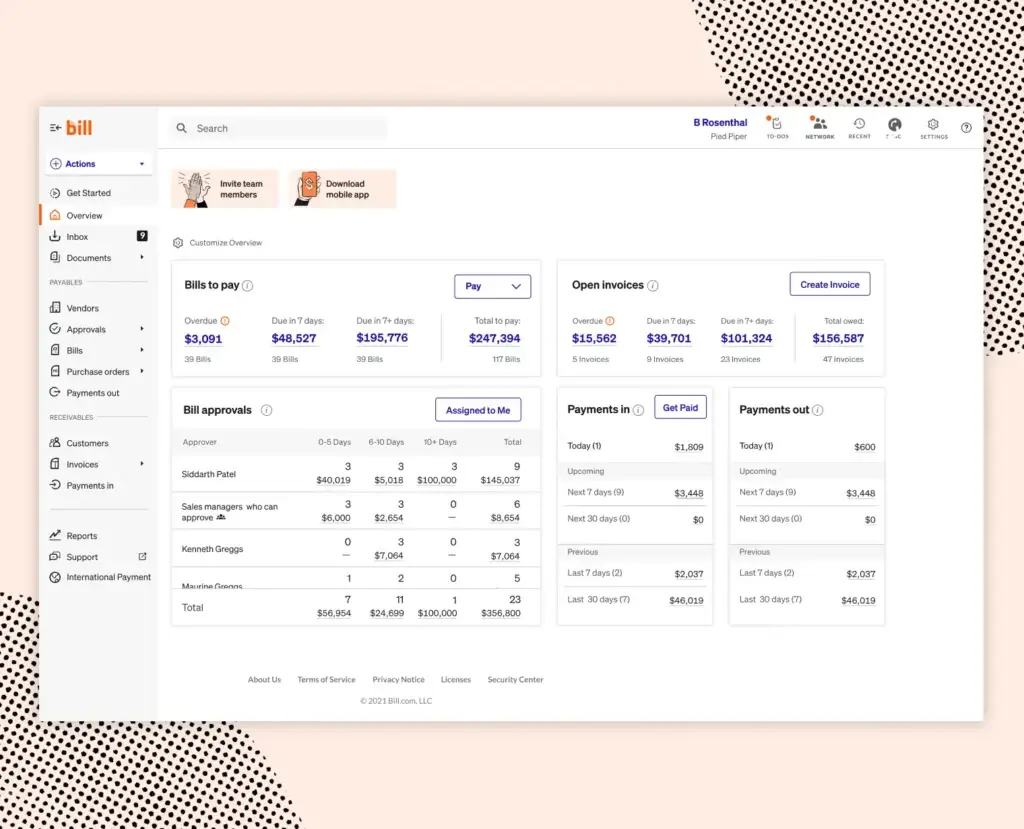
BILL is one of the strongest accounts receivable automation software options for businesses that want to reduce invoice follow-up and get paid faster without moving to a full ERP system. It is especially useful if your finance team wants AR automation connected with accounts payable, payment workflows, and accounting sync.
With BILL, you can create and send invoices, accept customer payments, track outstanding invoices, monitor late payments, and sync activity with accounting software. This makes it a practical choice for small and mid-sized businesses that want to move beyond manual invoice tracking and spreadsheet-based collections.
The biggest advantage of BILL is that it sits between your accounting system and your payment workflow. That matters because many businesses already use QuickBooks, Xero, NetSuite, or Sage Intacct, but still need a better way to collect payments, send reminders, and manage AR tasks across customers.
Key features
- Automated invoice creation, delivery, and tracking
- ACH and credit card payment acceptance
- Payment reminders and customer follow-up workflows
- Customer payment tracking and overdue invoice visibility
- Accounting integrations with QuickBooks, Xero, NetSuite, Sage Intacct, and Microsoft
- AP and AR workflows in one finance operations platform
- Reporting for late payments, customer balances, and cash flow
Pros and cons
Pros
✅ Strong standalone AR automation for SMB finance teams
✅ Useful AP and AR combination in one platform
✅ Good fit for businesses already using accounting software
✅ Helps reduce manual invoice follow-up and payment tracking
Cons
❌ Pricing is user-based, so costs can rise as your finance team grows
❌ Not a full accounting system by itself
❌ Advanced workflows may require higher-tier plans
❌ Best value depends on how much of your payment workflow you centralize in BILL
Pricing
BILL offers AP and AR plans such as Essentials, Team, Corporate, and Enterprise. Pricing is typically user-based, and businesses should review current plan details directly with BILL because payment fees, product mix, user count, and workflow requirements can affect total cost.
Who should use BILL?
BILL is best for small and mid-sized businesses that want a dedicated AR automation platform connected to their accounting software. It is a strong choice if you want better invoice payment collection without replacing your accounting system.
Plooto

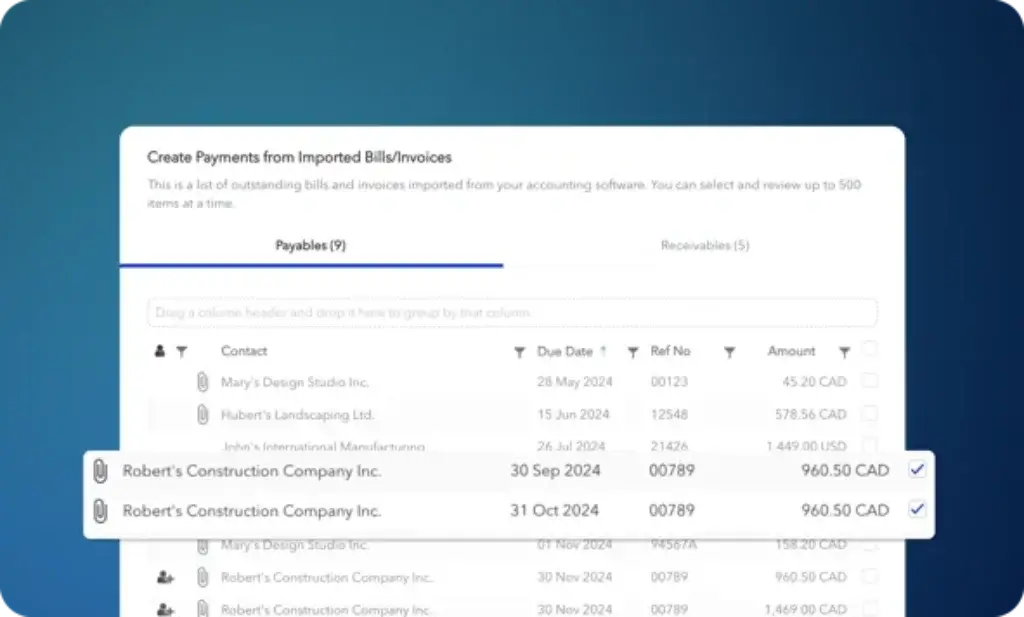
Plooto is a strong accounts receivable automation platform for businesses that want to simplify how they collect customer payments and manage payment operations. It is especially relevant if you also want accounts payable and accounts receivable in one place.
The platform is built around payment automation, approval workflows, and accounting synchronization. For AR, this means you can collect payments, reduce manual follow-up, and keep payment data aligned with accounting records.
Plooto is particularly useful for accounting firms, bookkeepers, and small businesses that manage recurring client payments or need better control over both sides of cash flow. It is not as broad as NetSuite or Sage Intacct, but that is part of the appeal. It focuses on the payment workflow rather than trying to become a full ERP.
Key features
- Accounts receivable payment collection workflows
- Recurring payments and pre-authorized payment options
- Credit card payment acceptance
- Approval workflows for payments and financial controls
- Two-way sync with QuickBooks and Xero
- Accounts payable and receivable in one platform
- Firm-friendly workflows for accountants and bookkeepers
Pros and cons
Pros
✅ Strong fit for payment automation and cash-flow control
✅ Useful AP and AR combination for smaller finance teams
✅ Good option for accounting firms managing client payments
✅ Syncs with popular accounting platforms like QuickBooks and Xero
Cons
❌ Not a full accounting platform
❌ Less suitable for enterprise AR complexity
❌ Some pricing details and packaging may depend on user type
❌ Best fit is businesses that prioritize payment operations
Pricing
Plooto lists a Go plan at $9 per month for low client payment volumes and basic approval workflows. Pricing can vary based on whether you are a business, client, accountant, or firm, so confirm the latest plan structure before choosing a package.
Who should use Plooto?
Plooto is best for small businesses, bookkeepers, and accounting firms that want to automate customer collections while also managing vendor payments. It is especially useful when your main AR problem is payment collection, not full financial reporting.
QuickBooks


QuickBooks is one of the most practical AR automation choices for small businesses because accounts receivable is built directly into the accounting workflow. If you already use QuickBooks for bookkeeping, invoicing, taxes, and reporting, using its AR features can be more efficient than adding another system too early.
QuickBooks lets you create invoices, track customer payments, send statement reminders, view AR aging reports, and identify overdue customer balances. For many small businesses, that is enough to move from informal collections to a more structured receivables process.
The main reason to choose QuickBooks is simplicity. You do not need to manage a separate AR platform, duplicate customer records, or reconcile invoice activity across disconnected tools. However, if you have complex collections workflows, high invoice volume, or enterprise-level requirements, you may eventually need a more dedicated AR platform.
Key features
- Custom invoice creation and delivery
- Automatic invoice reminders and customer statements
- Online payment acceptance through QuickBooks Payments
- Accounts receivable aging reports
- Customer payment tracking and overdue balance visibility
- Bank feeds, reconciliation, and accounting automation
- Integrations with many small business apps
Pros and cons
Pros
✅ Very convenient if you already use QuickBooks
✅ Strong invoicing and AR aging for small businesses
✅ Keeps invoices, payments, and accounting in one system
✅ Large accountant and bookkeeper ecosystem
Cons
❌ Not as advanced as dedicated collections automation platforms
❌ Payment processing fees can affect total cost
❌ Higher-tier plans may be needed for more advanced workflows
❌ Can become limiting for multi-entity or enterprise AR needs
Pricing
QuickBooks Online pricing varies by region and plan. The most relevant plans for AR automation are usually Simple Start, Essentials, Plus, and Advanced, depending on your user count, reporting needs, and workflow complexity. Businesses should also review payment processing fees if they plan to accept online invoice payments.
Who should use QuickBooks?
QuickBooks is best for small businesses that want accounts receivable automation inside a familiar accounting system. It is a strong fit if your AR process is built around invoices, reminders, online payments, and basic aging reports.
Xero

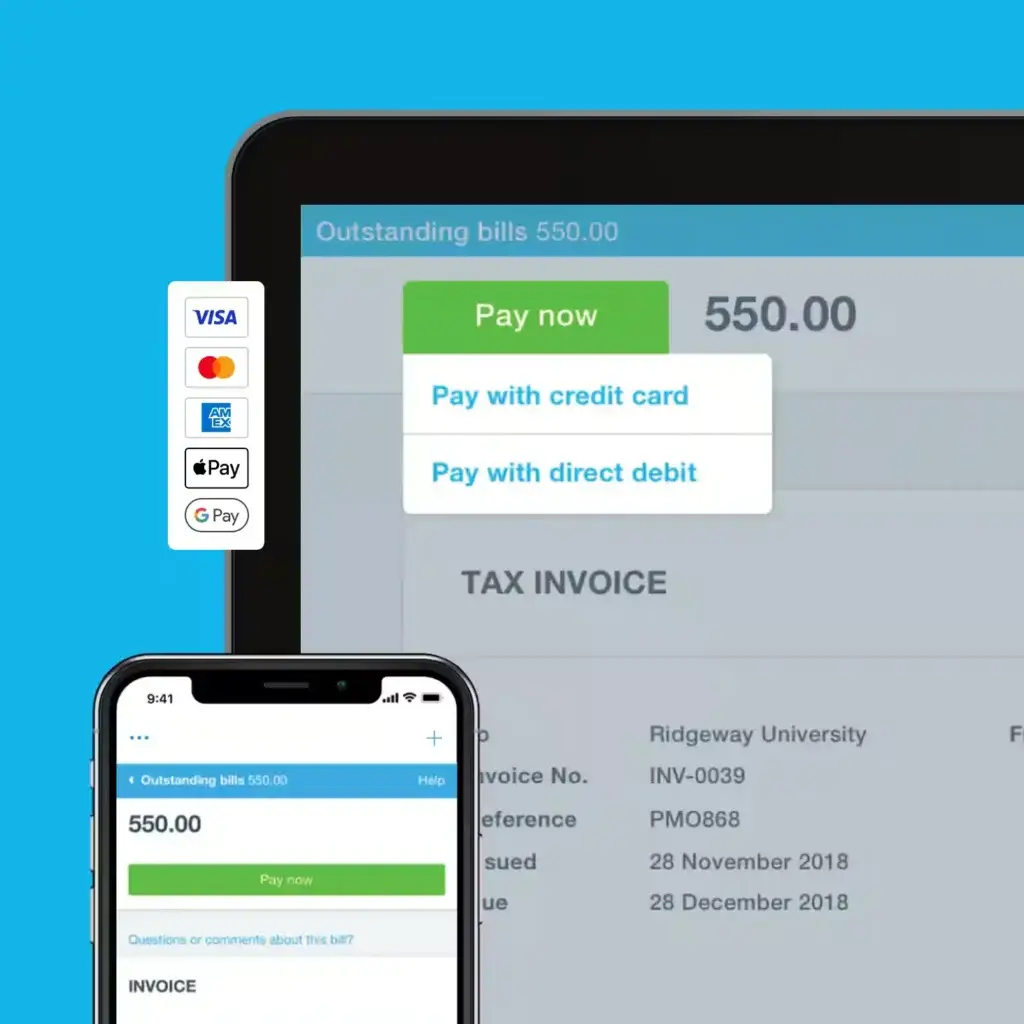
Xero is a strong accounts receivable automation option for small businesses that want a clean accounting platform with automated invoicing and customer payment tracking. It is especially popular with businesses that value usability, collaboration with accountants, and cloud-based workflows.
Xero helps you create invoices, schedule recurring invoices, send automatic payment reminders, accept online payments, and monitor who owes you money. These features make it easier to manage AR without relying on manual customer lists or separate reminder spreadsheets.
Where Xero works best is in small business accounting environments where the finance workflow is still relatively straightforward. It gives you enough automation to reduce late payments and improve cash-flow visibility, while keeping the system approachable for non-accountants.
Key features
- Online invoicing and recurring invoices
- Automatic payment reminders
- Online payment options from customer invoices
- Customer balance and unpaid invoice tracking
- Real-time cash-flow visibility
- Bank reconciliation and accounting automation
- Marketplace integrations for extended AR functionality
Pros and cons
Pros
✅ Clean interface and strong small business usability
✅ Good automated invoicing and reminder functionality
✅ Strong accountant collaboration features
✅ Unlimited users on many plans can be valuable for growing teams
Cons
❌ Some invoice limits apply on lower plans
❌ Advanced AR workflows may require third-party apps
❌ Payroll and other add-ons can increase total cost
❌ Not built for complex enterprise collections management
Pricing
Xero pricing depends on region and plan. In the US, Xero lists plans such as Starter, Standard, and Premium, with promotional discounts sometimes available for new customers. Businesses should compare invoice limits, payment fees, add-ons, and multi-currency requirements before choosing a plan.
Who should use Xero?
Xero is best for small businesses and accounting teams that want cloud accounting with strong invoicing, reminders, and payment tracking. It is especially useful if you want a modern accounting system that makes AR easier without adding unnecessary complexity.
Zoho Books

Zoho Books is a strong AR automation choice for small and growing businesses that want affordable accounting software with built-in invoicing, payment links, automated follow-ups, and customer account visibility.
It is especially attractive if your business already uses Zoho CRM, Zoho Inventory, Zoho Projects, or other Zoho apps. When your customer data, sales activity, invoices, and payments are connected, the accounts receivable process becomes easier to manage.
Zoho Books is not just a basic invoicing tool. It gives you professional invoices, recurring invoices, payment gateways, customer portals, workflow automation, and receivables reporting. For cost-conscious businesses, it offers a strong balance between affordability and functionality.
Key features
- Professional invoices, quotes, and recurring invoices
- Automated payment reminders and follow-ups
- Online payment links and payment gateway integrations
- Customer portal for invoices and account activity
- Receivables reports and customer balance tracking
- Workflow automation for finance tasks
- Integrations across the Zoho ecosystem
Pros and cons
Pros
✅ Strong value for small and growing businesses
✅ Good invoicing and payment reminder automation
✅ Excellent fit for companies already using Zoho apps
✅ More affordable than many accounting competitors
Cons
❌ Lower-tier plans may have invoice and user limits
❌ Not as widely supported by accountants as QuickBooks
❌ Advanced AR and collections workflows may require configuration
❌ Best value appears when you use more of the Zoho ecosystem
Pricing
Zoho Books offers a free plan for qualifying businesses, plus paid plans that vary by region and feature level. When evaluating Zoho Books for AR automation, review invoice limits, user limits, payment gateway costs, workflow automation, and customer portal features.
Who should use Zoho Books?
Zoho Books is best for small businesses that want affordable accounting software with strong invoicing and receivables automation. It is especially useful for companies already using Zoho CRM or other Zoho business apps.
NetSuite
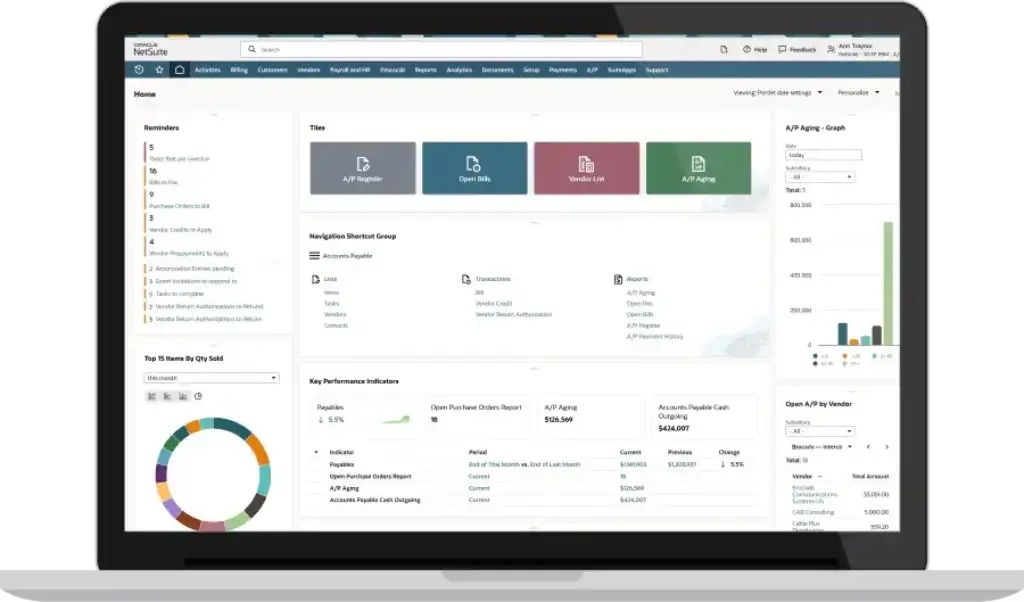
NetSuite is the best option on this list for companies that need accounts receivable automation as part of a broader ERP system. It is built for organizations that have outgrown small business accounting software and need stronger control over invoices, collections, customer accounts, reporting, and multi-entity financial processes.
NetSuite’s accounts receivable capabilities help automate invoice delivery, manage credit terms, improve collections workflows, and provide real-time visibility into customer balances. For finance leaders, the real value is not only automation. It is having AR connected to orders, inventory, revenue recognition, billing, reporting, and financial consolidation.
This makes NetSuite a better fit for mid-market and enterprise businesses than small companies. If your AR process includes multiple subsidiaries, large transaction volume, international customers, subscription billing, or complex reporting, NetSuite is much stronger than basic invoicing tools.
Key features
- Automated invoice delivery and customer account management
- Credit term management and collections workflows
- Dunning automation for late and overdue invoices
- Real-time AR visibility by customer, invoice, and entity
- Multi-currency and multi-subsidiary support
- ERP-level reporting, dashboards, and audit trails
- Integration with billing, orders, inventory, and revenue management
Pros and cons
Pros
✅ Strongest option for ERP-level AR automation
✅ Excellent for multi-entity and global finance teams
✅ Real-time visibility across billing, collections, and financial reporting
✅ Can support complex business models and high transaction volume
Cons
❌ Too complex for most small businesses
❌ Pricing is quote-based and implementation can be significant
❌ Requires planning, training, and often a NetSuite partner
❌ Not ideal if you only need basic invoice reminders
Pricing
NetSuite pricing is quote-based and depends on users, modules, entities, implementation needs, and contract scope. It should be evaluated as a strategic ERP investment rather than a lightweight AR automation tool.
Who should use NetSuite?
NetSuite is best for mid-market and enterprise companies that need AR automation inside a complete ERP system. It is especially strong for businesses with multi-entity accounting, high invoice volume, subscription billing, global operations, or complex reporting needs.
Sage Intacct
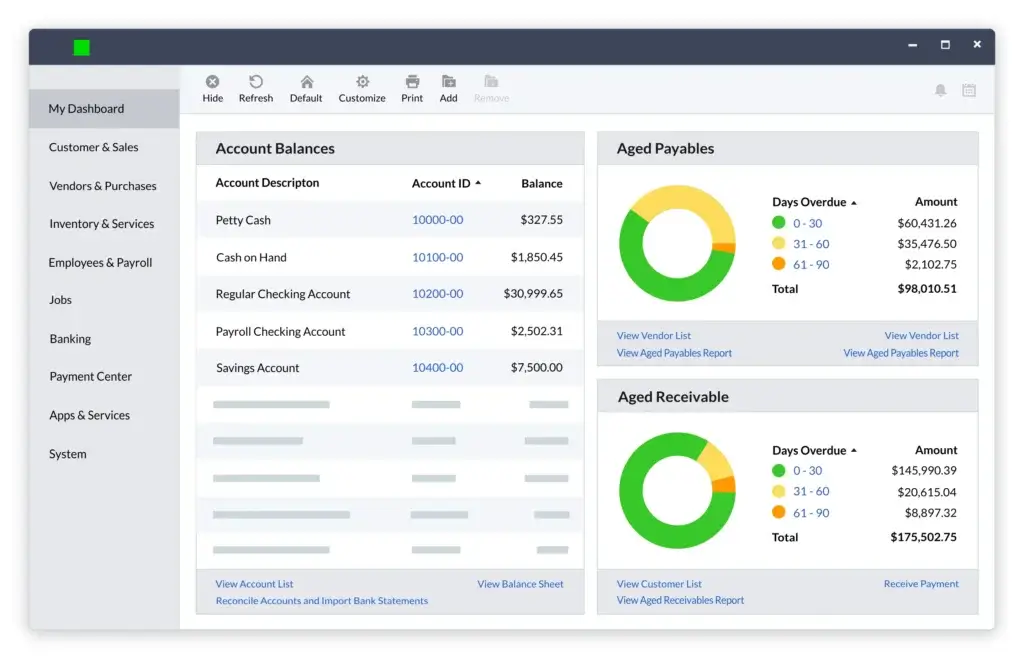
Sage Intacct is a powerful accounts receivable automation solution for finance teams that need more depth than small business accounting software but do not necessarily want a full operational ERP like NetSuite.
Its AR capabilities include process automation, emailed invoices, recurring invoices, payment options, customer document attachments, and financial reporting. This makes it especially relevant for SaaS companies, professional services firms, nonprofits, healthcare organizations, and multi-entity businesses.
The biggest strength of Sage Intacct is financial visibility. It is built for finance teams that need accurate reporting, dimensions, approvals, audit trails, and scalable accounting controls. If your AR process is tied to subscription billing, project billing, multiple entities, or advanced reporting, Sage Intacct is a serious option.
Key features
- Accounts receivable automation and invoice delivery
- Recurring invoices for subscription and repeat billing
- Customer document attachment and recordkeeping
- Payment options to improve customer payment experience
- Multi-entity and dimensional reporting
- Audit trails, permissions, and finance controls
- Integration with broader Sage Intacct financial management
Pros and cons
Pros
✅ Strong financial reporting and AR visibility
✅ Excellent for subscription, service, and multi-entity businesses
✅ More finance-focused than many ERP platforms
✅ Good fit for companies outgrowing QuickBooks or Xero
Cons
❌ Pricing is quote-based
❌ Implementation requires planning and finance expertise
❌ More advanced than many small businesses need
❌ May require integrations for broader operational workflows
Pricing
Sage Intacct pricing is customized based on modules, users, entities, and implementation scope. Businesses should request pricing directly from Sage or a certified Sage partner and confirm whether AR automation, billing, reporting, and multi-entity needs are included in the quoted package.
Who should use Sage Intacct?
Sage Intacct is best for growing finance teams that need stronger AR automation, recurring billing, multi-entity reporting, and financial controls. It is an excellent next step when QuickBooks, Xero, or Zoho Books no longer provide enough accounting depth.
Feature comparison table
| Software | Best For | Biggest Strength | Main Tradeoff |
| BILL | SMBs needing dedicated AR automation | Invoice payments, reminders, customer tracking, and accounting sync | Not a full accounting system |
| Plooto | Small businesses and accounting firms | AP and AR payment automation in one workflow | Less advanced for enterprise collections |
| QuickBooks | Small businesses using QuickBooks accounting | Invoicing, payment tracking, reminders, and AR aging in one accounting system | Limited for complex collections workflows |
| Xero | Small businesses and accountant-led teams | Clean invoicing, automated reminders, online payments, and cash-flow visibility | Advanced AR may require third-party apps |
| Zoho Books | Cost-conscious SMBs and Zoho users | Affordable invoicing, payment links, reminders, and customer portal features | Lower plans may have limits |
| NetSuite | Mid-market and enterprise companies | ERP-level AR automation, dunning, multi-entity visibility, and reporting | Higher cost and implementation complexity |
| Sage Intacct | Growing finance teams with advanced accounting needs | Recurring invoices, payment options, reporting, and multi-entity financial controls | Quote-based pricing and implementation planning |
How to choose the right accounts receivable automation software
The best AR automation software depends on the maturity of your finance function. A small business may only need invoices, online payments, and reminders. A larger company may need dunning workflows, multi-entity reporting, customer-level risk visibility, and recurring billing automation.
Choose BILL if you want dedicated AR automation without replacing accounting
BILL is the best fit when you already use an accounting platform but want stronger AR payment workflows. It is especially useful if your team also wants AP automation in the same finance operations environment.
Choose Plooto if payments are the main problem
Plooto is a strong choice when your AR challenge is collecting payments, managing approvals, and syncing payments with QuickBooks or Xero. It is especially practical for accounting firms and businesses managing both payables and receivables.
Choose QuickBooks, Xero, or Zoho Books for built-in SMB accounting
If you want AR automation inside your core accounting system, QuickBooks, Xero, and Zoho Books are the most practical options. QuickBooks is the strongest default for many US small businesses, Xero is excellent for clean cloud accounting and accountant collaboration, and Zoho Books is best if affordability and Zoho ecosystem integration matter most.
Choose NetSuite or Sage Intacct for advanced finance operations
NetSuite and Sage Intacct are better suited for larger companies with more complex receivables. NetSuite is stronger when AR needs to connect with ERP operations, orders, inventory, revenue management, and global entities. Sage Intacct is a great finance-first option for recurring billing, reporting, and multi-entity financial management.
Conclusion
The best accounts receivable automation software should help your business send invoices faster, collect payments more easily, reduce overdue balances, and improve cash-flow visibility.
For most small and mid-sized businesses, BILL is the strongest overall choice because it focuses directly on AR automation while integrating with popular accounting platforms. Plooto is a strong alternative if you want AP and AR payment automation in one place, especially for firms and businesses using QuickBooks or Xero.
If you prefer to keep receivables inside your accounting system, QuickBooks, Xero, and Zoho Books are all practical choices. QuickBooks is ideal for many small businesses, Xero is excellent for cloud accounting and reminders, and Zoho Books offers impressive value for businesses already using Zoho tools.
For larger finance teams, NetSuite and Sage Intacct are the better long-term options. They are not lightweight tools, but they provide the AR depth, reporting, controls, and scalability that growing companies need when receivables become more complex.
Ultimately, your decision should come down to one question: do you need better invoicing and payment collection, or do you need a scalable finance system that can support your full order-to-cash process? Once you answer that, the right platform becomes much easier to identify.
FAQs
What is accounts receivable automation software?
Accounts receivable automation software helps businesses automate invoice delivery, payment reminders, customer payment tracking, cash application, and AR reporting. It reduces manual follow-up and helps finance teams get paid faster.
What is the best accounts receivable automation software?
BILL is one of the best overall accounts receivable automation software options for SMBs because it focuses on invoice payments, reminders, customer tracking, and accounting sync. NetSuite and Sage Intacct are better for larger companies with complex AR needs.
Is QuickBooks good for accounts receivable automation?
Yes. QuickBooks is a strong option for small businesses that want invoicing, payment tracking, reminders, and AR aging reports inside their accounting system. However, larger businesses may need a dedicated AR automation platform.
Does Xero automate accounts receivable?
Yes. Xero can automate invoices, recurring invoices, payment reminders, online payments, and customer balance tracking. It is a good fit for small businesses that want AR automation inside cloud accounting software.
Is Zoho Books good for receivables automation?
Zoho Books is a strong affordable option for receivables automation. It includes invoicing, automated payment reminders, payment links, customer portal features, and receivables reporting, especially useful for businesses using other Zoho apps.
What is the difference between invoicing software and AR automation software?
Invoicing software mainly helps you create and send invoices. AR automation software goes further by automating reminders, payment collection, customer account tracking, cash application, aging reports, and accounting synchronization.
Can accounts receivable automation reduce late payments?
Yes. AR automation can reduce late payments by sending invoices faster, reminding customers before and after due dates, offering easier payment methods, and giving finance teams better visibility into overdue balances.
Which AR automation software is best for enterprise companies?
NetSuite is one of the best choices for enterprise AR automation when you need ERP-level invoicing, collections, dunning, multi-entity reporting, and global financial control. Sage Intacct is also strong for finance-led organizations with advanced reporting needs.
Does accounts receivable automation integrate with accounting software?
Most strong AR automation platforms integrate with accounting software. BILL, for example, connects with systems such as QuickBooks, Xero, NetSuite, Sage Intacct, and Microsoft, while Plooto supports two-way sync with QuickBooks and Xero.
How do I choose accounts receivable automation software?
Start by reviewing invoice volume, payment methods, reminder needs, accounting integrations, reporting requirements, and customer payment experience. SMBs may prefer BILL, Plooto, QuickBooks, Xero, or Zoho Books, while larger finance teams may need NetSuite or Sage Intacct.