Introduction
Choosing the best time tracking tool in 2026 is no longer just about starting and stopping a timer.
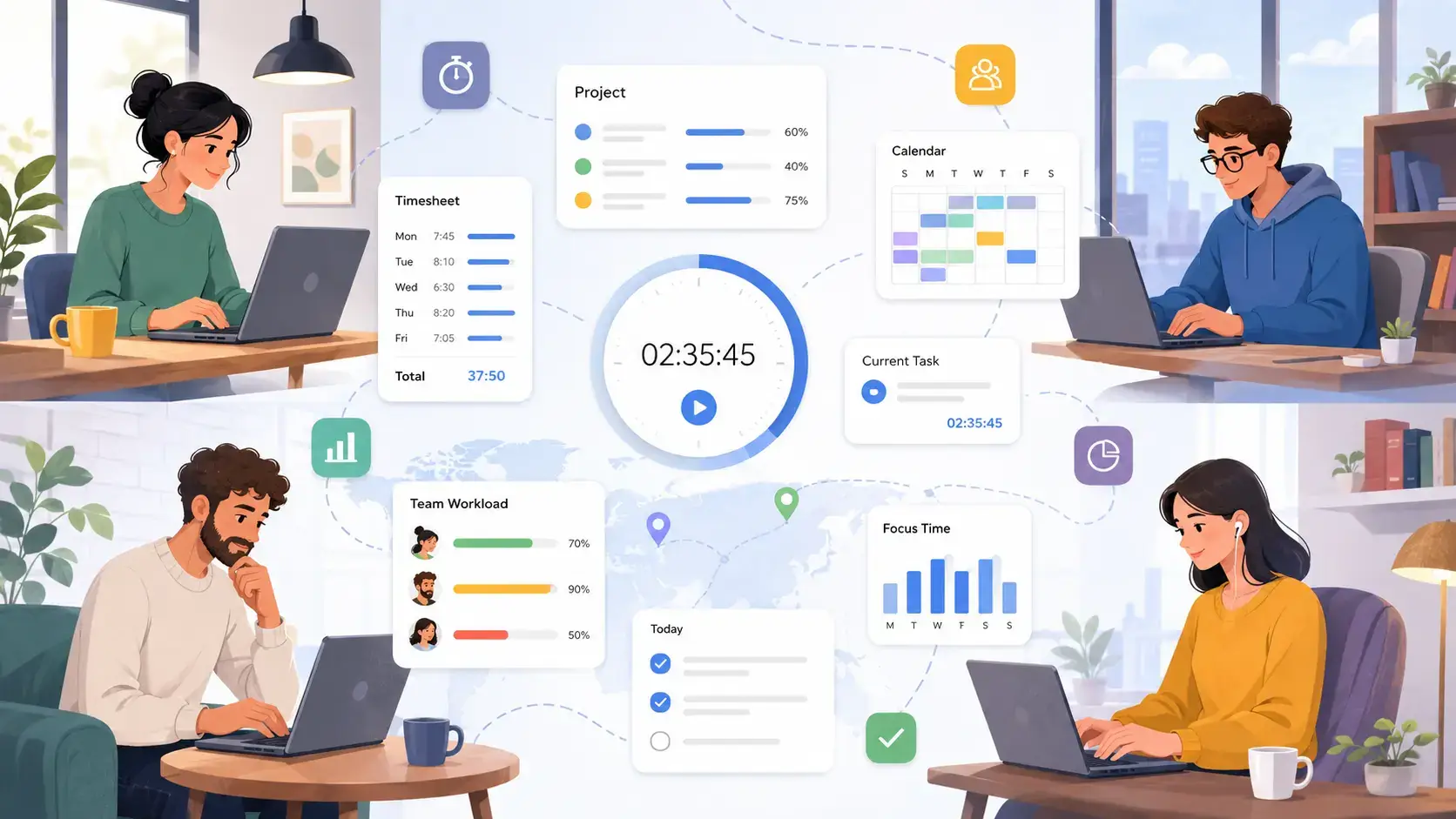
For freelancers, agencies, remote teams, and growing businesses, time tracking now connects directly to profitability, workload planning, payroll, attendance, client billing, and team productivity. The right platform helps you understand where work hours go, which projects are profitable, and where your workflow is losing time.
The challenge is that different tools solve different problems. A simple timer may be perfect for a freelancer, while a field service company may need GPS tracking, geofencing, and verified clock-ins. A project team may prefer time tracking inside ClickUp or monday.com, while an agency may care more about billable hours, invoices, and client reports.
This guide compares seven of the best time tracking tools for 2026: Clockify, monday.com, TMetric, ClickUp, Toggl Track, Jibble, and Hubstaff. Each one was reviewed based on usability, core features, automation, reporting, pricing structure, integrations, privacy controls, and the type of user it fits best.
Use this comparison to narrow your shortlist quickly, then test the tools that match your workflow, team size, and reporting needs.
What Is Time Tracking Software?
Time tracking software helps you record, organize, and analyze how work hours are spent. At a basic level, it replaces manual spreadsheets and paper timesheets with digital timers, time entries, reports, and exports.
In 2026, the best time tracking apps go much further. They can connect tracked time to clients, projects, tasks, budgets, payroll, attendance, invoices, and productivity insights.
💡 What Does Time Tracking Software Do?
Most modern time tracking platforms help you:
- Track time with timers, manual entries, desktop apps, mobile apps, or browser extensions
- Organize hours by client, project, task, team member, tag, or billing status
- Review timesheets and approve team hours
- Separate billable and non-billable time
- Build reports for project profitability and workload planning
- Export time data for payroll, invoicing, or accounting
- Monitor attendance, idle time, GPS location, or activity levels where appropriate
For individual users, a time tracker can improve focus and billing accuracy. For teams, it creates a clearer picture of capacity, project costs, and operational efficiency.
Time Tracking vs Employee Monitoring vs Attendance Tracking
These categories often overlap, but they are not the same.
Time tracking focuses on recording hours against work. Attendance tracking focuses on when people clock in, clock out, take breaks, or work shifts. Employee monitoring may include screenshots, app usage, URL tracking, activity levels, or GPS data.
This distinction matters because the best tool depends on your team culture. A design agency may prefer Toggl Track or TMetric, while a field service company may need Hubstaff or Jibble.
Best Time Tracking Tools at a Glance
The table below gives you a quick overview of how each platform fits into the market. It is designed to help you choose based on your use case rather than simply picking the tool with the longest feature list.
| Tool | Best For | Free Option | Time Tracking Style | GPS / Attendance | Billing Support |
| Clockify | Free starter time tracking for small teams | Yes, up to 5 users | Timer, manual entry, auto tracker | Limited compared with field tools | Paid plans |
| monday.com | Teams already using monday Work OS | Free plan exists, but time tracking requires Pro or Enterprise | Task-based time tracking column | No | Via formulas, workflows, and integrations |
| TMetric | Billable work, budgets, and invoicing | Yes, up to 2 seats | Timer, manual entry, apps, browser extension | No GPS-first focus | Built-in invoicing on paid plans |
| ClickUp | Task management with built-in time tracking | Yes, with usage limits | Task timers, manual entries, timesheets | No | Billable entries and reports on higher tiers |
| Toggl Track | Freelancers and simple time tracking | Yes | One-click timer, manual entry, calendar view | No | Billable rates and project reporting on paid plans |
| Jibble | Attendance, shift teams, and verified clock-ins | Yes, unlimited users | Clock-in/out, kiosk, mobile, biometric options | Yes | Timesheets and payroll-ready exports |
| Hubstaff | Remote teams, field teams, and workforce visibility | 14-day free trial | Timer, GPS, screenshots, activity tracking | Yes | Invoicing, payroll, and payments |
How We Evaluated the Best Time Tracking Software
Time tracking tools can look similar at first, but the details matter. A platform that works beautifully for a solo consultant may be too limited for an agency, while a workforce monitoring tool may be too heavy for a creative team.
To make this comparison useful, each tool was evaluated across practical buying criteria:
- Ease of use – How quickly you can start tracking time without training
- Tracking flexibility – Support for timers, manual entries, automatic tracking, and mobile use
- Reporting – How clearly the tool shows hours, projects, workloads, and billable time
- Billing and payroll – Whether tracked time can support invoices, payments, or payroll workflows
- Team management – Admin controls, approvals, schedules, attendance, and permissions
- Integrations – How well the platform connects with project management, accounting, and communication tools
- Privacy and monitoring – Whether the tool balances accountability with employee trust
- Value for money – How much useful functionality you get before needing a higher plan
The goal is not to crown one universal winner. The goal is to help you choose the time tracking software that best fits the way you actually work.
What Sets Time Trackers Apart in 2026?
The time tracking software category has become much more specialized. Some tools are lightweight and privacy-friendly. Others are built for attendance, payroll, workforce management, or detailed productivity monitoring.
Before choosing a platform, focus on the features that support your workflow rather than the longest checklist.
Key Features to Look For 🧠
- Manual and automatic time tracking – Choose between real-time timers, manual entries, or background activity capture
- Project and task tracking – Connect hours to specific work, clients, projects, or deliverables
- Reporting dashboards – Review billable time, team workload, productivity trends, and project costs
- Invoicing and payroll – Turn approved hours into invoices, payments, or payroll-ready exports
- Mobile apps and GPS – Track work from the field, verify locations, and support shift teams
- Team permissions – Control who can edit time, approve timesheets, view reports, or manage billing
- Privacy controls – Use monitoring features transparently and only when they fit your business needs
- Integrations – Connect time data with tools like ClickUp, Trello, Asana, Jira, QuickBooks, Slack, and Google Calendar
What Makes a Time Tracking Tool the Best?
The best tool is the one your team will actually use consistently.
Freelancers usually need speed, simplicity, and clean reports. Agencies need billable hours, project budgets, and client-ready reporting. Remote teams may need accountability features. Field teams often need GPS, geofencing, kiosk mode, or biometric verification.
That is why this guide compares different types of time tracking software instead of treating every platform as interchangeable.
Best Time Tracking Software by Use Case
Here is the fastest way to narrow your options before reading the full reviews:
| Use Case | Recommended Tool | Why It Fits |
| Best free starter tool | Clockify | Strong free plan for small teams, with timers, timesheets, reports, and apps |
| Best for existing monday.com users | monday.com | Time tracking connects directly to tasks, boards, dashboards, and workflows |
| Best for billable client work | TMetric | Built around clients, projects, budgets, billable rates, and invoices |
| Best for task and time management | ClickUp | Combines tasks, goals, docs, dashboards, and time entries in one workspace |
| Best for attendance tracking | Jibble | Strong free plan with clock-ins, mobile tracking, GPS, kiosk, and biometric options |
| Best for remote and field teams | Hubstaff | Includes GPS, screenshots, app and URL tracking, payroll, and workforce analytics |
| Best for simplicity | Toggl Track | Clean interface, fast adoption, strong reports, and a freelancer-friendly workflow |
Clockify
Clockify is one of the most recognizable names in time tracking, especially for users who want a straightforward tool without a complicated setup. It is a strong option for freelancers, startups, and small teams that need timers, timesheets, basic reports, and cross-device access.
The important update is that Clockify should now be positioned as a strong free starter tool rather than an unlimited free team platform. Its current Free plan is presented for up to 5 users, while larger teams may need to compare the paid tiers carefully.
Overview
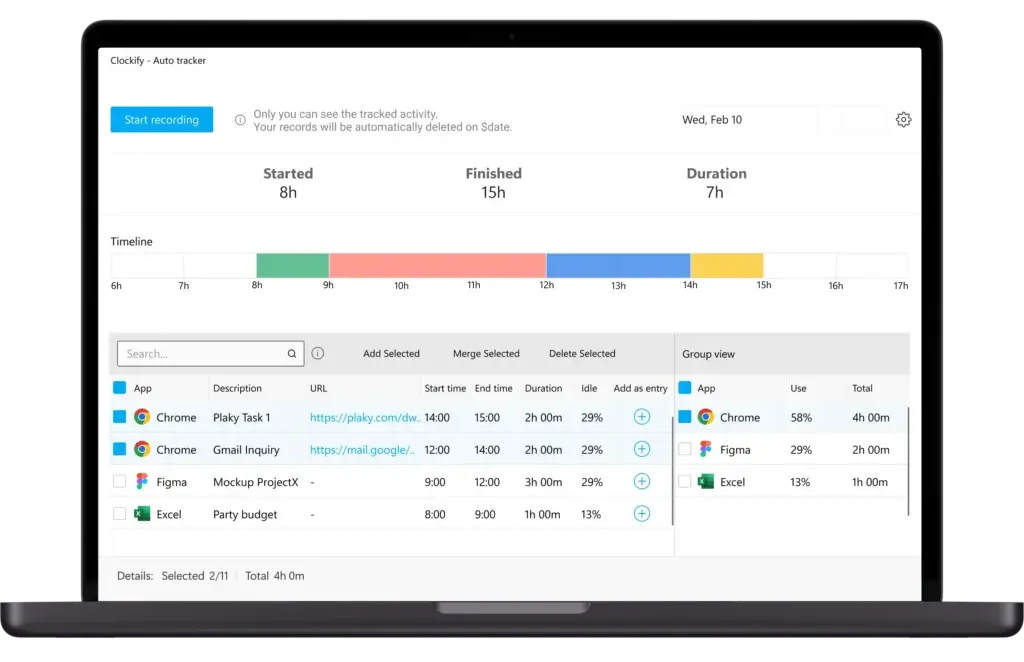
Clockify lets you track time with a live timer, manual entry, timesheets, calendar view, desktop apps, mobile apps, and browser extensions. You can organize time by client, project, task, tag, and billable status.
It works well when you want a clean way to understand how time is spent without adopting a full work management platform. For teams that need approvals, invoicing, forecasting, or deeper admin controls, the paid plans become more relevant.
🔍 Features
- Timer, manual time entries, timesheets, and calendar view
- Auto tracker, idle detection, reminders, and Pomodoro timer
- Projects, clients, tasks, tags, and billable rates
- Reports with filters and export options
- Desktop, mobile, and browser extension support
- Paid upgrades for invoicing, approvals, scheduling, and advanced controls
Positive
✅ Easy to use for freelancers and small teams
✅ Strong free plan for basic time tracking needs
✅ Good reports, apps, and tracking flexibility
Negative
❌ Free plan is no longer best described as unlimited for all teams
❌ Advanced approvals and invoicing require paid plans
❌ Interface is practical, but less polished than some modern competitors
🎯 Best For
Clockify is best for freelancers, consultants, startups, and small teams that want affordable time tracking with minimal friction. It is especially useful when your priority is logging time, generating reports, and keeping costs low.
monday.com

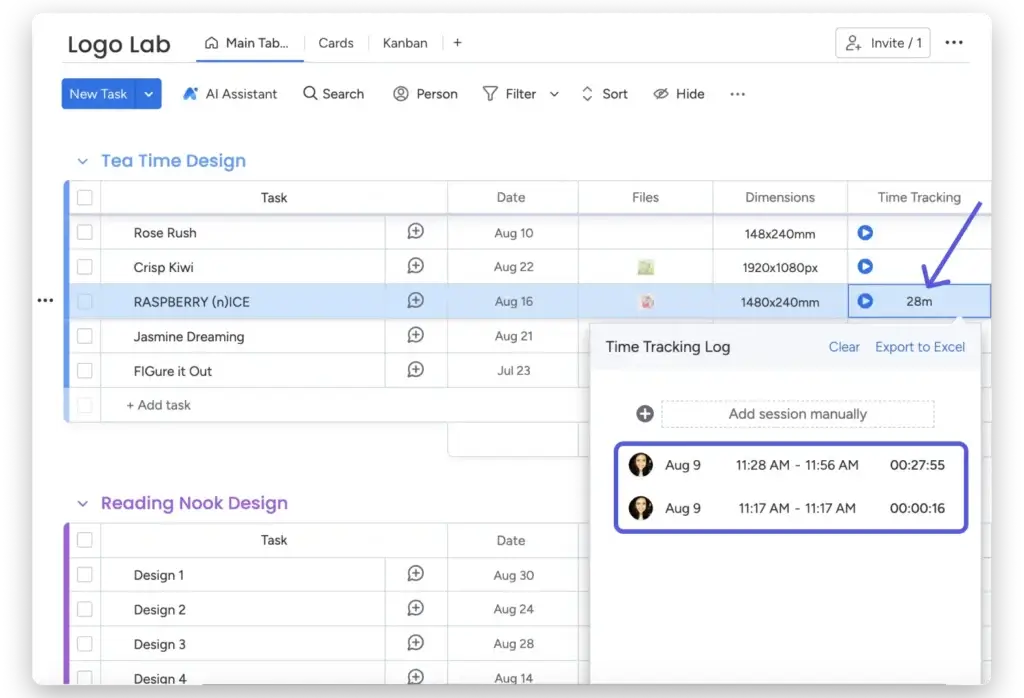
monday.com is not a dedicated time tracking app. It is a work management platform that includes time tracking as part of a broader system for managing tasks, projects, workflows, dashboards, and team collaboration.
That makes it a strong choice if your team already runs projects inside monday Work OS. Instead of adding another standalone tracker, you can track time directly on boards and connect the data to tasks, statuses, formulas, dashboards, and automations.
Overview
monday.com’s time tracking works through the Time Tracking Column. You can add it to a board, let users start and stop timers, manually add sessions, review time logs, and export time tracking data when needed.
The key limitation is plan availability. Time tracking is only available on Pro and Enterprise plans, so monday.com is not the cheapest choice if you only need a basic timer. Its real value appears when time tracking is part of a larger project management workflow.
🔍 Features
- Time Tracking Column for tasks and subitems
- Manual time entries and start-stop timers
- Time logs connected to board items
- Formulas for billable hour calculations
- Dashboards for project and team visibility
- Automations, integrations, and workflow customization
Positive
✅ Excellent if you already manage work in monday.com
✅ Visual dashboards make time data easy to review
✅ Highly customizable for project-based workflows
Negative
❌ Time tracking is only available on Pro and Enterprise plans
❌ Not ideal as a standalone time tracking app
❌ Requires setup if your boards are not already structured well
🎯 Best For
monday.com is best for project-centric teams that already use monday Work OS and want time tracking inside the same visual workspace. It is not the best fit if you only need a low-cost timer or advanced workforce monitoring.
TMetric
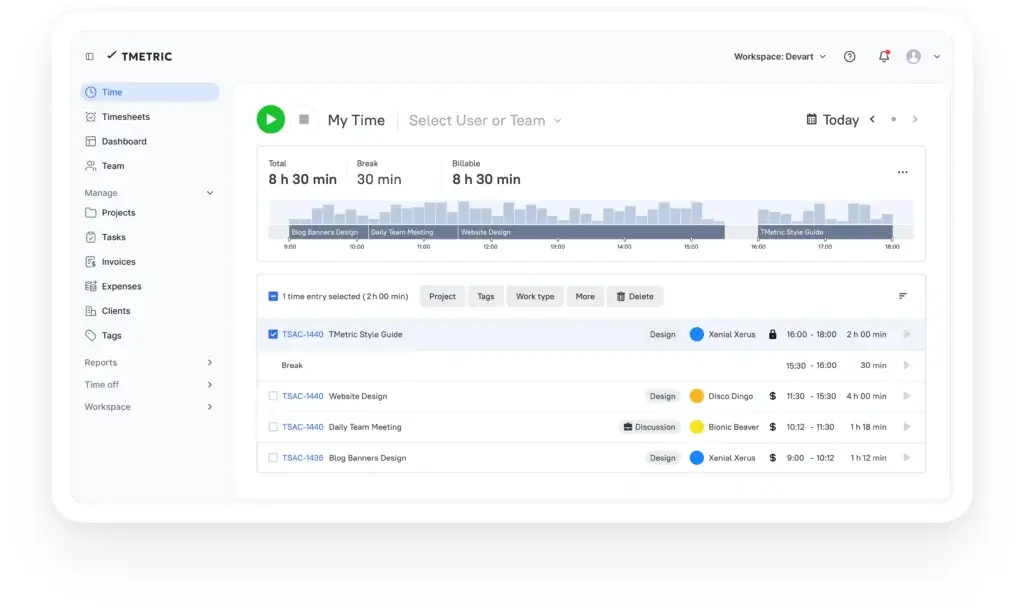
TMetric is a practical time tracking tool for freelancers, consultants, agencies, development teams, and service businesses that need to connect hours with clients, budgets, billable rates, and invoices.
Compared with a basic timer, TMetric gives you more structure around billable work. Compared with a full project management platform, it stays focused on time, productivity, reporting, and billing.
Overview
TMetric supports live timers, manual time entries, desktop and mobile apps, browser extensions, clients, projects, tasks, tags, billable rates, expenses, project budgets, invoices, reports, and team timesheets.
Its Free plan is best for individuals or very small teams, while the Professional and Business plans are more relevant when you need invoicing, budgets, app and site monitoring, screenshots, time off, and advanced team controls.
🔍 Features
- Live timer and manual time entries
- Clients, projects, tasks, tags, and smart time links
- Billable rates, expenses, budgets, and alerts
- Client invoicing and exportable reports
- Desktop, mobile, and browser extension access
- Business plan features for screenshots, app and site monitoring, and team activity tracking
Positive
✅ Strong for billable time tracking and client work
✅ Good reporting, budgeting, and invoicing features
✅ Useful for freelancers, agencies, consultants, and service teams
Negative
❌ Free plan is limited to very small teams
❌ Monitoring features may feel too strict for some teams
❌ Interface is practical, but not the most modern-looking
🎯 Best For
TMetric is best for teams that need to track billable hours, monitor project budgets, create client reports, and invoice from tracked time. It is especially useful for agencies, consultants, developers, accountants, and service providers.
ClickUp

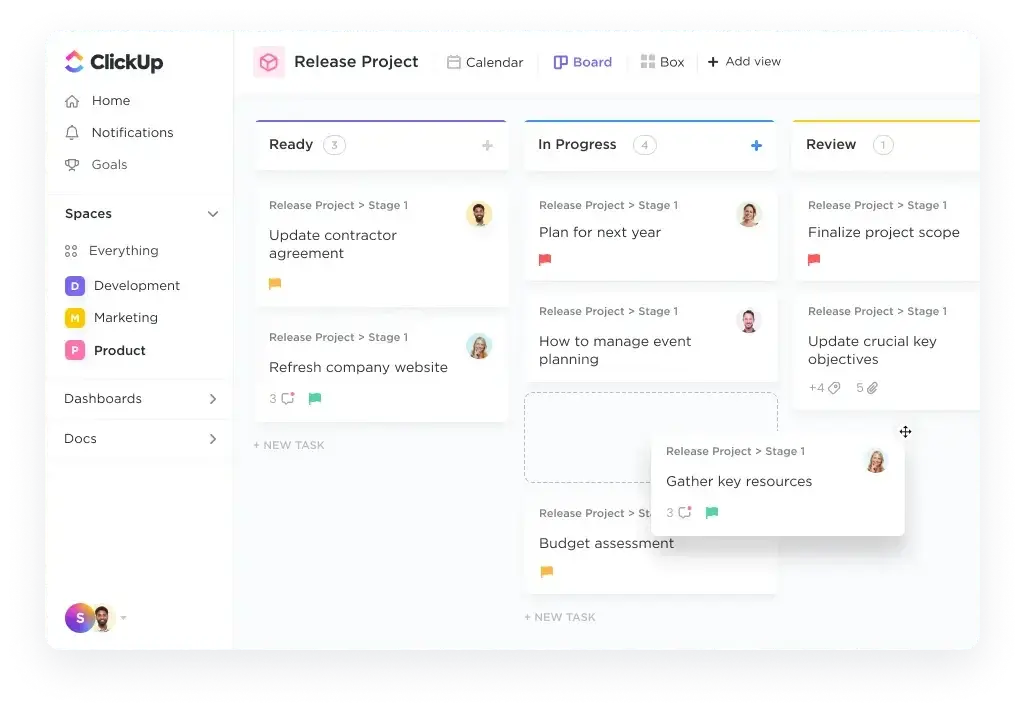
ClickUp is a project management and productivity platform with built-in time tracking. It is a good fit when you want time data to live beside tasks, docs, goals, dashboards, sprints, and workload planning.
Unlike standalone trackers, ClickUp is not only about recording hours. It helps you connect tracked time with the work being done, which makes it useful for teams that already manage projects inside ClickUp.
Overview
ClickUp lets you track time from tasks, views, timesheets, dashboard cards, the toolbar, mobile apps, and the Chrome extension. You can create, edit, and delete time entries, add descriptions, use tags, mark entries as billable, and track time against specific tasks.
The main caveat is that availability and usage limits vary by plan. Free users can access time tracking, but teams that need unlimited usage, advanced time entries, timesheet approvals, and broader reporting should review the plan limits carefully.
🔍 Features
- Task-level timers and manual time entries
- Time estimates, tracked time fields, and billable entries
- Timesheets, dashboard cards, and reporting options
- Mobile tracking and Chrome extension support
- Time tracking integrations with third-party apps
- ClickUp Brain and Super Agents support for time tracking workflows
Positive
✅ Time tracking connects directly to tasks and projects
✅ Excellent if you already use ClickUp as your work hub
✅ Flexible views, dashboards, and reporting options
Negative
❌ Time tracking limits vary by plan
❌ Can feel overwhelming if you only need a timer
❌ Advanced timesheet and approval features are not equally available across plans
🎯 Best For
ClickUp is best for teams that want task management and time tracking in one platform. It works especially well for project managers, agencies, software teams, operations teams, and businesses that already rely on ClickUp for day-to-day work.
Toggl Track

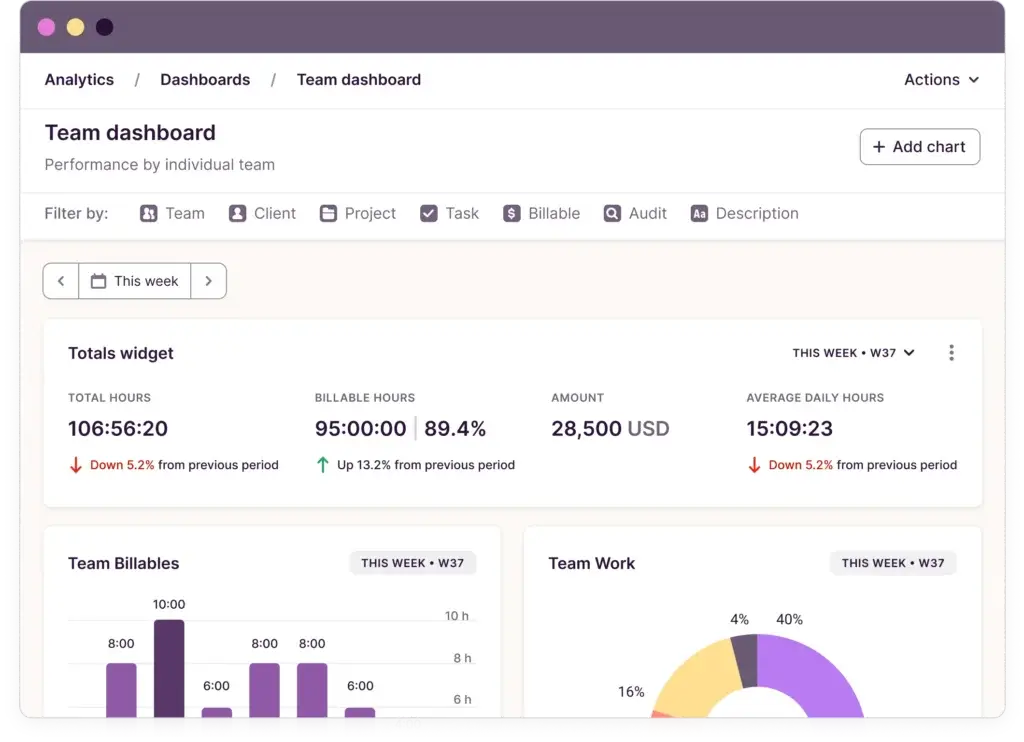
Toggl Track is one of the easiest time tracking tools to recommend when simplicity matters. It is clean, fast, and designed for users who want to track time accurately without fighting a complex interface.
It is especially appealing for freelancers, consultants, creators, and small teams that need reliable tracking, billable rates, visual reports, and broad app access.
Overview
Toggl Track lets you start timers with one click, add manual entries, organize time by project and client, apply tags, set billable rates, and review reports. It works across web, desktop, mobile, browser extensions, and calendar-based workflows.
Its Free plan is useful for basic tracking, while paid plans unlock stronger billing, team collaboration, productivity reporting, time estimates, scheduled reports, profitability analysis, timesheet approvals, and advanced reporting.
🔍 Features
- One-click timers and manual time entries
- Projects, clients, tasks, tags, and billable rates
- Calendar view, reports, and visual analytics
- Desktop, mobile, browser extension, and web apps
- Starter and Premium plans for billing, team reporting, and profitability analysis
- Strong privacy fit for teams that do not want screenshot-based monitoring
Positive
✅ Extremely easy to use and fast to learn
✅ Clean design with strong reports and visual insights
✅ Good fit for freelancers, consultants, and privacy-conscious teams
Negative
❌ No native GPS tracking for field teams
❌ Not designed for employee monitoring or screenshots
❌ Advanced billing, profitability, and team features require paid plans
🎯 Best For
Toggl Track is best for freelancers, consultants, creative professionals, agencies, and small teams that want clean time tracking, simple reporting, and a low-friction user experience.
Jibble
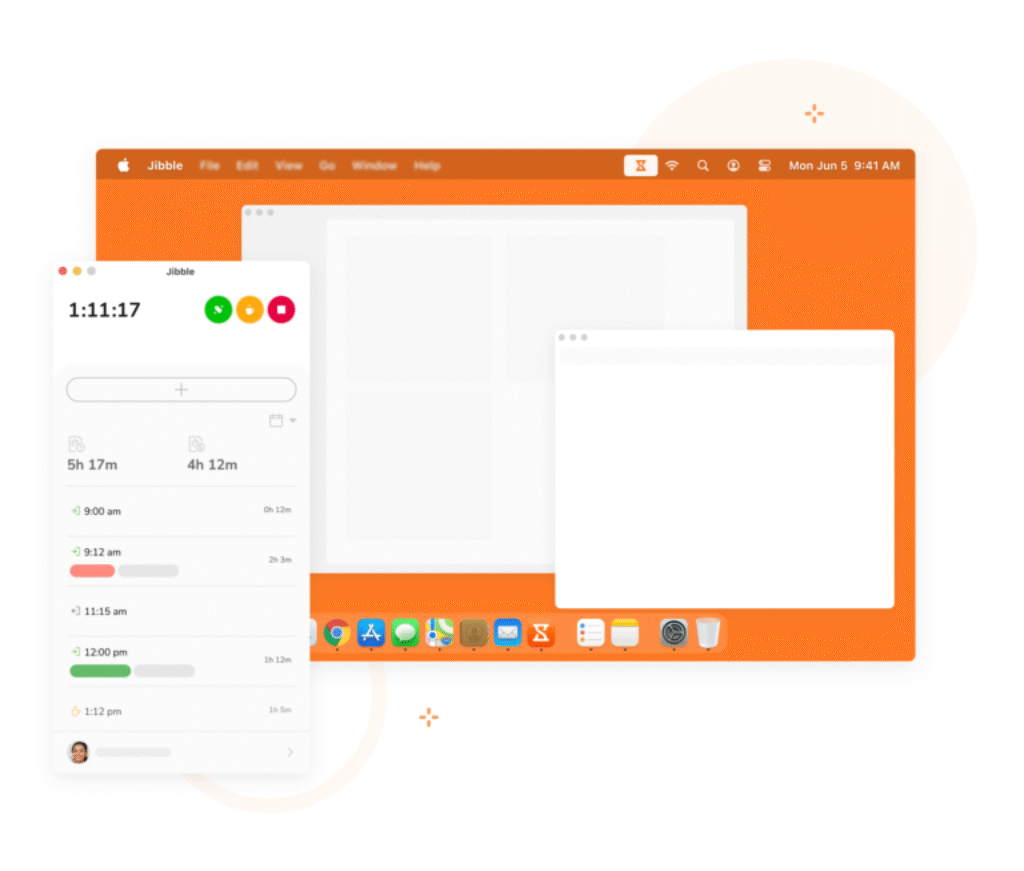
Jibble is a time tracking and attendance platform designed for teams that need accurate clock-ins, shift visibility, and payroll-ready timesheets. It is especially strong for companies where verifying attendance matters as much as tracking work hours.
Its biggest advantage is the free plan. Jibble positions its free plan as free forever for unlimited users, making it one of the strongest options for teams that need basic attendance and time tracking without an immediate software cost.
Overview
Jibble supports clock-ins through mobile, web, kiosk, and desktop options. Depending on your setup, teams can use GPS locations, geofencing, facial recognition, selfie verification, timesheets, schedules, breaks, and overtime rules.
This makes Jibble different from freelancer-oriented tools. It is less about personal productivity and more about verified attendance, compliance, workforce visibility, and payroll preparation.
🔍 Features
- Clock-in and clock-out tracking
- Facial recognition and selfie verification options
- GPS locations and geofencing
- Kiosk mode for shared devices
- Automated timesheets, breaks, overtime, and payroll-ready reports
- Free plan for unlimited users with core time tracking features
Positive
✅ Excellent for attendance and shift-based teams
✅ Strong free plan for unlimited users
✅ GPS, kiosk, and biometric options add accountability
Negative
❌ Less focused on project profitability than tools like TMetric
❌ Not the best choice for simple freelancer time tracking
❌ Advanced attendance rules may require setup time
🎯 Best For
Jibble is best for field service, retail, healthcare, construction, hospitality, education, manufacturing, and any business that needs verified attendance, mobile clock-ins, or shift-based time tracking.
Hubstaff

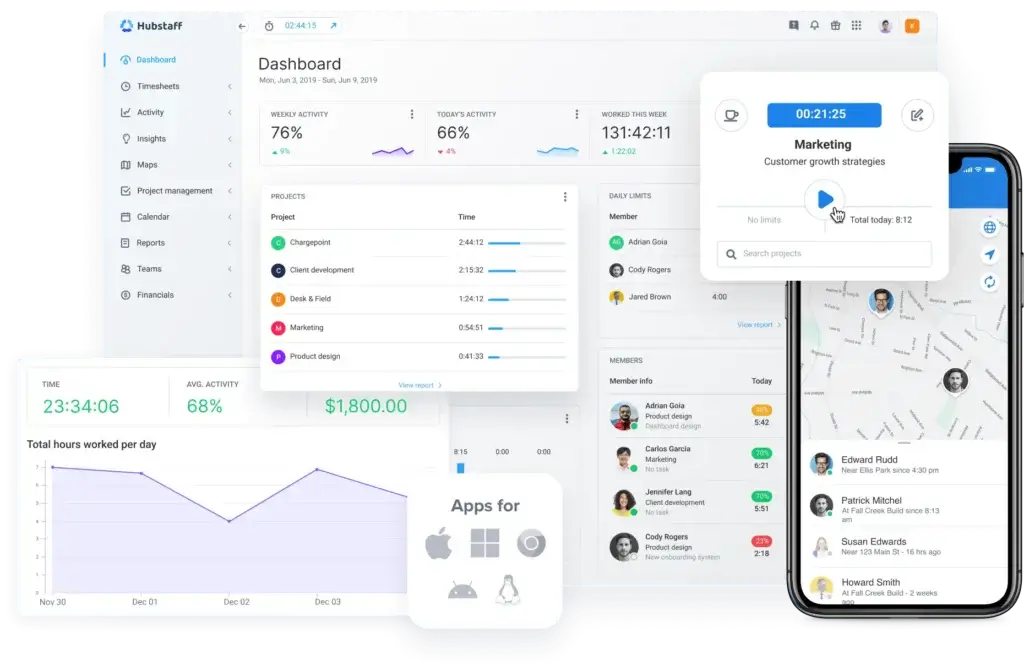
Hubstaff is built for teams that need more than basic time tracking. It combines employee time tracking, timesheets, GPS tracking, activity levels, screenshots, app and URL usage, scheduling, invoicing, payroll, and workforce analytics.
This makes Hubstaff one of the strongest options for remote teams, field teams, agencies, contractors, and service businesses that need visibility into when and where work happens.
Overview
Hubstaff lets users track time from desktop and mobile apps, assign hours to tasks or projects, and generate detailed timesheets and reports. For mobile and field teams, GPS tracking and geofencing can help verify job site attendance.
For managers, Hubstaff can provide optional screenshots, idle time tracking, activity levels, app and URL usage, budgets, invoices, and payroll workflows. These features can be valuable, but they should be implemented transparently so they support accountability without damaging trust.
🔍 Features
- Time tracking across desktop, mobile, and web
- Automated timesheets and detailed time reports
- GPS tracking, geofencing, and job site visibility
- Optional screenshots, activity levels, idle time, and app and URL usage
- Project budgets, client invoicing, payroll, and payments
- Integrations with tools like Asana, Trello, ClickUp, Jira, QuickBooks, PayPal, and Google Calendar
Positive
✅ Strong for remote, hybrid, and field workforce management
✅ GPS, activity, and productivity features are more advanced than basic trackers
✅ Invoicing, payroll, and reporting make it useful for service teams
Negative
❌ Monitoring features may feel too invasive for some team cultures
❌ More complex than simple tools like Toggl Track
❌ Free access is trial-based, so long-term use requires a paid plan
🎯 Best For
Hubstaff is best for remote teams, distributed agencies, field service companies, contractors, and businesses that need GPS tracking, proof-of-work features, automated timesheets, and payroll-connected time tracking.
Time Tracking Platforms Comparison Side by Side
Before choosing a time tracking app, compare the core tradeoffs carefully. The biggest differences usually appear in pricing structure, tracking style, monitoring depth, invoicing, and whether the tool is built for desk-based work or field teams.
The table below summarizes the key differences between the tools covered in this guide.
| Tool | Free Plan / Trial | Automatic Tracking | GPS Tracking | Invoicing / Billing | Best For |
| Clockify | Yes, free plan for up to 5 users | Yes, auto tracker and idle detection | Not its main strength | Available on paid plans | Freelancers and small teams that want affordable tracking |
| monday.com | Free plan exists, but time tracking requires Pro or Enterprise | Task timer and manual sessions | No | Possible through formulas, workflows, and integrations | Teams already using monday Work OS |
| TMetric | Yes, free plan for up to 2 seats | Yes, timer, apps, browser extensions, and monitoring on higher tiers | No GPS-first focus | Built-in invoicing on paid plans | Agencies and service teams tracking billable work |
| ClickUp | Yes, with usage limits | Timer, manual entries, integrations, and AI-assisted workflows | No | Billable entries and reporting options | Project teams that want task and time tracking together |
| Toggl Track | Yes | Timer, manual entry, calendar-based workflows, and desktop activity support | No | Billable rates and project reporting on paid plans | Freelancers, consultants, and simple team tracking |
| Jibble | Yes, unlimited users | Clock-in automation and attendance rules | Yes | Timesheets and payroll-ready exports | Shift teams, attendance tracking, and field workers |
| Hubstaff | 14-day free trial | Yes, with activity, app and URL tracking, screenshots, and idle time | Yes | Built-in invoicing, payroll, and payments | Remote teams, field teams, and workforce visibility |
Manual vs Automatic Time Tracking
One of the most important decisions is whether you want manual time tracking, automatic time tracking, or a mix of both.
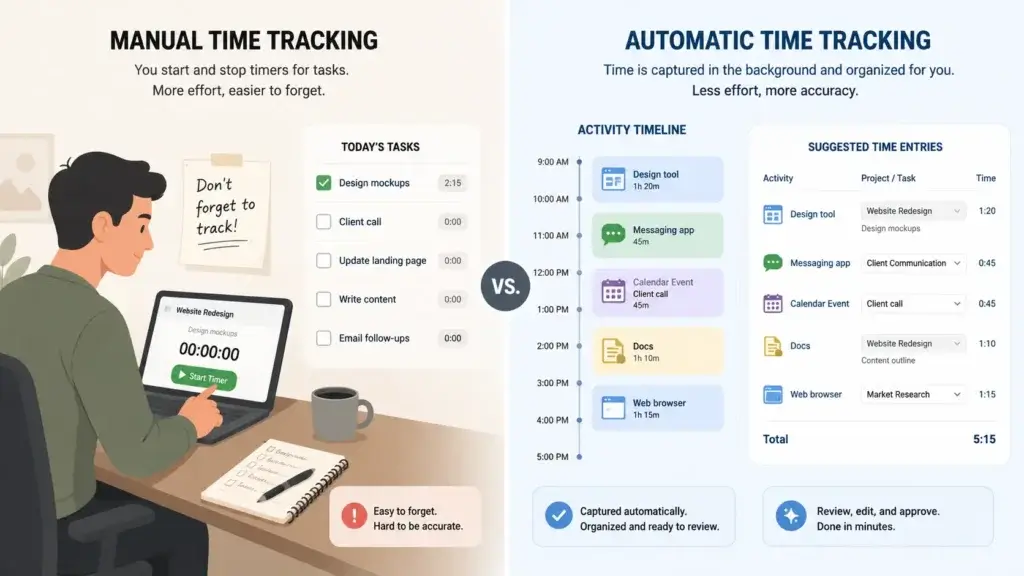
Manual tracking gives users control. They start a timer, stop it, and assign the time to a task, project, or client. This is common in Toggl Track, Clockify, ClickUp, and TMetric.
Automatic tracking reduces forgotten timers by recording activity in the background, detecting idle time, or helping users reconstruct their day. This is useful when accuracy matters, but it can also raise privacy concerns if implemented without clear policies.
For most knowledge teams, the best setup is a balanced one: easy timers, manual edits, reminders, calendar context, and transparent reporting. For field teams, GPS and attendance tracking may be more important than desktop activity logs.
Privacy and Employee Monitoring
Time tracking can improve accountability, but it should not feel like surveillance by default.
Tools like Hubstaff offer activity levels, screenshots, app and URL tracking, GPS, and idle time data. These features can be useful for remote workforce management, field service, outsourcing, and compliance-heavy environments.
However, creative teams, consultants, and knowledge workers may prefer lighter tools like Toggl Track, Clockify, ClickUp, or TMetric, depending on the level of monitoring enabled.
If you use monitoring features, set clear internal rules. Explain what is tracked, why it is tracked, who can see the data, and how it will be used. The best time tracking system improves trust and clarity, not anxiety.
How to Choose the Best Time Tracking Tool for Your Team
To choose the right platform, start with your real workflow instead of the feature list.
If you bill clients by the hour, prioritize billable rates, invoices, project budgets, and clean exports. If you manage remote employees, look for timesheets, approvals, activity visibility, and privacy controls. If you manage physical teams, GPS, kiosk mode, shift tracking, and attendance rules matter more.
Here is a simple way to decide:
- Choose Clockify if you want a low-cost starter tracker with useful free features
- Choose monday.com if you already manage projects inside monday Work OS
- Choose TMetric if your main priority is billable work, budgets, and invoicing
- Choose ClickUp if you want time tracking inside a full task management platform
- Choose Toggl Track if you want the simplest and cleanest time tracking experience
- Choose Jibble if you need attendance, GPS, kiosk mode, or biometric verification
- Choose Hubstaff if you manage remote or field teams and need workforce visibility
Conclusion
The best time tracking tool in 2026 depends on what you are trying to measure.
If you need simple, affordable tracking, Clockify is a strong starting point. If you want the cleanest experience for freelancers and consultants, Toggl Track is one of the easiest tools to adopt. If billable hours and client budgets matter most, TMetric is a strong fit.
If your team already works inside a project management platform, ClickUp and monday.com make more sense because time tracking becomes part of the broader workflow. For attendance, physical teams, and verified clock-ins, Jibble is the strongest option. For remote and field teams that need GPS, workforce analytics, and proof-of-work features, Hubstaff is the most robust choice.
The smartest approach is to shortlist two or three tools based on your use case, test them with a real project, and see which one your team can use consistently. A time tracker only creates value when people actually trust it and use it.
FAQs
What is the best time tracking tool in 2026?
The best time tracking tool depends on your workflow. Clockify is a strong free starter option, Toggl Track is best for simple tracking, TMetric is best for billable work, ClickUp is best for task-based tracking, Jibble is best for attendance, and Hubstaff is best for remote or field teams.
What is the best free time tracking software?
Clockify and Jibble are two of the strongest free time tracking options. Clockify is better for project and task-based tracking, while Jibble is better for attendance, clock-ins, and shift-based teams.
Which time tracking app is best for freelancers?
Toggl Track is one of the best time tracking apps for freelancers because it is fast, simple, and easy to use. TMetric is also a strong option if you need billable rates, project budgets, and invoicing.
Which time tracking tool is best for agencies?
TMetric is a strong choice for agencies because it supports clients, projects, billable rates, budgets, invoices, and reports. ClickUp can also work well if your agency wants task management and time tracking in one workspace.
Which time tracking software is best for remote teams?
Hubstaff is best for remote teams that need GPS tracking, activity levels, screenshots, app and URL tracking, payroll, and workforce analytics. Toggl Track or ClickUp may be better for remote knowledge teams that prefer less monitoring.
What is the best GPS time tracking app?
Hubstaff is best for GPS-based workforce tracking, especially for remote and field teams. Jibble is also a strong option when GPS tracking is connected to attendance, clock-ins, geofencing, and shift management.
Can time tracking software help with invoicing?
Yes. Tools like TMetric, Hubstaff, Clockify, and Toggl Track can help connect tracked time with billing workflows. TMetric is especially strong for service businesses that need billable rates, project budgets, and invoices.
Is automatic time tracking better than manual tracking?
Automatic time tracking can reduce forgotten timers, but manual tracking gives users more control. The best choice depends on your team culture, privacy expectations, and whether you need personal productivity insights, billable accuracy, or workforce visibility.
What is the difference between time tracking and employee monitoring?
Time tracking records work hours against tasks, clients, or projects. Employee monitoring may also include screenshots, activity levels, app usage, URL tracking, idle time, or GPS location. Not every team needs monitoring features.
What is the best all-in-one tool for task and time management?
ClickUp is the best all-in-one option if you want tasks, docs, goals, dashboards, and time tracking in one platform. monday.com is also a good choice if your team already uses monday Work OS and has access to the Pro or Enterprise plan.
“`