
Introduction
If you’re looking for a private, ad-free email provider that gives you more control than Gmail or Outlook, Fastmail is one of the strongest options to consider. It is built for people who want a cleaner inbox, reliable syncing, custom domains, and fewer distractions from the big tech ecosystem.
In this Fastmail review for 2026, you’ll learn how the platform performs across email management, privacy, security, pricing, migration, business use, and everyday usability. You’ll also see how Fastmail compares with Gmail, Neo Mail, Proton Mail, and Tuta Mail, so you can decide whether it is the right email provider for your needs.
Fastmail is not the most encrypted email service on the market, and it is not trying to replace a full productivity suite like Google Workspace. Its strength is different. It focuses on fast, private, flexible email with strong calendar, contact, alias, and domain management features.
If you want a professional inbox that works across devices, supports your own domain, and does not rely on advertising or user data monetization, Fastmail deserves serious consideration.
Quick Overview
Fastmail Review Summary
If you want a fast answer, Fastmail is best for users who want a premium private email provider without giving up traditional email flexibility. It is especially strong for custom domains, aliases, shared family accounts, business email, and users who prefer IMAP/SMTP support.
| Category | Fastmail Review Summary |
| Best For | Individuals, families, freelancers, and small businesses that want private, ad-free email |
| Starting Price | From $5/month annually for Individual plans and $3/user/month annually for Business Basic |
| Free Plan | No free plan, but a free trial is available for up to 30 days |
| Custom Domains | Supported across plans, depending on plan type and configuration |
| End-to-End Encryption | No, Fastmail uses strong encryption in transit and at rest but not full E2EE |
| Third-Party Client Support | Yes, with IMAP, SMTP, CalDAV, and CardDAV support on eligible plans |
| Best Alternative | Proton Mail for E2EE, Gmail for free ecosystem, Neo Mail for simple business email setup |
My view is that Fastmail is one of the best email providers if you want privacy without making email harder to use. It does not offer the strongest possible encryption model, but it gives you a much smoother everyday workflow than many privacy-first competitors.
What Is Fastmail?
Fastmail is an independent email provider founded in 1999 in Melbourne, Australia. Over the years, it has built a strong reputation among privacy-conscious users, developers, freelancers, families, and small businesses that want a dependable alternative to free email services.
The company was briefly acquired by Opera Software in 2010, but the original Fastmail team bought it back in 2013. Since then, Fastmail has remained focused on building a sustainable paid email service instead of relying on ads, tracking, or data monetization.
That paid model matters. With many free email providers, you often trade personal data, attention, or ecosystem lock-in for access. With Fastmail, the relationship is simpler: you pay for the service, and Fastmail provides email, calendars, contacts, storage, aliases, and support.
Fastmail operates under Australian law and stores user data in secure data centers in the United States. This setup may not appeal to users who need strict jurisdictional privacy, but Fastmail is transparent about how it handles data, how its systems are secured, and where the privacy tradeoffs exist.
For most users, Fastmail sits in a practical middle ground. It is more private and focused than Gmail, more flexible than many encrypted email providers, and easier to manage than most self-hosted email setups.
Software Specification
Core Features Breakdown
Fastmail focuses on the features that matter most in daily email management: speed, search, organization, domain control, aliases, calendar, contacts, and reliable syncing. It does not overload the interface with unnecessary features, which is part of why many long-term users prefer it.
Clean, Efficient Email Experience
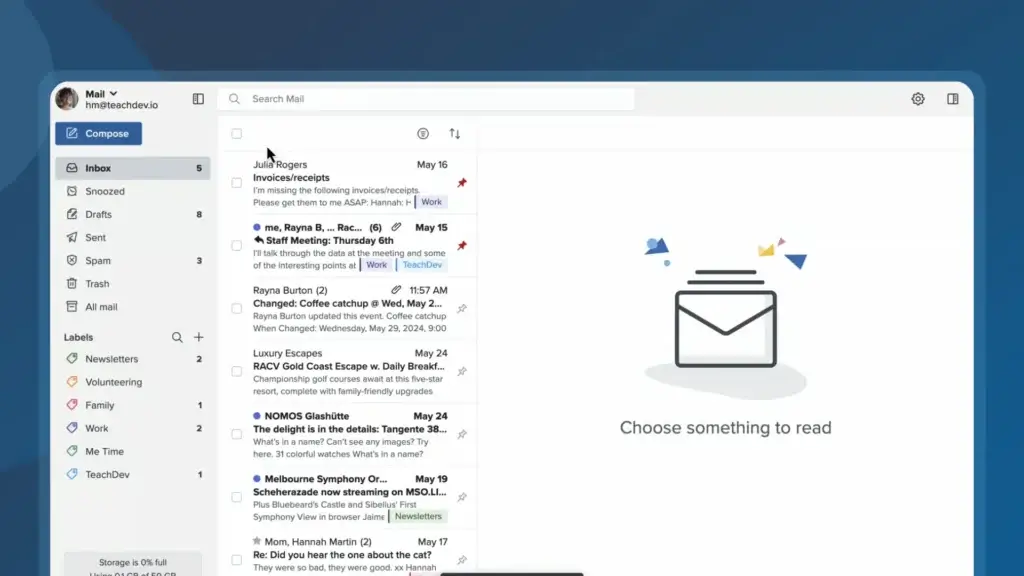
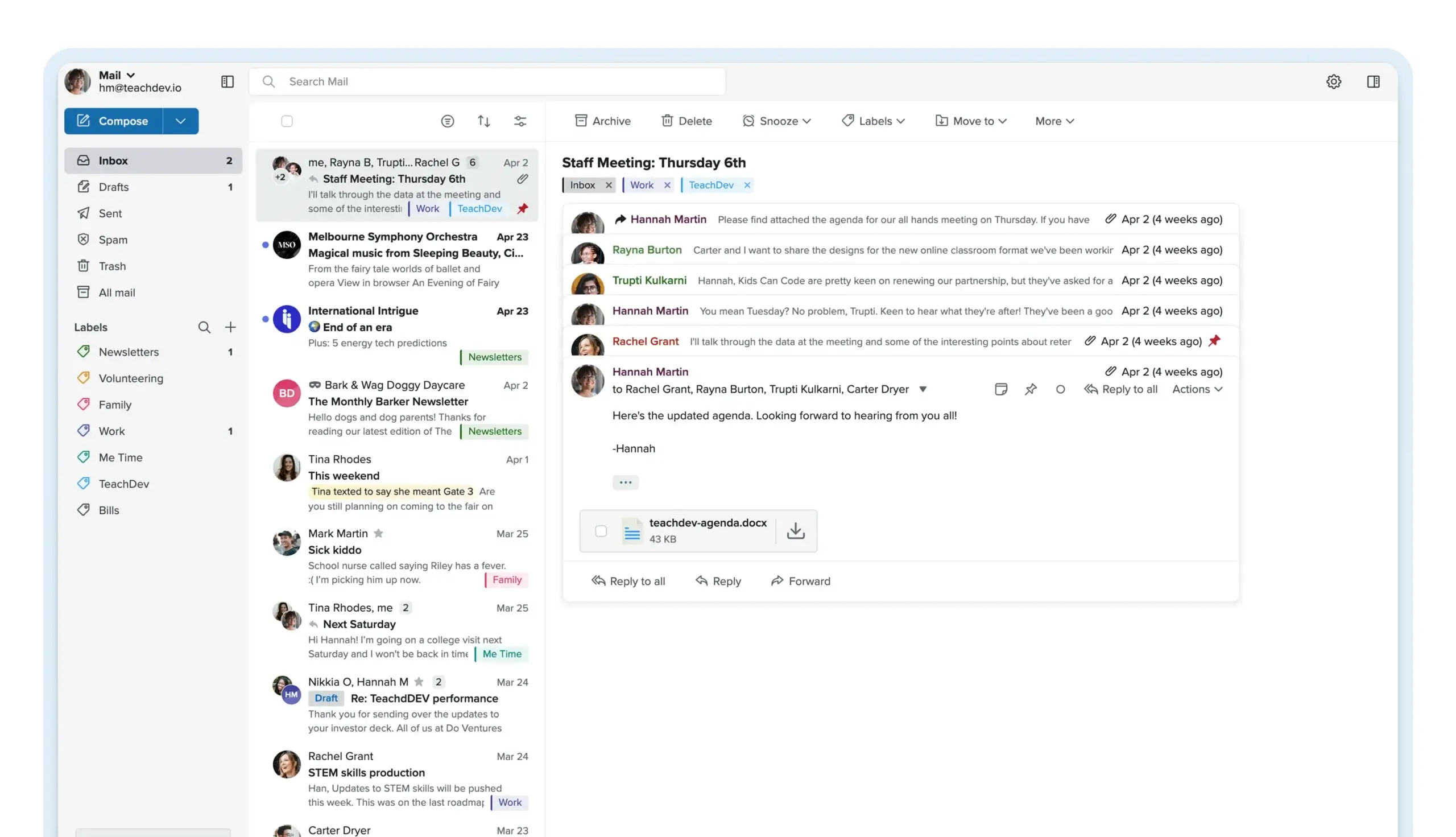
Fastmail’s web interface is fast, lightweight, and easy to navigate. You can move between folders, search messages, compose emails, adjust labels, and manage settings without the clutter often found in larger email platforms.
The inbox supports folders, labels, keyboard shortcuts, drag-and-drop organization, message previews, and advanced search. If you handle a large volume of email, these details matter because they make the inbox feel responsive rather than heavy.
You can also use your own custom domain, which is important if you want a more professional email address. For freelancers, consultants, small business owners, and families, custom domain support gives Fastmail a major advantage over basic consumer email accounts.
Email Aliases and Masked Email
Fastmail gives you strong alias management, allowing you to create different addresses for different purposes. You can separate newsletters, shopping accounts, client communication, personal email, and online subscriptions without exposing your main inbox address everywhere.
Fastmail also supports Masked Email through integrations with 1Password and other supported password managers. This lets you create unique, private addresses when signing up for websites, which can reduce spam and make it easier to identify where unwanted emails come from.
This is one of Fastmail’s most practical privacy features. It does not require you to change how you use email, but it gives you more control over who sees your real address.
Calendar, Contacts, and Notes
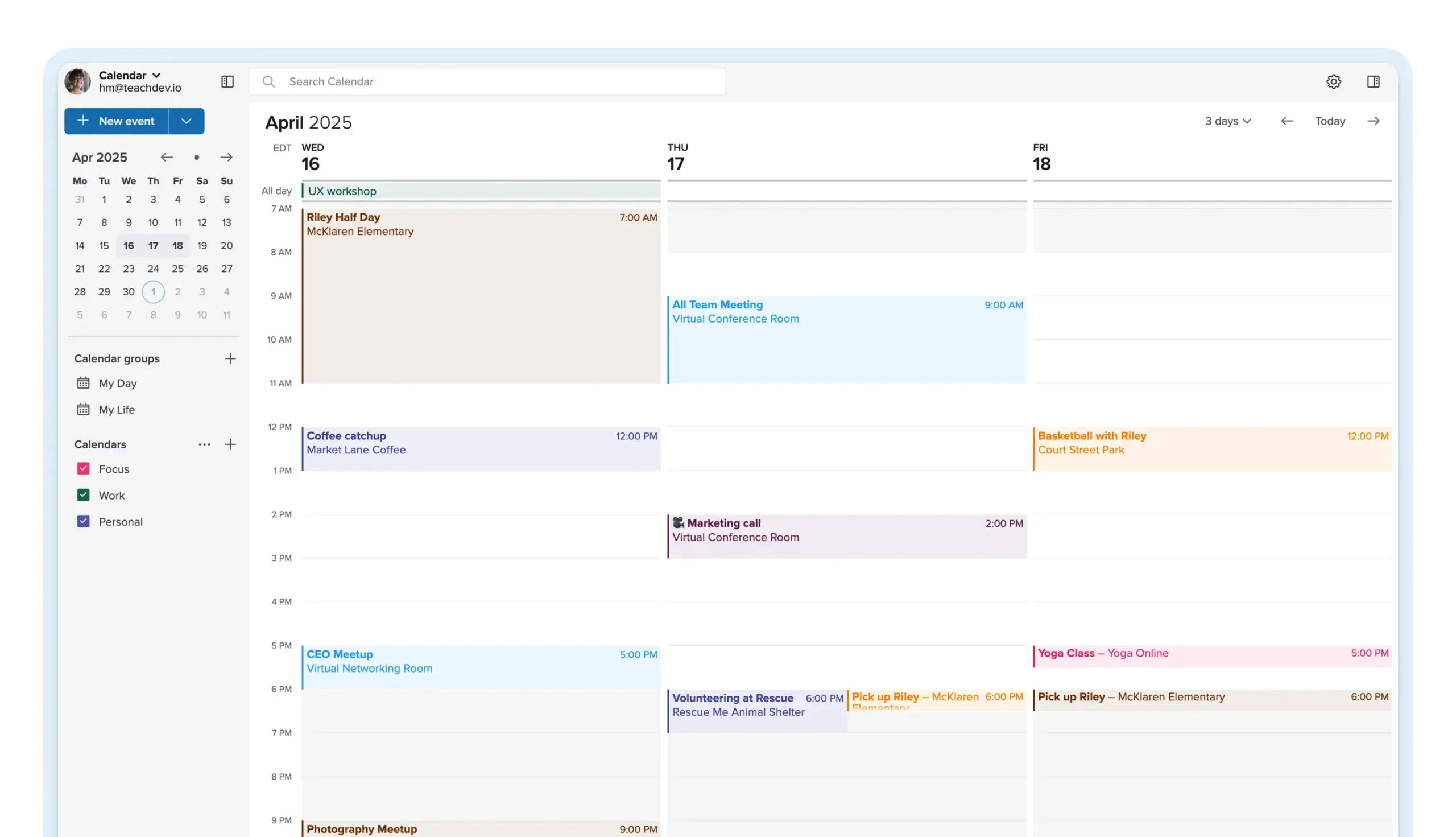
Fastmail is more than an inbox. It also includes calendars, contacts, notes, and file storage, making it useful for personal planning and lightweight productivity.
- Calendars support multiple calendars, sharing, invites, and reminders.
- Contacts sync across devices and help centralize your address book.
- Notes give you a simple place to store private text-based information.
- File storage supports basic file access within your Fastmail account.
These tools are not designed to compete with full work management software or cloud collaboration suites. They are best for users who want email, scheduling, and contacts in one private environment.
IMAP, SMTP, CalDAV, and CardDAV Support
One of Fastmail’s biggest advantages is its support for open standards. Depending on your plan, you can use Fastmail with third-party apps like Apple Mail, Thunderbird, Outlook, and other email clients through IMAP and SMTP.
You can also sync calendars and contacts using CalDAV and CardDAV. This matters if you do not want to be locked into a single app or ecosystem.
Compared with some encrypted email providers, Fastmail is easier to use with the tools you already know. That makes it a better fit for users who care about privacy but still need compatibility.
Advanced Search, Rules, and Filters
Fastmail’s search is one of its strongest productivity features. You can search by sender, subject, keyword, date, folder, attachment, and other message details.
You can also create rules that automatically move, label, forward, or organize emails based on conditions. For example, you can route invoices into one folder, archive newsletters after reading, or label client messages as they arrive.
If your inbox is part of your daily workflow, these filters can save time and reduce manual cleanup.
Pros and Cons
Advantages and Disadvantages
Pros
✅ Ad-free email experience
✅ Clean and fast interface
✅ Strong custom domain and alias support
✅ Useful productivity features included
Cons
❌ No permanent free plan
❌ No full end-to-end encryption for stored email
❌ Not a full productivity suite
❌ No phone or live chat support
Fastmail is a strong option for individuals, professionals, and small businesses that want a clean, private, and reliable email service without ads or inbox-based marketing. Its biggest strengths are speed, simplicity, custom domain support, and practical email management features. Its limitations become clearer when you compare it with full productivity suites like Google Workspace and Microsoft 365, or privacy-first providers focused on end-to-end encryption.
✅ Strengths
- Ad-free email experience: Fastmail does not show ads or scan your inbox for marketing purposes, which makes it a cleaner and more professional alternative to many free email services.
- Clean and fast interface: The platform is easy to navigate, responsive, and built for users who want email to feel simple, organized, and efficient.
- Strong custom domain and alias support: Fastmail is especially useful for professionals and businesses that want branded email addresses, multiple aliases, and better control over how they manage email identities.
- Useful productivity features included: Calendar, contacts, notes, and file storage are included, giving users more than a basic mailbox without turning the platform into a complex productivity suite.
❌ Weaknesses
- No permanent free plan: Fastmail is a paid email service, so it is not ideal for users who only want a free mailbox.
- No full end-to-end encryption for stored email: Fastmail offers strong privacy practices, but it is not built around zero-access encryption in the same way as Proton Mail or Tuta.
- Not a full productivity suite: Fastmail is not a complete replacement for Google Workspace or Microsoft 365 if your team needs document collaboration, video meetings, shared drives, and advanced admin controls.
- No phone or live chat support: Support is available through other channels, but users who prefer instant phone or live chat assistance may find it limited.
Overall, Fastmail is strongest for users and small businesses that want reliable, ad-free email with custom domains, aliases, and a clean interface. It is less suitable for teams that need a full office suite, advanced collaboration tools, or maximum end-to-end encryption.
User Experience
Fastmail User Experience
Fastmail’s user experience is one of the biggest reasons people choose it over other private email providers. It feels practical, quick, and familiar, without forcing you into a complicated workflow.
Intuitive Web Interface
The Fastmail web app is streamlined and thoughtfully designed. The navigation is simple, search is easy to access, and messages load quickly, even when you manage a large inbox.
You can customize the layout, adjust viewing panes, apply labels, organize folders, and use keyboard shortcuts. These features are especially helpful if you are coming from Gmail or Outlook and want something cleaner without losing productivity.
Mobile App Performance
Fastmail offers mobile apps for iOS and Android. The app mirrors the clean design of the web version, giving you access to your inbox, calendar, contacts, and search tools on the go.
- Push notifications keep you updated on new messages.
- Swipe actions help you archive, delete, or manage email quickly.
- Calendar and contact access make mobile planning easier.
- Offline access helps you review messages without a constant connection.
The mobile app is not overloaded with unnecessary features. It is best for users who want a dependable, fast email experience from their phone.
Setup and Migration Tools
Fastmail makes setup easier than many independent email providers. Its migration tools can help you import mail, contacts, and calendar events from providers that support standard email and sync protocols.
This is especially useful if you are moving away from Gmail, Yahoo, Outlook, AOL, or an ISP-based email account. In many cases, you can connect the old account, import your messages, and continue receiving new messages while you transition.
If you use a custom domain, Fastmail also provides setup guidance for DNS records. This helps you configure sending, receiving, authentication, and deliverability correctly.
Customer Support
Fastmail handles support through email, a support form, and a comprehensive help center. While there is no live chat or phone support, the support team is known for being experienced and direct.
Fastmail says its support operates around the clock, excluding holidays. In most cases, users can expect a response within 24 hours of submitting a ticket, and many tickets receive a first reply within a few hours.
This level of support is valuable if you are migrating an old account, setting up a custom domain, or managing email for multiple users. For business accounts, faster and more knowledgeable support can be a meaningful advantage over cheaper email providers.
User Feedback and Community Trust
Fastmail tends to attract users who care about reliability, privacy, and control. The most common praise focuses on speed, stability, clean design, and strong organization tools.
The main criticisms are also consistent. Fastmail does not offer a permanent free plan, and it does not provide full end-to-end encryption for stored messages. If either of those is a hard requirement, another provider may be a better fit.
For most professional and everyday users, however, Fastmail feels polished and dependable. It is the type of email provider you choose when you want your inbox to work well without constant distractions.
Pricing and Plans
How much does Fastmail cost?
Fastmail offers a transparent pricing structure split into two main groups: Individual & Family plans and Business plans. This makes it easier to choose the right account type based on how you plan to use email.
The Individual & Family plans are designed for personal users, couples, and households. The Business plans are built for teams, companies, and organizations that need admin controls, professional domains, and user management.
Individual & Family Plans
This tier is best if you want private email for yourself, your partner, or your household. Each user gets a private inbox, storage, calendar, contacts, and access to Fastmail’s core privacy and security features.
| Plan | Monthly Price | Storage | Key Features |
| Individual | $6 monthly or $5/month annually | 60 GB total storage | Private inbox, custom domain, aliases, calendar, contacts, and support |
| Duo | $10 monthly or $8/month annually | 120 GB total storage | Two private inboxes, shared management options, calendars, and custom domain support |
| Family | $14 monthly or $11/month annually | Up to 360 GB total storage | Up to 6 users, private accounts, shared family setup, calendars, and domain options |
The Individual plan is the best fit if you only need one private inbox. Duo makes sense for two people who want separate accounts but easier shared management. Family is the best value if several people in your household need private inboxes under one plan.
In my opinion, the Family plan is one of Fastmail’s most interesting offers because it gives you a more durable alternative to ISP-based family email accounts. If you are changing internet providers or moving away from an old household email setup, this plan gives each person their own private account while keeping management simple.
Business Plans
The Business tier is best for professionals, small teams, and companies that need more control over users, domains, storage, and collaboration. These plans are priced per user and can support a more formal business email setup.
| Plan | Monthly Price | Storage | Key Features |
| Basic | $4 monthly or $3/user/month annually | 6 GB total storage | Custom domain, email aliases, webmail access, and essential business email features |
| Standard | $6 monthly or $5/user/month annually | 60 GB total storage | IMAP/SMTP access, mobile sync, calendar, contacts, snooze, and scheduled send |
| Professional | $10 monthly or $9/user/month annually | 150 GB total storage | Advanced admin tools, group management, retention options, and priority support |
The Basic plan can work if your needs are simple and you mainly use webmail. The Standard plan is the better choice for most professionals because it unlocks third-party app access and broader productivity features. Professional is best for organizations that need more storage, admin controls, and compliance-oriented features.
Fastmail also offers a free trial for up to 30 days, which is helpful if you want to test the interface, migration process, and domain setup before committing.
Compared with free email providers, Fastmail costs more because there is no permanent free plan. Compared with premium encrypted email services, however, it offers a strong balance of usability, storage, custom domains, and everyday productivity.
Security and Privacy
How Fastmail Protects Your Data?
Fastmail is a privacy-focused email provider, but it is important to understand what that means. It does not sell your data, does not show you ads, and does not build its business around inbox tracking. At the same time, it does not offer full end-to-end encryption for stored email like Proton Mail or Tuta Mail.
That makes Fastmail a practical privacy choice rather than a maximum-anonymity choice. You get stronger privacy than ad-supported email providers, but you also keep search, compatibility, migration, and third-party app support.
Transparent Privacy Practices
Fastmail operates out of Australia and stores data in secure data centers in the United States. This may matter if you are highly sensitive to jurisdiction, legal access requests, or data residency requirements.
However, Fastmail is open about its privacy model. It explains how data is stored, how accounts are protected, and when access may be required for support, maintenance, abuse prevention, or legal compliance.
For most everyday users, the key benefit is clear: Fastmail is not scanning your inbox to build an advertising profile. You are paying for the service directly, which creates a healthier incentive structure than a free ad-supported inbox.
Strong Security Infrastructure
Fastmail’s infrastructure is designed to protect your data at multiple levels. Data is stored encrypted on disks inside locked racks in secure data centers. Communication between Fastmail data centers, servers, and your devices is encrypted using modern standards, including TLS 1.3 and Perfect Forward Secrecy.
Additional account protection features include:
- Two-factor authentication for stronger login security.
- Passkey support for passwordless, phishing-resistant login.
- App-specific passwords for safer third-party integrations.
- SPF, DKIM, and DMARC support for domain authentication.
- Spam and phishing protection to reduce inbox risk.
This layered approach gives Fastmail a strong security foundation for personal and business email. It is not zero-access encryption, but it is secure enough for most professionals, families, and small organizations.
No Full End-to-End Encryption
The biggest privacy limitation is that Fastmail does not provide full end-to-end encryption for stored email content. Your data is encrypted in transit and at rest, but Fastmail can technically access stored messages under limited circumstances, such as legal obligations or certain support scenarios.
This is the tradeoff. You gain excellent usability, fast search, reliable syncing, standards-based access, and migration flexibility. You give up the stronger zero-access model offered by some encrypted email providers.
If your priority is confidential activism, highly sensitive legal communication, or maximum data isolation, Proton Mail or Tuta Mail may be a better match. If your priority is a private, professional inbox that works smoothly every day, Fastmail is often easier to live with.
Masked Email for Identity Protection
Masked Email is one of the most useful privacy tools in Fastmail. Instead of giving your real email address to every app, store, newsletter, or website, you can create unique addresses and route them into your main inbox.
This protects your real email address, reduces spam risk, and helps you track which services may have leaked or shared your address. For practical online privacy, this feature is extremely valuable.
Bug Bounty and Ongoing Security Work
Fastmail also maintains a security-focused development culture and supports vulnerability reporting. This matters because email providers are high-value targets, and long-term security depends on continuous improvement, not one-time setup.
Overall, Fastmail’s privacy and security model is balanced. It is not the most locked-down email provider, but it is private, transparent, secure, and highly usable.
Migration and Setup
Can You Migrate to Fastmail Easily?
Fastmail is a strong option if you are moving away from Gmail, Outlook, Yahoo, AOL, or an email address tied to your internet provider. This is especially important if your current email account may be deleted after switching providers.
Fastmail’s migration tools can import email, contacts, and calendar events from services that support common protocols such as IMAP, CardDAV, and CalDAV. That means it is not limited only to major providers. If your current email provider supports IMAP access, there is a good chance you can migrate your messages into Fastmail.
Migrating from Gmail or Outlook
For Gmail and Outlook users, the migration process is usually straightforward. Fastmail provides guided setup steps so you can connect your old account, copy over mail, and then gradually transition your contacts and calendars.
This makes Fastmail easier to adopt because you do not have to start with an empty inbox. You can keep your message history, update your important accounts over time, and avoid losing access to old conversations.
Migrating from ISP Email or Webmail
If you currently use an ISP-based email provider, such as an internet company’s webmail account, migration is usually possible when that provider supports IMAP. In that case, Fastmail can connect to the old inbox and copy messages over.
From my experience, this is one of the smartest reasons to switch to a dedicated email provider. When your email address is tied to your internet provider, you may lose it when you change service. With Fastmail, your email account stays independent of your internet company.
Custom Domain Setup
Fastmail also supports custom domain email, which is ideal if you want a more professional address like yourname@yourdomain.com. This gives you long-term ownership and makes it easier to switch providers in the future without changing your public email identity.
The setup process requires DNS changes, but Fastmail provides instructions for common domain registrars. Once configured properly, you can send and receive professional email through Fastmail while keeping control of your domain.
Business Email Use Cases
Fastmail for Business
Fastmail can work well for small businesses, freelancers, agencies, consultants, and lean teams that need reliable email without the complexity of Google Workspace or Microsoft 365.
Its biggest business strengths are custom domains, aliases, shared calendars, admin controls, strong deliverability basics, and support for third-party email clients. If your team mainly needs professional email, calendar, contacts, and simple administration, Fastmail is a clean and efficient choice.
Where Fastmail Works Well for Teams
Fastmail is especially useful when your business wants email to be private, professional, and easy to manage. Admins can manage users, domains, groups, and shared resources without forcing everyone into a larger office suite.
It is also a good fit if your team prefers using Apple Mail, Outlook, Thunderbird, or other third-party clients. Many privacy-first email tools restrict this workflow, while Fastmail keeps compatibility as a core advantage.
Where Fastmail May Be Limited
Fastmail is not a full collaboration suite. It does not include native document editing, team chat, video meetings, project management, or advanced office collaboration tools.
If your business depends heavily on Google Docs, Sheets, Meet, Drive, or Microsoft Office apps, you may still need Google Workspace or Microsoft 365. Fastmail is best when you want better email, not a full business software ecosystem.

Comparison with Competitors
Fastmail vs Gmail, ProtonMail, and Others
Fastmail vs Competitors
Fastmail sits between mainstream free email providers and privacy-first encrypted platforms. It is more private than Gmail, more flexible than many encrypted tools, and more focused than full business suites.
Fastmail vs. Gmail
| Feature | Fastmail | Gmail |
| Business Model | Paid email service with no ads | Free consumer email with paid Workspace options |
| Privacy | Strong privacy focus, no advertising model | Part of Google’s broader account ecosystem |
| Custom Domain | Supported on eligible plans | Requires Google Workspace |
| Storage | Varies by plan | 15 GB free storage shared across Google services |
| Best For | Private, focused email and custom domains | Free email and deep Google app integrations |
Summary: Fastmail is better if you want a private, ad-free inbox with custom domain flexibility. Gmail is better if you want a free account and rely heavily on Google’s ecosystem.
Fastmail vs. Neo Mail
| Feature | Fastmail | Neo Mail |
| Best Use Case | Private email, aliases, calendars, and custom domains | Simple business email setup with beginner-friendly tools |
| Calendar & Contacts | Full-featured calendar and contacts | Built-in calendar with business-focused features |
| Interface | Fast, flexible, and productivity-focused | Simple and easy for beginners |
| AI Features | Limited compared with newer business email platforms | Includes AI writing and smart suggestions |
| Built-in Business Tools | Email-focused | Email, domain options, and one-page website tools |
Summary: If you want a simple business email setup with extra tools, Neo Mail may be easier to start with. Fastmail is better if your priority is a mature, privacy-focused email experience with stronger control.
Fastmail vs. Proton Mail
| Feature | Fastmail | Proton Mail |
| End-to-End Encryption | No full E2EE for stored mail | Yes, stronger encrypted email model |
| Third-Party Client Support | Strong IMAP/SMTP support on eligible plans | Requires Proton Mail Bridge on supported paid plans |
| Calendar & Contacts | Practical and easy to use | Available, but more privacy-focused than flexible |
| Usability | Fast and familiar for daily email | More private, but can feel less flexible |
| Best For | Everyday private email with compatibility | Users who prioritize encryption above convenience |
Summary: Proton Mail is better if end-to-end encryption is your top priority. Fastmail is better if you want privacy with smoother daily usability, easier syncing, and broader client compatibility.
Fastmail vs. Tuta Mail
| Feature | Fastmail | Tuta Mail |
| Encryption | Encrypted in transit and at rest, but not full E2EE | Strong end-to-end encryption model |
| Third-Party Client Support | Works with standard email clients on eligible plans | Limited to Tuta’s own apps |
| Domain Support | Supported on eligible plans | Available on paid plans |
| Speed and Flexibility | Fast and highly flexible | More restricted because of encryption model |
| Best For | Private productivity and compatibility | Users who want a stricter encrypted ecosystem |
Summary: Tuta is better if you want stronger encryption and can accept a more closed workflow. Fastmail is better if you want a private inbox that still works like traditional email.
Best Use Cases
Who Should Use Fastmail?
Fastmail is best for users who want private, professional email without the complexity of running their own mail server or the limitations of a closed encrypted ecosystem.
Fastmail Is Best For
- Professionals who want a premium, ad-free email experience.
- Freelancers and consultants using custom domains.
- Families that want private inboxes under one plan.
- Users leaving Gmail, Yahoo, Outlook, or ISP email.
- Small businesses that need email, calendars, contacts, and admin controls.
- Power users who want IMAP, SMTP, CalDAV, and CardDAV support.
Fastmail May Not Be Best For
- Users who need full end-to-end encrypted email storage.
- People looking for a permanent free email account.
- Teams that need a full office suite with documents and video meetings.
- Users who require live chat or phone support.
- Organizations with strict data residency requirements outside the U.S.
If you want a simple recommendation, I would say Fastmail is best for people who care about privacy but do not want privacy to make email inconvenient.
Conclusion
Is Fastmail Worth It in 2026?
⭐ Overall Rating: 9.4/10
Fastmail is worth it if you want a private, reliable, and flexible email provider that is not built around advertising. It gives you a clean inbox, strong custom domain support, aliases, masked email, calendars, contacts, migration tools, and open-standard syncing.
It is not the best choice if you want a free email account or full end-to-end encrypted storage. Proton Mail and Tuta Mail are stronger in that area. But for everyday email, Fastmail is often easier, faster, and more practical.
In my opinion, Fastmail’s biggest strength is balance. It gives you better privacy than mainstream free providers without making email feel restrictive. That makes it a strong option for professionals, families, freelancers, and small businesses that want long-term control over their inbox.
If you are switching internet providers, moving away from Gmail, or setting up a custom domain for professional email, Fastmail is one of the most dependable options available.
Have more questions?
Frequently Asked Questions
Is Fastmail better than Gmail?
Fastmail is better than Gmail if you want a private, ad-free inbox with strong custom domain and alias support. Gmail is better if you want a free email account and deep integration with Google apps.
Does Fastmail offer end-to-end encryption?
No. Fastmail encrypts data in transit and at rest, but it does not provide full end-to-end encryption for stored email content like Proton Mail or Tuta Mail.
Can I use my own domain with Fastmail?
Yes. Fastmail supports custom domains, making it a strong choice for freelancers, businesses, families, and professionals who want a branded email address.
Is Fastmail free?
Fastmail does not offer a permanent free plan. However, it provides a free trial for up to 30 days so you can test the platform before subscribing.
Where are Fastmail servers located?
Fastmail operates from Australia and stores user data in secure data centers in the United States. This may matter if data jurisdiction is a major concern for you.
Does Fastmail work with Outlook or Apple Mail?
Yes. Fastmail supports standard email access through IMAP and SMTP on eligible plans, allowing you to use clients such as Outlook, Apple Mail, and Thunderbird.
Is Fastmail good for business email?
Yes. Fastmail is a good business email provider for teams that need custom domains, admin controls, calendars, contacts, aliases, and reliable email without a full office suite.
How secure is Fastmail?
Fastmail uses encrypted storage, TLS encryption, TLS 1.3, Perfect Forward Secrecy, two-factor authentication, passkeys, and app-specific passwords to protect accounts and data.
Can I migrate from Gmail to Fastmail?
Yes. Fastmail provides migration tools that can import mail, contacts, and calendar events from Gmail and other providers that support standard email and sync protocols.
Who should choose Fastmail?
Fastmail is best for users who want private, ad-free email with custom domains, aliases, calendars, migration tools, and open-standard syncing across devices.