

Introduction
If you’re searching for a private email provider that puts encryption, data ownership, and user privacy at the center of the product, Proton Mail is one of the strongest options available today. It is not just another Gmail or Outlook alternative. Proton Mail is built around end-to-end encryption, zero-access encryption, Swiss privacy protections, secure apps, and a broader ecosystem that now includes Proton Calendar, Proton Drive, Proton Pass, Proton VPN, Proton Meet, Proton Docs, Proton Sheets, and Lumo AI.
That makes Proton Mail especially relevant for privacy-conscious professionals, founders, journalists, consultants, legal teams, finance teams, healthcare-adjacent businesses, and small companies that want stronger control over sensitive communication. While many business email providers focus mainly on productivity, collaboration, or low-cost domain email, Proton’s main value is trust. It is designed to reduce how much of your email data can be accessed, scanned, profiled, or exposed.
But is Proton Mail the right email provider for your business in 2026? In this review, I’ll break down its core features, pricing structure, user experience, security model, strengths, limitations, and how it compares to alternatives like StartMail, Fastmail, Tuta, and Zoho Mail. By the end, you should have a clear idea of whether Proton Mail is the right provider for your personal inbox, professional email address, or business team.
Company Background
Proton was founded in Switzerland and became widely known through Proton Mail, its encrypted email service. Over time, the company expanded from secure email into a broader privacy-focused ecosystem. Today, Proton offers email, calendar, cloud storage, password management, VPN, document editing, spreadsheet editing, video meetings, and a privacy-focused AI assistant under one account.
This background matters because Proton Mail is not only competing with email hosting providers. It is also competing with productivity suites, privacy tools, file storage platforms, password managers, and VPN services. For users who want to reduce their dependence on Google, Microsoft, or ad-funded technology platforms, Proton is one of the more complete alternatives.
The core idea behind Proton is simple: your personal and business data should not become an advertising profile. Proton’s email service uses end-to-end encryption and zero-access encryption, which means Proton is designed so that even Proton cannot read the content of your encrypted emails and attachments. This is the main reason many users choose Proton Mail over mainstream providers.
In short, Proton Mail is best understood as a privacy-first email provider and encrypted workspace. It is not the cheapest business email host, and it is not as mature as Google Workspace or Microsoft 365 for deep collaboration. However, if privacy, encrypted communication, account protection, and data control are priorities, Proton Mail is one of the most serious providers in the market.
Software Specification
Core Features Breakdown
Proton Mail is built for users who want more privacy than a standard mailbox can offer. Its feature set combines encrypted email, custom domains, aliases, secure calendar tools, import tools, spam protection, mobile apps, desktop access, and business administration. The result is an email provider that feels more secure than mainstream inboxes while still being practical for everyday communication.
1. End-to-End Encryption and Zero-Access Encryption
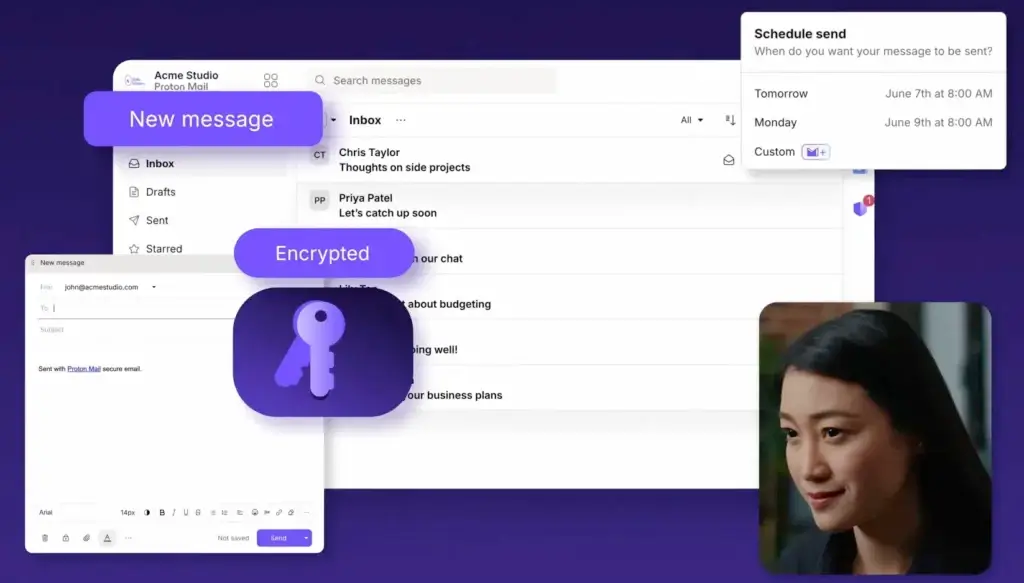
The most important Proton Mail feature is its encryption model. Emails sent between Proton Mail users are protected with end-to-end encryption, while messages stored in your Proton inbox are protected with zero-access encryption. In practical terms, Proton is designed so that the content of your encrypted emails and attachments cannot be read by Proton itself.
This is the main reason Proton Mail stands apart from many business email providers. Standard email hosting services usually focus on security in transit, spam filtering, and account protection. Proton goes further by making privacy part of the product architecture.
There is still an important limitation to understand: email metadata is not fully hidden, and subject lines are not protected in the same way as encrypted message content. This is common in email systems, but it is worth mentioning for users with very sensitive threat models.
2. Custom Domain Email
Proton Mail supports custom domain email on paid plans. This means you can create professional addresses such as yourname@yourcompany.com, hello@yourcompany.com, support@yourcompany.com, or billing@yourcompany.com while still using Proton’s encrypted email platform.
This is useful for businesses that want to look professional without using Google Workspace or Microsoft 365. It is also a strong option for consultants, agencies, creators, founders, finance professionals, legal professionals, and privacy-conscious teams that want custom-domain email with stronger privacy protections.
For custom domains, you should still configure DNS records carefully. SPF, DKIM, and DMARC are important for deliverability, brand protection, and reducing spoofing risk. Proton provides the setup path, but the responsibility to configure your domain correctly still matters.
3. Hide-My-Email Aliases and Additional Addresses
Proton Mail includes support for additional email addresses and hide-my-email aliases depending on the plan. These aliases are useful when you want to protect your real address from websites, newsletters, vendors, and sign-up forms.
For example, instead of giving your main business address to every tool you test, you can create a separate alias for each service. If one alias starts receiving spam, you can identify the source and disable it without exposing your main inbox.
This is a practical privacy feature, not just a technical one. For marketers, founders, affiliate managers, and software reviewers who sign up for many SaaS tools, aliases can reduce inbox noise and make it easier to track where unwanted emails come from.
4. Proton Calendar
Proton Calendar is included in the Proton ecosystem and gives users a privacy-focused way to manage schedules, events, and availability. For business users, Proton’s business plans now include secure email and calendar capabilities, appointment scheduling, and availability-related tools depending on the plan.
The calendar experience is not as deeply integrated into a large office suite as Google Calendar is with Google Workspace. However, it is a good fit for users who want calendar functionality without moving their scheduling data into a provider built around advertising or broad data profiling.
5. Proton Mail Bridge for Desktop Email Clients
Proton Mail Bridge allows paid users to use Proton Mail with desktop email clients such as Apple Mail, Microsoft Outlook, and Mozilla Thunderbird through local IMAP and SMTP support. This is important because encrypted email platforms often struggle with traditional mail app compatibility.
Bridge is both a strength and a friction point. It lets users keep familiar desktop workflows, but it adds one more app to install, configure, and keep running. For technical users, this is manageable. For non-technical users, webmail or Proton’s mobile apps may be easier.
6. Import Tools and Easy Switch
Proton offers import tools that help users move emails, contacts, and calendars from providers like Gmail, Outlook, and other services. This is important because switching email providers can be intimidating, especially if you have years of client communication, documents, receipts, and account history in your existing inbox.
In my view, this is one of the practical reasons Proton Mail has become more accessible. Privacy-first tools used to feel difficult for everyday users. Proton has worked to make the migration process more guided, which lowers the barrier for individuals and small teams that want to leave mainstream providers.
7. Proton Drive, Docs, and Sheets
Proton has expanded beyond email into secure file storage and productivity tools. Proton Drive gives users encrypted cloud storage, while Proton Docs and Proton Sheets bring document and spreadsheet editing into the privacy-focused workspace.
This does not make Proton a full replacement for Google Workspace or Microsoft 365 yet. However, it does make Proton more serious as a secure workspace for teams that need email, calendar, storage, documents, spreadsheets, password management, VPN, and meetings under one privacy-first brand.
8. Proton Pass and Proton VPN Integration
One of Proton’s biggest advantages is the wider ecosystem. Proton Unlimited and business workspace plans can include Proton Pass and Proton VPN, which gives users password management and private browsing tools alongside encrypted email.
This bundled approach is useful for small businesses because email security does not exist in isolation. Weak passwords, reused passwords, phishing, and unsafe network behavior can all compromise a mailbox. Combining email, password management, and VPN protection under one ecosystem can create stronger everyday security habits.
User Experience
Proton Mail User Experience
Clean Interface with a Privacy-First Feel
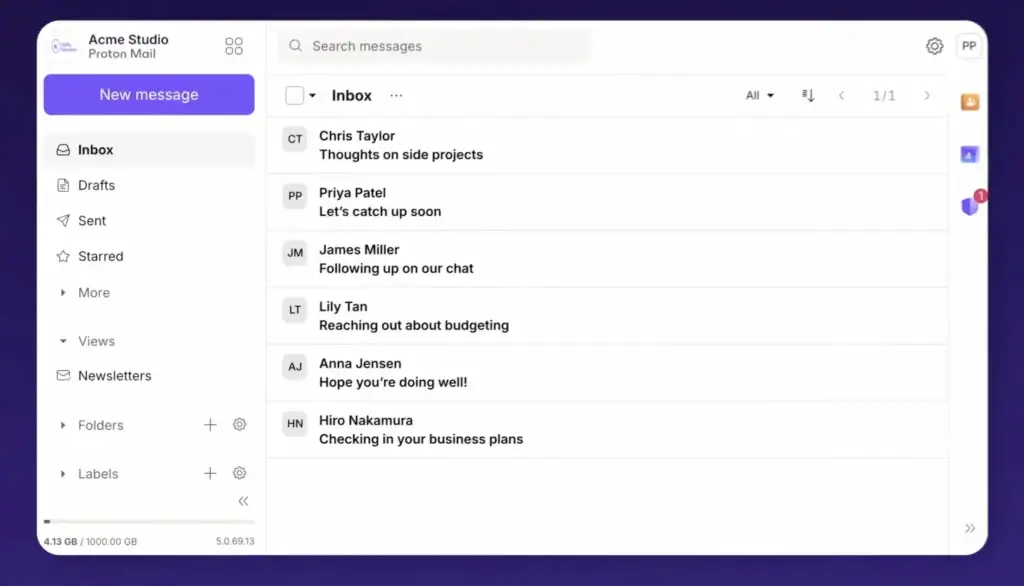
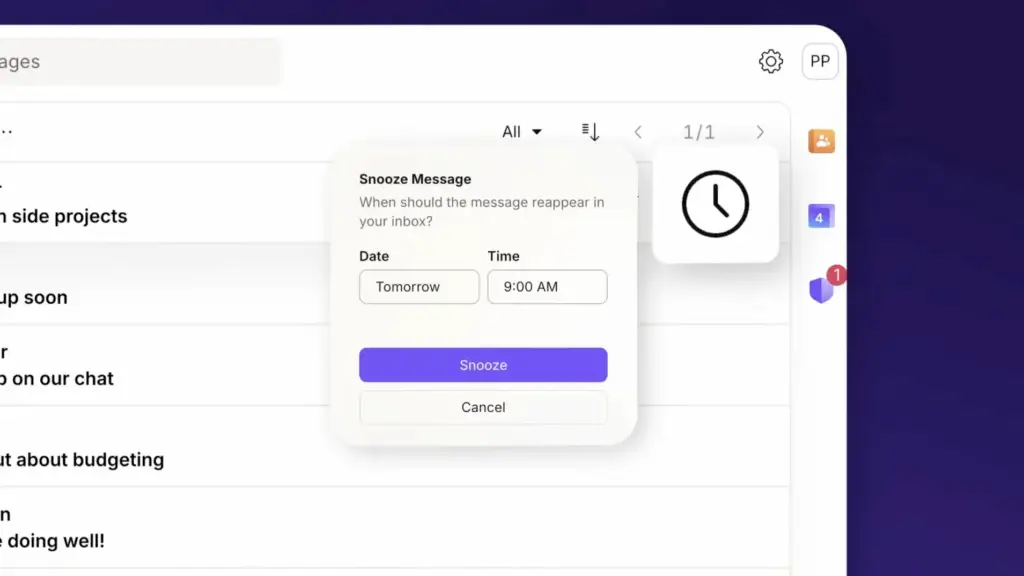
Proton Mail’s interface is clean, modern, and easy to understand. Users coming from Gmail, Outlook, Yahoo Mail, Fastmail, or Zoho Mail should not find the core inbox difficult. You get the expected layout: folders, labels, search, message list, composer, filters, contacts, and calendar access.
The interface is not overloaded with ads or aggressive upsells, which supports Proton’s privacy positioning. It feels calmer than many free consumer inboxes because the product is not built around advertising inventory. For business users, that creates a more focused environment.
Good for Privacy-Conscious Everyday Users
One of Proton Mail’s strengths is that it makes encrypted email usable for non-technical people. You do not need to manually manage PGP keys for normal Proton-to-Proton encrypted email. Encryption works in the background, which makes it easier for mainstream users to adopt stronger privacy practices.
This matters because security tools often fail when they are too complicated. Proton’s best user-experience achievement is not that it offers encryption, but that it hides much of the complexity from the daily workflow.
Mobile Apps
Proton Mail offers mobile apps for iOS and Android, which makes it practical for users who manage communication on the go. The mobile experience is especially important for founders, consultants, sales professionals, executives, and freelancers who need quick access to secure communication from a phone.
- Access Proton Mail from iOS and Android devices
- Send and receive encrypted email from mobile
- Manage folders, labels, and inbox organization
- Use Proton Calendar alongside email
- Keep private email separate from mainstream personal inboxes
Desktop Experience
For desktop users, Proton Mail works well through the browser. Paid users can also use Proton Mail Bridge with supported desktop clients. This is useful for users who prefer Apple Mail, Outlook, or Thunderbird.
However, Bridge is not as simple as standard IMAP access from providers like Fastmail or Zoho Mail. That is the tradeoff of Proton’s encryption model. If you want privacy-first architecture, some traditional email workflows become slightly less convenient.
Search and Productivity Limitations
Because Proton Mail is designed around encryption, some features can feel different from mainstream providers. Search, third-party integrations, and advanced productivity workflows may not always feel as flexible as Gmail, Outlook, Fastmail, or Zoho Mail.
This is not necessarily a flaw. It is a product choice. Proton prioritizes privacy and data protection over unrestricted integration with every external service. For privacy-first users, that is acceptable. For teams that rely heavily on CRM integrations, automation tools, shared mailboxes, and complex app ecosystems, Proton may require more planning.
Customer Support and Documentation
Proton provides a large support center with documentation for setup, account security, custom domains, Bridge, imports, mobile apps, encryption, and business administration. Paid plans include stronger support access than the free plan.
For most individuals, the documentation is enough. For businesses, I would recommend testing the support and migration process before moving all company email. Proton is a serious platform, but email migration is always sensitive, especially when custom domains, compliance, DNS, and team access are involved.
Pros and Cons
Advantages and Disadvantages
Pros
✅ Excellent privacy and encryption
✅ Strong free plan for basic use
✅ Custom domain support on paid plans
✅ Growing encrypted workspace ecosystem
Cons
❌ More expensive than budget email hosts
❌ Some workflows require Proton Bridge
❌ Fewer third-party integrations than Google or Microsoft
❌ Not the easiest choice for sales-heavy teams
Proton Mail is one of the strongest providers for users who care about privacy, secure communication, and reducing dependence on data-driven email platforms. Its strengths are clear, but it is not the best provider for every use case. The more your team depends on broad integrations, shared productivity workflows, and sales automation, the more you need to evaluate whether Proton’s privacy-first approach fits your daily operations.
✅ Strengths
- Excellent privacy and encryption: Proton Mail’s biggest advantage is its end-to-end and zero-access encryption model. It is designed so that your encrypted email content and attachments remain private.
- Strong free plan for basic use: Proton’s free plan gives privacy-conscious users a low-risk way to test the platform before upgrading to a paid plan.
- Custom domain support on paid plans: Proton Mail can be used for professional business email with your own domain, which makes it more practical for freelancers, consultants, creators, and small businesses.
- Growing encrypted workspace ecosystem: Proton now offers more than email. Calendar, Drive, Docs, Sheets, Pass, VPN, Meet, and Lumo AI make the platform more complete than it used to be.
- Good alias and privacy tools: Hide-my-email aliases and additional addresses help users protect their main inbox, reduce spam exposure, and separate identities across services.
- Strong fit for sensitive communication: Proton Mail is a good option for users who handle confidential conversations, private client communication, sensitive documents, or high-trust professional relationships.
❌ Weaknesses
- More expensive than budget email hosts: Proton Mail is not the cheapest way to create custom-domain email. Zoho Mail and some domain-based email hosts can cost less, especially for larger teams.
- Some workflows require Proton Bridge: If you want to use Proton Mail with traditional desktop clients, you may need Proton Mail Bridge. This is manageable, but less direct than standard IMAP/SMTP access.
- Fewer third-party integrations than Google or Microsoft: Proton is not as integration-heavy as Google Workspace or Microsoft 365, which may matter for teams that rely on CRMs, automation platforms, and collaboration tools.
- Not the easiest choice for sales-heavy teams: Proton Mail is not built around email tracking, sequence automation, shared inbox sales workflows, or CRM-native outreach. Sales teams may need additional tools.
- Encrypted architecture can affect convenience: Privacy-first design sometimes creates tradeoffs in search, external integrations, and compatibility with traditional email workflows.
Overall, Proton Mail is strongest for users who care more about privacy, security, and data control than maximum integration flexibility. It is less ideal for teams that want the cheapest email hosting, advanced sales workflows, or deep collaboration inside Google or Microsoft ecosystems.
Pricing and Plans
How Much Does Proton Mail Cost?
Proton Mail offers free, individual, family, and business plans. The right plan depends on whether you need a private personal inbox, custom-domain email, more storage, advanced aliases, or a full encrypted workspace for a team.
Pricing can vary by region, billing cycle, currency, and promotions. The prices below reflect Proton’s standard USD pricing at the time of writing. Taxes may apply, and Proton may offer limited-time discounts, especially on annual or two-year billing.
Proton Mail Pricing for Individuals
For individual users, Proton offers three main options: Proton Free, Mail Plus, and Proton Unlimited. Proton Free is suitable for basic private email. Mail Plus is the best choice if you mainly want encrypted email with a custom domain. Proton Unlimited is the better value if you also want Proton VPN, Proton Drive, Proton Pass, and the wider Proton privacy suite.
| Plan | Monthly Price | Annual Price | Storage | Best For | Key Features |
| Proton Free | $0/month | $0/year | Up to 1 GB | Basic private email users | 1 encrypted email address, basic private inbox, Proton Calendar access, no ads, end-to-end encryption, zero-access encryption |
| Mail Plus | $4.99/month | $3.99/month billed annually, or $47.88/year | 15 GB | Individuals who mainly need private email | 10 encrypted email addresses, support for 1 custom email domain, unlimited folders and labels, 10 hide-my-email aliases, Proton Mail Bridge, priority support |
| Proton Unlimited | $12.99/month | $9.99/month billed annually, or $119.88/year | 500 GB | Power users who want the full Proton ecosystem | 15 encrypted email addresses, support for 3 custom email domains, unlimited hide-my-email aliases, Proton VPN, Proton Drive, Proton Pass, Proton Calendar, advanced privacy features |
Proton Mail Business Pricing
For businesses, Proton offers plans that start with secure email and calendar, then expand into a full privacy-focused workspace. These plans are priced per user, per month. Annual billing usually gives a lower effective monthly price than monthly billing.
| Business Plan | Monthly Price | Annual Price | Storage | Best For | Key Features |
| Mail Essentials | $7.99/user/month | $6.99/user/month billed annually | 15 GB per user | Small teams that mainly need secure business email | Secure email and calendar, 3 custom email domains, appointment scheduling, cloud storage and file sharing, document and spreadsheet editor |
| Workspace Standard | $14.99/user/month | $12.99/user/month billed annually | 1 TB per user | Businesses that want a broader encrypted workspace | Everything in Mail Essentials plus Proton Drive, Docs, Sheets, VPN, Pass, Meet, team features, and stronger workspace controls |
| Workspace Premium | $24.99/user/month | $19.99/user/month billed annually | 3 TB per user | Businesses with stronger security, storage, and compliance needs | Everything in Workspace Standard plus 20 custom email domains, video meetings with up to 250 participants, Lumo AI, email writing assistant, and data retention policies |
| Enterprise | Custom pricing | Custom pricing | Custom | Larger organizations with advanced requirements | Custom security, compliance, user management, support, deployment, and workspace requirements |
What You Get Across Proton Mail Plans
Proton’s paid plans are more than a private inbox. The higher you go, the more Proton becomes a complete privacy suite rather than only an email provider. This is especially important for users comparing Proton Mail against Google Workspace, Microsoft 365, Zoho Mail, Fastmail, Tuta, or StartMail.
| Feature | Included or Available |
| End-to-end encrypted email | Yes |
| Zero-access encrypted mailbox storage | Yes |
| Free email plan | Yes, $0/month |
| Custom domain email | Available on paid plans |
| Additional email addresses | Available depending on plan |
| Hide-my-email aliases | Available depending on plan |
| Unlimited folders and labels | Available on paid plans |
| Proton Calendar | Yes |
| Proton Drive | Available across Proton ecosystem plans |
| Proton Docs and Sheets | Available in Proton workspace plans |
| Proton VPN | Included in Proton Unlimited and selected business workspace plans |
| Proton Pass | Included in Proton Unlimited and selected business workspace plans |
| Proton Meet | Available in selected business workspace plans |
| Lumo AI | Available in selected plans |
| Proton Mail Bridge | Available for paid users |
| Custom workspace branding | Available on business plans |
| SMTP access for external tools | Available on business plans |
| Data retention policies | Available on Workspace Premium |
Proton Mail is not the cheapest email provider, but it is priced fairly for users who care about encrypted communication, privacy, secure storage, and a broader privacy ecosystem. The free plan is useful for testing Proton Mail, but it is limited. Mail Plus is the best value for users who mainly need private email with a custom domain. Proton Unlimited is the stronger choice for individuals who also want VPN, password management, cloud storage, and more privacy tools under one subscription.
For businesses, Mail Essentials is the most practical entry point if the team mainly needs secure email and calendar. Workspace Standard is the better fit when Proton is expected to replace more of the company’s productivity stack. Workspace Premium is best for organizations that need more storage, data retention policies, Lumo AI, larger meeting capacity, and stronger workspace-level features.
The main decision is simple: choose Proton Mail for privacy value, not for the lowest possible mailbox price. If the goal is cheap business email, Zoho Mail may be more affordable. If the goal is the most polished traditional email experience, Fastmail may feel smoother. But if the goal is encrypted email, secure business communication, and a privacy-first workspace, Proton Mail is one of the strongest options available.
Security and Privacy
How Proton Mail Protects Your Data
Security and privacy are the main reasons to choose Proton Mail. Many email providers offer spam protection, TLS encryption, and two-factor authentication. Proton goes further by making encryption a central part of the service. This is what separates Proton from standard business email hosts and makes it a stronger choice for sensitive communication.
1. End-to-End Encryption
When emails are exchanged between Proton Mail users, Proton can protect the content with end-to-end encryption. This means the message is encrypted before it leaves the sender and can only be decrypted by the intended recipient.
For teams that communicate internally through Proton accounts, this is a major advantage. It reduces exposure compared with standard email systems where providers may technically be able to access message content stored on their servers.
2. Zero-Access Encryption
Proton Mail also uses zero-access encryption for stored emails. This means emails in your mailbox are encrypted in a way that prevents Proton from reading their content. For privacy-conscious users, this is one of Proton’s most important protections.
This matters for individuals and businesses because inboxes often contain contracts, invoices, passwords, personal records, business plans, client details, tax documents, account recovery links, and confidential conversations. Email is one of the most sensitive data stores most people have.
3. Password-Protected Emails to Non-Proton Users
Proton Mail lets users send password-protected encrypted emails to recipients who do not use Proton. This is useful when you need to share sensitive information with a client, vendor, or partner who still uses Gmail, Outlook, Yahoo, or another provider.
The recipient does not need to create a Proton account to read the message. Instead, they access the encrypted message using a shared password. This makes secure communication more practical outside the Proton ecosystem.
4. Two-Factor Authentication and Advanced Account Protection
Proton supports two-factor authentication, which is essential for protecting any email account. Email is often the recovery channel for bank accounts, software tools, cloud storage, social platforms, and business systems. If email is compromised, many other accounts can become vulnerable.
Proton also offers advanced account protection features on selected plans, including protections aimed at high-risk users. This is especially relevant for journalists, activists, executives, legal professionals, and users who may be targeted directly.
5. Swiss Privacy Positioning
Proton is headquartered in Switzerland, which is part of its privacy positioning. Many users choose Proton because they want an email provider outside the major US-based advertising and productivity ecosystems.
Jurisdiction should not be the only factor in your decision, but it can matter for users with stronger privacy requirements. Proton’s combination of Swiss positioning and technical encryption is one of the reasons it is often considered a leading secure email provider.
6. Open Source and Transparency
Proton has a strong focus on transparency compared with many mainstream providers. Its apps and encryption model are designed to earn trust from users who care about privacy. For technical buyers, this transparency can be an important factor when evaluating whether to move sensitive communication to Proton.
7. Security Limitations to Understand
Proton Mail is secure, but no email system is perfect. Email metadata is still part of email delivery, subject lines have limitations, and messages sent to non-Proton users may depend on the recipient’s provider unless you use password-protected encrypted email.
Also, Proton cannot protect you from every phishing attempt, weak password, infected device, malicious attachment, or social engineering attack. Users still need good security practices: use a strong password, enable two-factor authentication, avoid suspicious links, configure domain authentication, and train employees on phishing risks.
Comparison with Competitors
Proton Mail vs Top Alternatives
Proton Mail competes with several types of email providers. Some focus on privacy, some focus on polished email productivity, and others focus on low-cost business email. For this comparison, I chose four alternatives from your list: StartMail, Fastmail, Tuta, and Zoho Mail. These create the most useful comparison because each one represents a different buying reason.
StartMail is a privacy-focused alternative with strong alias features. Fastmail is a mature premium email platform for users who value speed, usability, and standard email workflows. Tuta is Proton’s closest privacy-first encrypted email competitor. Zoho Mail is the best comparison for businesses that want affordable custom-domain email and a broader software ecosystem.
Proton Mail vs StartMail
| Feature | Proton Mail | StartMail |
| Main positioning | Privacy-first encrypted email and broader encrypted workspace | Private email provider with strong alias and PGP-focused features |
| Encryption model | End-to-end and zero-access encryption | PGP-based encryption and encrypted email tools |
| Free plan | Yes | Free trial, but no permanent free plan for regular use |
| Custom domain support | Available on paid plans | Available, including custom domain aliases on supported plans |
| Aliases | Hide-my-email aliases and additional addresses depending on plan | Unlimited aliases, including disposable and custom domain aliases |
| Storage | 1 GB free, 15 GB on Mail Plus, 500 GB on Proton Unlimited | Commonly positioned around 20 GB to 30 GB depending on plan |
| Broader ecosystem | Mail, Calendar, Drive, Pass, VPN, Meet, Docs, Sheets, Lumo AI | More focused on private email |
| Best for | Users who want private email plus a full privacy suite | Users who want private email with excellent alias flexibility |
Summary: StartMail is a strong Proton Mail alternative if your main priority is private email with simple alias management. It is especially attractive for users who create many disposable or domain-based aliases and do not need a full privacy ecosystem.
Proton Mail is the stronger choice if you want more than email. Its broader ecosystem gives you encrypted calendar, cloud storage, password management, VPN, documents, spreadsheets, meetings, and AI tools. In my view, Proton is better for users who want to build a full privacy-first workflow, while StartMail is better for users who want a focused private inbox with strong alias controls.
Proton Mail vs Fastmail
| Feature | Proton Mail | Fastmail |
| Main positioning | Encrypted private email and privacy suite | Premium email, calendar, contacts, and productivity-focused inbox |
| Encryption focus | Privacy-first with end-to-end and zero-access encryption | Secure paid email with strong privacy policy, but not the same E2EE-first model |
| Custom domain support | Available on paid plans | Yes |
| Third-party mail app support | Usually through Proton Mail Bridge for paid users | Standard support for third-party apps such as Outlook and Apple Mail |
| Masked email | Hide-my-email aliases depending on plan | Strong masked email features |
| Calendar and contacts | Yes, privacy-focused ecosystem | Yes, mature calendar and contacts experience |
| Best for | Users who prioritize encryption and privacy | Users who want the best traditional email experience without ads |
Summary: Fastmail is probably the better choice if you want the smoothest traditional email experience. It is fast, mature, reliable, and works well with standard email clients. It also has strong masked email features, custom domains, calendars, contacts, and excellent usability.
Proton Mail is better if privacy architecture matters more than convenience. The need for Proton Bridge in some desktop workflows can be less convenient than Fastmail’s standard email-client compatibility. However, Proton gives you a stronger privacy-first model and a broader encrypted ecosystem. My opinion: choose Fastmail for email productivity, choose Proton Mail for privacy and data protection.
Proton Mail vs Tuta
| Feature | Proton Mail | Tuta |
| Main positioning | Privacy-first encrypted email and encrypted workspace | Encrypted email and calendar with strong privacy focus |
| Free plan | Yes, 1 GB storage | Yes, 1 GB storage |
| Encryption model | End-to-end and zero-access encryption | End-to-end encryption with strong privacy-focused architecture |
| Custom domains | Available on paid plans | Available on paid plans |
| Storage on paid plans | 15 GB on Mail Plus, 500 GB on Proton Unlimited | 20 GB on Revolutionary, 500 GB on Legend |
| Calendar | Yes | Yes, encrypted calendar focus |
| Traditional email clients | Supported through Proton Mail Bridge on paid plans | Generally more closed to traditional IMAP/SMTP workflows |
| Broader ecosystem | Mail, Calendar, Drive, Pass, VPN, Meet, Docs, Sheets, Lumo AI | More focused on encrypted email, calendar, and privacy features |
| Best for | Users who want secure email plus a full privacy suite | Users who want a very privacy-focused email and calendar provider at a leaner price point |
Summary: Tuta is one of Proton Mail’s closest competitors because both platforms are built around privacy and encrypted communication. Tuta is often attractive for users who want a simpler, highly privacy-focused email and calendar provider without needing a large ecosystem.
Proton Mail is stronger if you want a broader suite. Proton’s VPN, password manager, Drive, Docs, Sheets, Meet, and AI tools make it more suitable for users who want to replace multiple Big Tech services. Tuta is a very strong encrypted email alternative, but Proton is more complete as an encrypted productivity ecosystem.
Proton Mail vs Zoho Mail
| Feature | Proton Mail | Zoho Mail |
| Main positioning | Privacy-first encrypted email and secure workspace | Affordable business email inside a broad business software ecosystem |
| Free plan | Yes for personal use | Free business email plan available in select regions for limited teams |
| Custom domain support | Available on paid plans | Yes, including strong business email hosting features |
| Privacy model | Encryption-first and zero-access focused | Private, ad-free business email with business security features |
| Business ecosystem | Privacy suite with Mail, Calendar, Drive, Pass, VPN, Meet, Docs, Sheets | Very broad ecosystem including CRM, Projects, Desk, Books, Workplace, and more |
| Admin and business features | Strong security and workspace controls on business plans | Strong business email administration, retention, groups, sharing, and compliance options |
| Pricing position | Premium privacy-first positioning | Often one of the best value options for business email |
| Best for | Teams that prioritize privacy and encrypted communication | Businesses that want affordable email and a scalable business software suite |
Summary: Zoho Mail is the better choice if your priority is affordable business email, custom domains, admin tools, and integration with a wider business software ecosystem. It is especially strong for companies already using Zoho CRM, Zoho Projects, Zoho Desk, Zoho Books, or Zoho Workplace.
Proton Mail is the better choice if your priority is privacy and encryption. It may cost more and feel less connected to traditional business software workflows, but it gives users stronger privacy architecture. My recommendation: choose Zoho Mail for budget-friendly business email and software ecosystem value. Choose Proton Mail for sensitive communication, encrypted email, and privacy-first operations.
Which One Would I Choose?
For users prioritizing maximum privacy and a broader secure workspace, Proton Mail is the strongest choice. It offers one of the best balances of encrypted email, secure calendar tools, cloud storage, password management, VPN, business workspace features, and long-term privacy positioning.
Fastmail is a better fit for users who want the most polished traditional email experience. StartMail is worth considering when alias management is the top priority and the goal is a simpler private email product. Tuta is a strong alternative for users who want a lean encrypted email provider at a competitive price. Zoho Mail is the better option for businesses that want affordable custom-domain email connected to a large SaaS ecosystem.
For most privacy-conscious professionals, Proton Mail is the strongest all-around choice. It is not the cheapest or the most integration-heavy provider, but it is the best fit when email privacy is part of a larger data protection strategy.
Conclusion
Is Proton Mail Worth It in 2026?
⭐ Overall Rating: 8.9/10
Proton Mail is worth it if privacy, encryption, and control over your data matter more than the lowest possible price. It is one of the best email providers for users who want to move away from ad-funded inboxes, reduce exposure to data profiling, and communicate through a more secure email platform.
Its biggest advantage is that it combines encrypted email with a growing privacy ecosystem. Proton is no longer just a mailbox. It now offers calendar, cloud storage, password management, VPN, documents, spreadsheets, video meetings, and AI tools. That makes Proton more compelling for individuals and businesses that want a privacy-first alternative to mainstream productivity platforms.
However, Proton Mail is not perfect. It is not as cheap as Zoho Mail, not as smooth as Fastmail for traditional email workflows, not as simple as some basic domain email providers, and not as deeply integrated as Google Workspace or Microsoft 365. It also requires users to understand the tradeoff between privacy and convenience.
Final Thoughts
Proton Mail is an excellent choice for:
- Privacy-conscious individuals who want a secure Gmail alternative
- Freelancers and consultants who need custom-domain email with stronger privacy
- Small businesses that handle sensitive client communication
- Journalists, researchers, legal professionals, and founders
- Users who want encrypted email, VPN, password management, and secure storage under one ecosystem
- Teams that want a privacy-first workspace instead of a traditional Big Tech productivity suite
In my opinion, Proton Mail is one of the best email providers available if your buying decision is based on privacy rather than price alone. It is not the provider I would choose for a sales team that needs email tracking and CRM automation, and it is not the cheapest custom-domain email host. But for secure communication, encrypted storage, and long-term privacy control, Proton Mail is easy to recommend.
Frequently Asked Questions
Have more questions?
1. What is Proton Mail?
Proton Mail is a privacy-focused email provider built around end-to-end encryption and zero-access encryption. It helps users send, receive, and store email more privately than most standard email services. Proton Mail is part of the wider Proton ecosystem, which includes Proton Calendar, Proton Drive, Proton Pass, Proton VPN, Proton Meet, Proton Docs, Proton Sheets, and Lumo AI.
2. Is Proton Mail free?
Yes, Proton Mail offers a free plan with basic private email features and limited storage. The free plan is a good way to test Proton Mail, but users who need custom domains, more storage, more email addresses, aliases, priority support, or the wider Proton ecosystem should consider a paid plan.
3. Is Proton Mail good for business email?
Yes, Proton Mail can be a good business email provider for companies that prioritize privacy, secure communication, custom domains, and encrypted workspace tools. It is especially suitable for consultants, legal professionals, financial professionals, founders, privacy-conscious teams, and organizations that handle sensitive client communication.
4. Does Proton Mail support custom domains?
Yes, Proton Mail supports custom domain email on paid plans. This means you can create professional addresses using your own domain, such as hello@yourcompany.com or yourname@yourcompany.com. You should also configure SPF, DKIM, and DMARC records to improve deliverability and protect your domain from spoofing.
5. Can Proton read my emails?
Proton Mail is designed so that Proton cannot read the content of your encrypted emails and attachments. Proton uses end-to-end encryption for Proton-to-Proton messages and zero-access encryption for stored mailbox content. However, like other email systems, some metadata and delivery information may still exist because email requires routing information to function.
6. Does Proton Mail work with Outlook or Apple Mail?
Paid Proton Mail users can use Proton Mail Bridge to connect Proton Mail with supported desktop clients such as Outlook, Apple Mail, and Thunderbird. Bridge enables local IMAP and SMTP access while preserving Proton’s encrypted email model. Users who prefer simpler setup can use Proton Mail through the web app or mobile apps.
7. How does Proton Mail compare to Gmail?
Gmail is stronger for broad productivity, search, integrations, and Google Workspace collaboration. Proton Mail is stronger for privacy, encrypted email, and reducing data exposure. If your priority is convenience and collaboration, Gmail may feel easier. If your priority is private communication and data control, Proton Mail is the better choice.
8. Is Proton Mail better than Tuta?
Proton Mail and Tuta are both strong encrypted email providers. Tuta is a good choice for users who want a lean privacy-focused email and calendar service. Proton Mail is better for users who want a broader privacy ecosystem with email, calendar, cloud storage, password management, VPN, documents, spreadsheets, meetings, and AI tools.
9. Is Proton Mail good for teams?
Yes, Proton Mail can work well for teams that care about secure communication, custom domains, admin controls, encrypted storage, and privacy-first workspace tools. However, teams that depend heavily on Google Workspace, Microsoft 365, CRM integrations, shared inbox automation, or sales engagement tools should test workflows carefully before migrating.
10. Who should use Proton Mail?
Proton Mail is best for privacy-conscious individuals, freelancers, consultants, founders, journalists, legal professionals, finance professionals, and small businesses that handle sensitive communication. It is less ideal for users who only want the cheapest custom-domain email or teams that need deep integration with mainstream productivity and sales tools.








