

Introduction
If you’re looking for a private email provider that takes encryption seriously, Tuta is one of the strongest options to consider. Formerly known as Tutanota, Tuta is built around secure email, encrypted calendars, encrypted contacts, open-source apps, German data protection, and a privacy-first business model with no ads or tracking.
Unlike mainstream email providers such as Gmail, Outlook, or Yahoo Mail, Tuta is not designed to monetize your inbox through advertising or profiling. Its main value is simple: it gives individuals, professionals, and organizations a secure place to manage email communication without handing unnecessary data to Big Tech platforms.
That makes Tuta especially relevant for privacy-conscious users, freelancers, small businesses, journalists, nonprofits, healthcare-related organizations, legal professionals, consultants, and teams that want encrypted business email with custom domains. It is also one of the more interesting secure email providers because Tuta has moved aggressively toward quantum-safe encryption, which gives it a stronger technical privacy story than many competitors.
But is Tuta actually the right email provider for your needs in 2026? In this review, I’ll break down its core features, pricing, user experience, security, strengths, limitations, and how it compares to alternatives like Proton Mail, StartMail, Fastmail, and Zoho Mail. By the end, you should have a clear view of whether Tuta is the right private email provider for personal or business use.
Company Background
Tuta is a Germany-based secure email provider focused on encrypted communication. The service was originally known as Tutanota, but the company later shortened the brand to Tuta as it expanded beyond email into encrypted calendars, contacts, and privacy-focused digital communication tools.
The company’s positioning is very different from traditional business email hosting. Tuta is not trying to compete only on storage size, inbox design, or productivity integrations. Its main promise is privacy. Emails, calendars, contacts, labels, and other mailbox data are protected with encryption, and the company emphasizes zero tracking, no ads, open-source clients, and strong European data protection standards.
Tuta is also notable for its post-quantum encryption direction. In 2024, Tuta introduced TutaCrypt, a hybrid encryption protocol designed to protect against future “harvest now, decrypt later” attacks. That matters because encrypted data captured today could become vulnerable later if quantum computing breaks older asymmetric encryption methods.
In simple terms, Tuta is best understood as a secure email and calendar platform for users who care more about privacy than advanced office-suite features. It is not as broad as Google Workspace, not as ecosystem-heavy as Zoho, and not as polished for traditional email power users as Fastmail. But for encrypted communication, custom-domain privacy, and data protection, Tuta is a very strong contender.
Software Specification
Core Features Breakdown
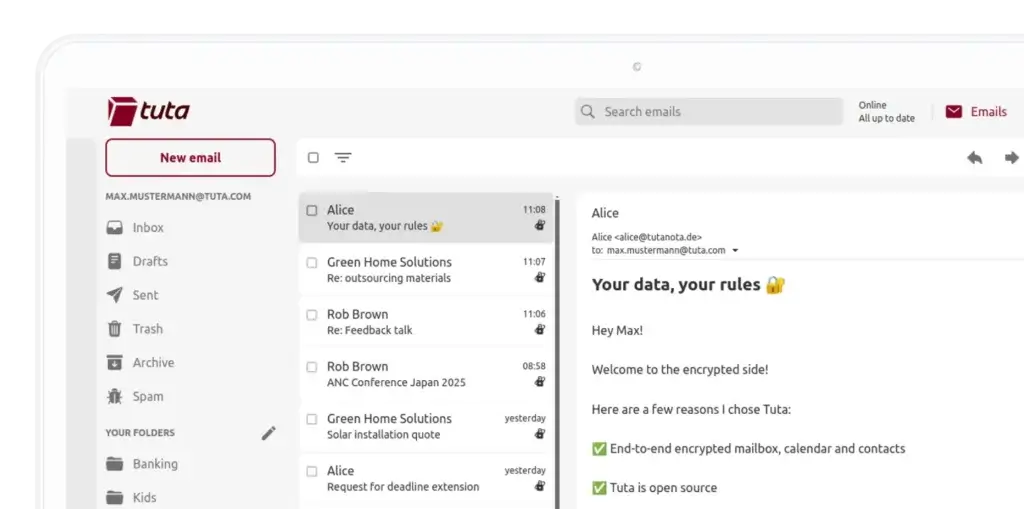
Tuta’s feature set is built around privacy, not traditional office productivity. You get secure email, encrypted calendars, encrypted contacts, custom-domain support on paid plans, aliases, labels, offline access, mobile apps, desktop apps, and strong account protection. The biggest difference is that many features are designed to protect your data by default instead of adding privacy as an optional setting.
1. End-to-End Encrypted Email
Tuta automatically encrypts emails between Tuta users end-to-end. That means message content is protected so that only the sender and recipient can read it. For messages sent to people outside Tuta, users can send password-protected encrypted emails, allowing non-Tuta recipients to read and reply securely through a protected interface.
This is one of Tuta’s strongest advantages over mainstream email providers. Gmail, Outlook, and many business email platforms may use transport encryption, but that is not the same as end-to-end encryption. Tuta is designed for users who want stronger privacy for the contents of their mailbox.
2. Encrypted Calendar and Contacts
Tuta is not limited to email. It also includes encrypted calendars and contacts, which is important because sensitive information often appears outside message bodies. Meeting titles, invite details, contact records, and scheduling information can reveal a lot about your work, relationships, and business activity.
For privacy-focused users, this is a meaningful advantage. A secure inbox is useful, but if your calendar and contacts are stored in a less private system, your overall communication privacy is still incomplete. Tuta’s approach is stronger because it treats email, calendar, and contacts as part of the same private communication environment.
3. Post-Quantum Encryption Direction
Tuta has been one of the more aggressive email providers in moving toward post-quantum security. Its TutaCrypt protocol combines modern encryption with quantum-resistant methods to reduce future risk from quantum computing attacks.
This does not mean every user needs to understand the cryptography behind it. The practical point is simpler: Tuta is building for long-term privacy. If you care about protecting sensitive communication over many years, Tuta’s post-quantum direction is a serious differentiator.
4. Custom Domains for Personal and Business Use
Paid Tuta plans support custom domains, which makes the platform suitable for professionals and businesses that want private email under their own brand. For example, a consultant, agency, nonprofit, or small business can use addresses like hello@yourcompany.com or support@yourdomain.com while keeping communication inside Tuta’s encrypted environment.
This is especially useful for businesses that want professional branding without moving to Google Workspace or Microsoft 365. Tuta gives you a more privacy-focused alternative while still supporting the custom-domain setup that business users expect.
5. Aliases and Custom-Domain Alias Options
Tuta includes extra email addresses on paid plans, and it also supports a large number of alias-style workflows for users with custom domains. This is useful for organizing communication, reducing spam, and separating different types of activity.
For example, you can use different addresses for newsletters, billing, sales inquiries, client communication, or online accounts. If one address starts receiving too much spam, you can adjust your alias strategy without exposing your main mailbox address everywhere.
6. Open-Source Apps
Tuta’s apps are open source, which is important for a privacy-focused email provider. Open-source clients allow security researchers and the wider community to review how the software works, instead of asking users to rely only on marketing claims.
This does not automatically make a product perfect, but it improves transparency. For users who value privacy, security, and accountability, open-source apps are an important trust signal.
7. Apps for Web, Desktop, and Mobile
Tuta works across web, desktop, and mobile. It offers apps for Android, iOS, Windows, macOS, and Linux, which makes it practical for people who use email across multiple devices.
This is important because privacy tools often fail when they are inconvenient. Tuta’s biggest usability advantage is that it brings encrypted email into a familiar app-based experience. Users do not need to manage PGP keys manually or understand technical encryption workflows to get private email protection.
8. No Ads and No Tracking
Tuta’s business model is based on subscriptions rather than advertising. The platform is designed to avoid tracking and profiling users for ads. For anyone moving away from free Big Tech email accounts, this is one of the most important differences.
In my opinion, this is one of the main reasons to choose Tuta even if you do not need every advanced security feature. Email contains contracts, invoices, login alerts, private conversations, health-related messages, travel plans, financial updates, and client communication. Using a provider that does not build an advertising model around that data is a practical privacy upgrade.
User Experience
Tuta User Experience
Simple Enough for Non-Technical Users
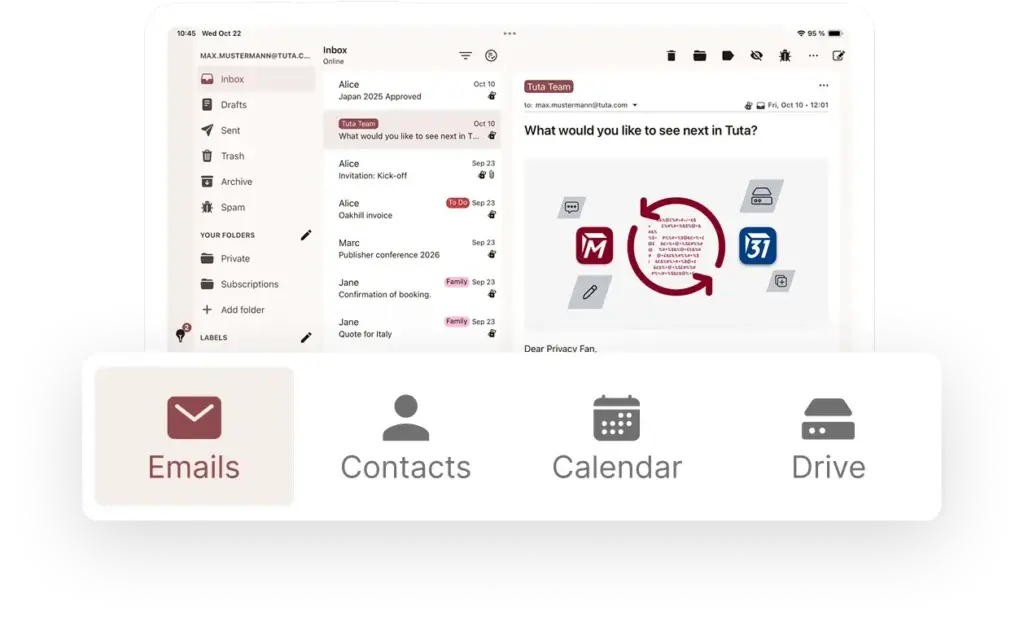
Tuta’s biggest usability strength is that it makes encrypted email approachable. Many secure communication tools feel technical, especially if they require manual encryption keys, browser extensions, or complicated setup. Tuta removes much of that friction by encrypting communication automatically inside its own ecosystem.
For everyday users, the experience feels closer to using a normal email app than using a security tool. You sign in, send messages, organize folders and labels, manage calendars, and use contacts in a familiar way. The privacy layer is mostly built into the product rather than pushed onto the user.
Clean Interface, But Not the Most Feature-Rich Inbox
The interface is clean and functional, but it is not as advanced as Fastmail for email power users or as integrated as Google Workspace for collaboration. Tuta focuses more on privacy and encrypted communication than on advanced inbox customization, productivity add-ons, or third-party integrations.
That tradeoff is important. If you want the smoothest traditional email experience with open IMAP access, extensive filtering, and easy integration with external mail clients, Fastmail may feel more flexible. If you want encrypted email with less data exposure, Tuta is the stronger privacy choice.
Mobile and Desktop Apps
Tuta offers mobile apps and desktop apps, which makes it easy to use encrypted email across devices. This is particularly useful for business users who need secure access from a laptop, office desktop, and phone.
- Use Tuta on Android and iOS
- Access Tuta on Windows, macOS, and Linux
- Use encrypted calendar and contacts across supported apps
- Keep email, contacts, and calendar inside one privacy-focused environment
The main limitation is that Tuta does not work like a traditional IMAP mailbox. That is partly because of its encryption model. Users who want to connect Tuta to any email app through standard IMAP/SMTP may find this restrictive. Users who are comfortable using Tuta’s own apps will likely see this as a reasonable security tradeoff.
Migration and Setup
Setting up a basic Tuta account is simple. The free plan gives users a way to test the platform, while paid plans unlock more storage, extra email addresses, custom domains, and advanced usage. For custom domains, you still need to update DNS records, just as you would with most business email providers.
For businesses, planning the migration matters. You should confirm which addresses, aliases, domains, users, forwarding rules, and calendar workflows need to move before switching. Tuta is very strong for privacy, but it is not designed to copy every workflow from Google Workspace or Microsoft 365.
Customer Support and Learning Curve
Tuta provides documentation and support resources, but the learning curve depends on where you are coming from. If you are moving from Gmail, the biggest adjustment is not the interface itself. The bigger change is understanding privacy-focused workflows, encrypted messages to external recipients, and why Tuta does not support every traditional email protocol in the same way as standard email hosting.
In my view, this is a fair tradeoff. Tuta is easy enough for most users, but it is best for people who are willing to accept some ecosystem limitations in exchange for stronger privacy.
Pros and Cons
Advantages and Disadvantages
Pros
✅ Strong end-to-end encryption
✅ Encrypted calendar and contacts
✅ Open-source apps
✅ Strong value for privacy-focused users
Cons
❌ No standard IMAP/SMTP workflow
❌ Fewer productivity integrations
❌ Interface is simpler than Fastmail
❌ Not a full office suite
Tuta is one of the best email providers for users who put privacy first. Its strengths are very clear: encryption, no ads, open-source clients, German data protection, and a strong security roadmap. Its weaknesses are also clear: it is not the best option if you want a highly flexible traditional inbox, deep third-party integrations, or a full office productivity suite.
✅ Strengths
- Strong end-to-end encryption: Tuta protects email communication with built-in encryption and supports password-protected encrypted messages to external recipients.
- Encrypted calendar and contacts: Tuta goes beyond email by protecting calendar and contact data, which is important for users who want broader communication privacy.
- Open-source apps: Tuta’s clients are open source, which improves transparency and makes the platform more credible for privacy-conscious users.
- Strong value for privacy-focused users: Paid plans include useful storage, aliases, custom domains, labels, calendars, and business features at competitive pricing.
❌ Weaknesses
- No standard IMAP/SMTP workflow: Tuta’s encryption model means it does not behave like a traditional mailbox that can be connected freely to every third-party email client.
- Fewer productivity integrations: Tuta is not built around integrations with CRM, project management, office documents, or large collaboration ecosystems.
- Interface is simpler than Fastmail: Fastmail still feels more mature for users who want a premium, traditional email-first experience.
- Not a full office suite: Tuta is not a replacement for Google Workspace, Microsoft 365, or Zoho Workplace if your team needs documents, spreadsheets, video meetings, cloud storage, and broad team collaboration.
Overall, Tuta is strongest for users and businesses that want private email, encrypted calendars, custom domains, and a more secure alternative to mainstream email providers. It is less suitable for teams that need heavy office-suite collaboration or advanced third-party app connectivity.
Pricing and Plans
How Much Does Tuta Cost?
Tuta offers free, personal, and business plans. Pricing can change based on billing cycle, taxes, region, and promotions, so you should always check Tuta’s live pricing page before purchasing. Still, the plan structure is straightforward: free for basic private email, personal paid plans for larger storage and custom domains, and business plans for professional teams.
Personal Plans
Tuta’s personal plans are designed for individuals, privacy-conscious users, families, and professionals who want encrypted email with more storage and custom-domain support.
| Plan | Price | Storage | Best For | Key Features |
| Free | €0/month | 1 GB | Users testing private email | Encrypted email, one calendar, basic privacy features, no ads, no tracking |
| Revolutionary | From about €3/month, billed yearly | 20 GB | Individuals and professionals | 15 extra email addresses, 3 custom domains, unlimited calendars, unlimited labels, offline support, auto-reply |
| Legend | From about €8/month, billed yearly | 500 GB | Power users and privacy-focused families | 30 extra email addresses, 10 custom domains, large storage, unlimited calendars, unlimited labels, advanced personal use |
Business Plans
Tuta’s business plans are designed for freelancers, teams, and organizations that need secure custom-domain email with encrypted calendars, admin controls, and business-ready storage.
| Plan | Price | Storage | Best For | Key Features |
| Essential | From about €6/user/month, billed yearly | 50 GB | Freelancers and small businesses | 15 extra email addresses, 3 custom domains, encrypted calendars, labels, business admin features |
| Advanced | From about €8/user/month, billed yearly | 500 GB | Growing teams | 30 extra email addresses, 10 custom domains, large storage, team management, encrypted business email |
| Unlimited | From about €12/user/month, billed yearly | 1000 GB | Businesses with larger needs | 30 extra email addresses, unlimited custom domains, 1 TB storage, business administration, high-capacity secure email |
What You Get Across Paid Plans
Tuta’s paid plans are valuable because they combine privacy features with practical business email features. The exact limits depend on the plan, but the overall structure is clear.
| Feature | Included or Available |
| End-to-end encrypted email | Yes |
| Encrypted calendar | Yes |
| Encrypted contacts | Yes |
| No ads or tracking | Yes |
| Custom domains | Available on paid plans |
| Extra email addresses | Available on paid plans |
| Unlimited labels | Available on paid plans |
| Offline access | Available on paid plans |
| Auto-reply | Available on paid plans |
| Shared calendars | Available on paid plans |
| Business admin console | Available on business plans |
| Apps for mobile and desktop | Yes |
| Open-source clients | Yes |
| Post-quantum encryption direction | Yes |
Tuta is priced well for users who value privacy. The free plan is useful for testing the product, but most serious users should consider Revolutionary because it adds custom domains, more storage, aliases, and stronger daily-use features. For personal users with large mailbox needs, Legend is a strong upgrade.
For business users, Essential is the best starting point for freelancers and small teams. Advanced is the better choice when storage and domain flexibility matter. Unlimited is best for businesses that want maximum storage and unlimited custom domains.
Choose Tuta if privacy is the reason you are changing email providers. If you only want cheap business email, Zoho Mail may be more economical. If you want the most polished traditional inbox, Fastmail may be better. But if encrypted communication, no tracking, and strong European privacy standards matter most, Tuta offers excellent value.
Security and Privacy
How Tuta Protects Your Data
Security and privacy are the main reasons to choose Tuta. While many email providers promote security, Tuta is more privacy-focused by design. It combines encryption, open-source apps, no ads, no tracking, German data protection, and a long-term encryption roadmap.
1. End-to-End Encryption by Default
Tuta automatically encrypts communication between Tuta users. This means users can send private messages without configuring PGP keys or installing separate encryption tools. For non-Tuta recipients, users can send encrypted messages protected by a shared password.
This makes secure communication more accessible. Many users want encryption but do not want to manage complex encryption workflows manually. Tuta’s strength is that it turns encryption into a normal part of using email.
2. Encrypted Mailbox Data
Tuta’s privacy model goes beyond encrypting message bodies. The platform is designed to protect mailbox-related data such as calendars, contacts, labels, and other sensitive account data. This matters because metadata-like information can reveal business relationships, schedules, and personal routines even when message content is protected.
3. Post-Quantum Encryption
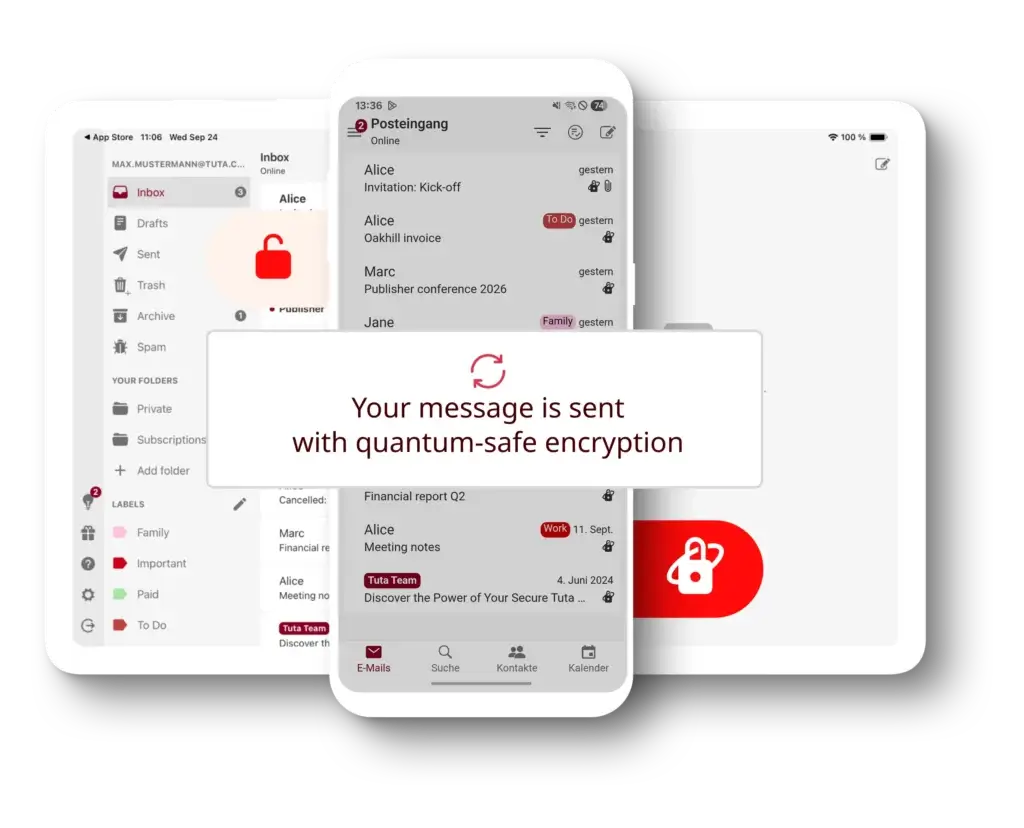
Tuta has moved toward quantum-safe encryption through TutaCrypt. This is a major security signal because it shows the company is preparing for future cryptographic risks, not only current ones.
For most users, this will not change the daily email experience. But for organizations that care about long-term confidentiality, including legal, nonprofit, journalistic, research, and security-sensitive teams, this is a meaningful differentiator.
4. German Data Protection and GDPR Alignment
Tuta is based in Germany and emphasizes European privacy standards. This gives it a different legal and regulatory environment than many US-based technology providers. For organizations concerned about data sovereignty, GDPR, and European hosting, this is an important part of Tuta’s appeal.
5. Two-Factor Authentication and Account Protection
Tuta supports two-factor authentication and account security controls. Every user should enable 2FA, especially for business accounts, admin users, and custom-domain mailboxes. Email is often the recovery channel for banking, SaaS tools, social platforms, and client accounts, so mailbox security is critical.
6. Privacy Limitation
Tuta is very strong for privacy, but no email provider can make all email metadata disappear. Email as a protocol still requires certain routing information to function. Also, when you communicate with people outside Tuta, the level of protection depends on how the message is sent and how recipients interact with it.
For most users, Tuta is still a major privacy upgrade over mainstream providers. But for the highest-risk situations, users should combine secure email with broader operational security practices.
Comparison with Competitors
Tuta vs Top Alternatives
Tuta competes in a crowded email market, but it has a clear identity. It is not the cheapest business email provider, not the most integration-heavy productivity suite, and not the most traditional email power-user platform. Tuta is best compared as a secure email provider for privacy-first users.
For this comparison, I selected Proton Mail, StartMail, Fastmail, and Zoho Mail. These four alternatives give a useful view of the market: Proton is the closest privacy-first competitor, StartMail is strong for aliases and secure email, Fastmail is excellent for traditional premium email, and Zoho Mail is one of the strongest low-cost business email platforms.
Tuta vs Proton Mail
| Feature | Tuta | Proton Mail |
| Main positioning | Private encrypted email, calendar, and contacts | Privacy ecosystem with email, calendar, VPN, storage, password manager, and more |
| Free plan | Yes | Yes |
| Encryption | End-to-end encryption with strong mailbox privacy focus | End-to-end and zero-access encryption for secure email |
| Post-quantum direction | Major focus through TutaCrypt | Strong privacy platform, but broader ecosystem focus |
| Custom domains | Available on paid plans | Available on paid plans |
| Apps | Web, desktop, Android, iOS, Linux, macOS, Windows | Web, mobile, desktop, plus wider Proton apps |
| Best for | Users who want encrypted email, calendar, and contacts with a simple privacy-first approach | Users who want secure email plus a wider privacy ecosystem |
Summary: Proton Mail is the better choice if you want a broader privacy ecosystem. Proton’s biggest advantage is that it extends beyond email into VPN, cloud storage, password management, calendar, and other privacy tools.
Tuta is better if your priority is a focused encrypted email, calendar, and contacts experience with strong privacy architecture and a clear post-quantum encryption story. In my opinion, Proton is better for users who want one privacy account for many digital tools. Tuta is better for users who want a leaner and deeply email-focused privacy provider.
Tuta vs StartMail
| Feature | Tuta | StartMail |
| Main positioning | Encrypted email, calendar, and contacts | Private email with encryption and unlimited aliases |
| Free plan | Yes | No, but free trial available |
| Storage | 1 GB free, 20 GB to 1 TB on paid plans depending on plan | 20 GB personal or 30 GB business |
| Custom domains | Available on paid plans | Available, including unlimited domains on business plan |
| Aliases | Strong alias support, especially with custom domains | Unlimited aliases are a major strength |
| Calendar and contacts | Encrypted calendar and contacts included | More email-focused |
| Best for | Users who want encrypted email plus calendar and contacts | Users who want simple private email with strong alias protection |
Summary: StartMail is a strong private email provider, especially if you value unlimited aliases and a simple secure email experience. It is a practical choice for users who want to protect their real address from spam, tracking, and unwanted exposure.
Tuta is the better choice if you also want encrypted calendars and contacts, a free entry plan, and a stronger long-term encryption story. StartMail is excellent for aliases and straightforward private email. Tuta feels more complete as a private communication platform.
Tuta vs Fastmail
| Feature | Tuta | Fastmail |
| Main positioning | Privacy-first encrypted email | Premium traditional email, calendar, and contacts |
| Encryption focus | End-to-end encryption and encrypted mailbox data | Secure email hosting, but not the same encrypted-email model as Tuta |
| Custom domains | Available on paid plans | Available on paid plans |
| Third-party clients | Limited by Tuta’s encryption model | Strong support for third-party apps such as Outlook and Apple Mail |
| User experience | Simple and privacy-focused | Very polished for traditional email users |
| Best for | Users who prioritize privacy and encryption | Users who want a mature, flexible, premium inbox |
Summary: Fastmail is the better option if you want the best traditional email experience. It is polished, reliable, flexible, and excellent for users who want custom domains, calendars, contacts, third-party app support, and a refined inbox.
Tuta is better if privacy is the main reason you are switching providers. Fastmail is private compared with ad-based email providers, but it is not built around the same end-to-end encrypted model as Tuta. My recommendation is simple: choose Fastmail for premium email productivity, choose Tuta for stronger encryption and privacy.
Tuta vs Zoho Mail
| Feature | Tuta | Zoho Mail |
| Main positioning | Secure private email and calendar | Affordable business email within Zoho’s wider software ecosystem |
| Free plan | Yes | Available in select data centers for up to 5 users |
| Starting business price | From about €6/user/month for Essential | Very low-cost Mail Lite plans available |
| Custom domains | Available on paid plans | Available, including free plan in supported regions |
| Business ecosystem | Focused on private email, calendar, and contacts | Broad ecosystem including CRM, projects, finance, support, collaboration, and workplace tools |
| Privacy focus | Very strong encryption-first positioning | Secure and ad-free business email, but not as privacy-first as Tuta |
| Best for | Privacy-sensitive users and secure communication | Cost-conscious businesses that want email plus broader business apps |
Summary: Zoho Mail is one of the best options for affordable business email, especially if your company already uses or plans to use Zoho CRM, Zoho Projects, Zoho Books, Zoho Desk, or Zoho Workplace. It offers excellent value and a broader business ecosystem than Tuta.
Tuta is the better choice when privacy matters more than ecosystem size. It is not trying to become your full business software stack. It is trying to protect your communication. If your priority is price and business apps, Zoho Mail wins. If your priority is encrypted email and privacy, Tuta wins.
For the strongest privacy ecosystem with many extra tools, Proton Mail is the better choice. For unlimited aliases and simple private email, StartMail is worth considering. For the best traditional email experience, Fastmail is the stronger option. For low-cost business email connected to a wider software suite, Zoho Mail is a practical choice.
However, when the main requirement is encrypted email, encrypted calendars, private contacts, custom domains, no ads, no tracking, and a provider actively investing in post-quantum security, Tuta stands out. It is not the best product for every email user, but it is one of the strongest choices for users who want privacy without making encrypted email overly complicated.
Conclusion
Is Tuta Worth It in 2026?
⭐ Overall Rating: 8.6/10
Tuta is worth considering if you want a secure email provider that puts privacy at the center of the product. Its strongest advantages are end-to-end encryption, encrypted calendars and contacts, open-source apps, no ads, no tracking, German data protection, custom-domain support, and a strong post-quantum encryption roadmap.
That makes it especially valuable for privacy-conscious individuals, freelancers, consultants, journalists, nonprofits, lawyers, healthcare-adjacent professionals, activists, and small businesses that do not want their email provider to scan, profile, or monetize communication data.
Tuta is not perfect. It is not as flexible as Fastmail for traditional email workflows, not as broad as Proton’s privacy ecosystem, not as cheap as Zoho Mail for business email, and not a replacement for Google Workspace or Microsoft 365. But those comparisons only matter if you are looking for those specific strengths.
Final Thoughts
Tuta is an excellent choice for:
- Individuals who want a private alternative to Gmail or Outlook
- Professionals who need encrypted email with a custom domain
- Small businesses that want secure email without Big Tech platforms
- Journalists, activists, and nonprofits that handle sensitive communication
- Consultants and agencies that want private client communication
- Users who want encrypted calendar and contact data, not just secure email
In my opinion, Tuta is one of the best secure email providers for users who want strong privacy without dealing with complex encryption tools. If you need broad collaboration features, choose a business suite. If you need maximum email-client flexibility, choose Fastmail. But if privacy is the main reason you are switching email providers, Tuta is easy to recommend.
Frequently Asked Questions
Have more questions?
1. What is Tuta?
Tuta is a secure email provider focused on private, encrypted communication. It includes encrypted email, encrypted calendars, encrypted contacts, open-source apps, custom-domain support on paid plans, and a no-ads, no-tracking business model.
2. Is Tuta the same as Tutanota?
Yes. Tuta is the newer brand name for the service previously known as Tutanota. The product still focuses on secure email, encrypted calendars, privacy, and open-source apps, but the shorter Tuta brand is now used across the company’s website and products.
3. Is Tuta free?
Yes, Tuta offers a free plan with encrypted email and basic storage. However, users who need custom domains, more storage, extra email addresses, unlimited labels, and stronger daily-use features should choose one of the paid plans.
4. Does Tuta support custom domains?
Yes, Tuta supports custom domains on paid plans. This makes it useful for professionals, freelancers, and businesses that want private email under their own domain, such as hello@yourcompany.com or support@yourdomain.com.
5. Is Tuta good for business email?
Yes, Tuta can be a strong business email provider for organizations that value privacy, encrypted communication, custom domains, and European data protection. However, it is not a full productivity suite like Google Workspace, Microsoft 365, or Zoho Workplace.
6. How does Tuta compare to Proton Mail?
Tuta and Proton Mail are both strong privacy-focused email providers. Proton Mail is better if you want a broader privacy ecosystem with VPN, cloud storage, password management, and other tools. Tuta is better if you want a focused encrypted email, calendar, and contacts platform with strong post-quantum encryption direction.
7. Does Tuta support IMAP or SMTP?
Tuta does not work like a traditional IMAP and SMTP mailbox because of its encryption model. Users generally access Tuta through its web, desktop, and mobile apps. This can be a limitation for users who want to connect any third-party email client, but it helps preserve Tuta’s privacy architecture.
8. Is Tuta more private than Gmail?
For users who care about encrypted communication and avoiding ad-based tracking, Tuta is much more privacy-focused than Gmail. Tuta is built around encryption, no ads, no tracking, and open-source apps, while Gmail is part of a much larger advertising and data ecosystem.
9. Who should use Tuta?
Tuta is best for privacy-conscious individuals, freelancers, consultants, journalists, nonprofits, activists, legal professionals, healthcare-adjacent users, and small businesses that want secure email without relying on Big Tech platforms.
10. What is the main disadvantage of Tuta?
The main disadvantage is that Tuta is less flexible than traditional email hosting providers for third-party email clients, integrations, and advanced productivity workflows. It is best for privacy-first users, not for teams that need a full office suite or deep app ecosystem.








