Introduction
Capturing every important detail from a meeting is harder than it sounds. You need to stay engaged, ask good questions, listen carefully, and still remember what was discussed, what was decided, and what needs to happen next.
That is where Notta becomes useful. Notta is an AI note-taking and transcription platform built to record meetings, transcribe conversations, generate AI summaries, translate discussions, and turn spoken content into searchable notes.
In this Notta review, you will learn how the platform performs in 2026, what features stand out, how much it costs, where it falls short, and which Notta alternatives may be better depending on your workflow.
Notta is especially strong if you work across languages, run frequent online meetings, record interviews, manage client calls, or need a better way to turn conversations into structured follow-up actions. However, it is not the best fit for every team. The free plan is limited, advanced controls require paid plans, and privacy-sensitive teams should review its data handling policies carefully before using it for confidential meetings.
Quick Overview
What is Notta
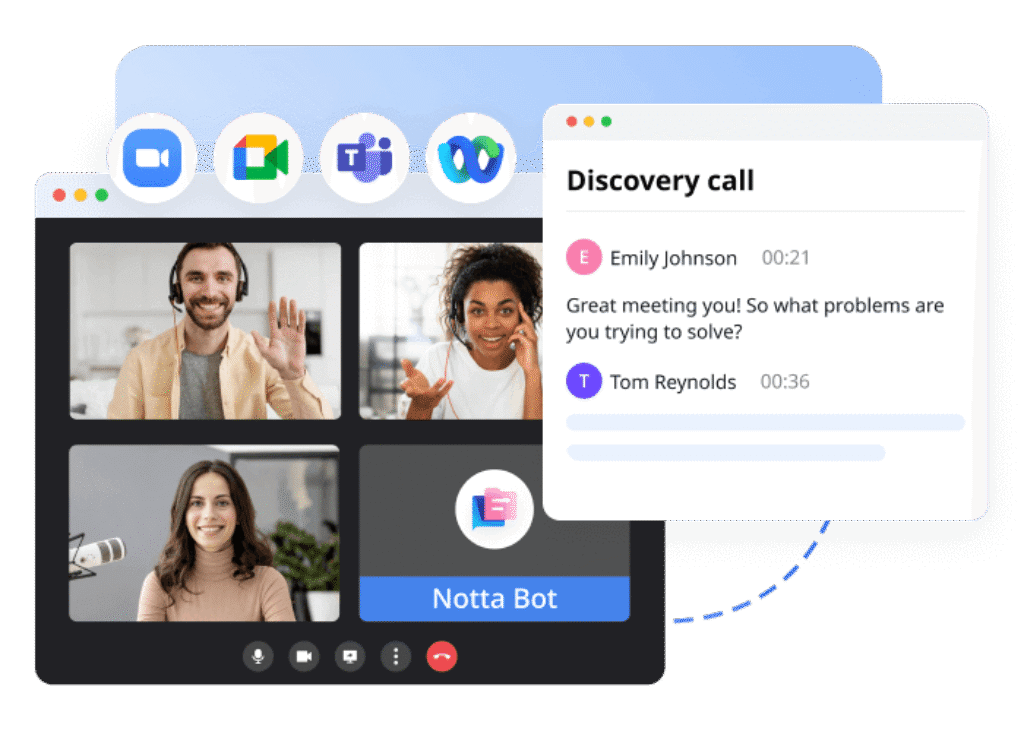
Notta is an AI-powered meeting assistant that converts speech into text, summaries, translations, and action items. You can use it for Zoom, Google Meet, Microsoft Teams, Webex, uploaded audio or video files, mobile recordings, and in-person conversations.
At its core, Notta helps you reduce manual note-taking. Instead of writing notes during every call, you can record the conversation, review the transcript, generate a summary, extract action items, and share the output with your team.
Notta is commonly used by remote teams, sales teams, consultants, recruiters, educators, journalists, podcasters, researchers, and multilingual businesses. Its biggest advantage is the combination of real-time transcription, multilingual support, translation, AI summaries, CRM exports, and mobile recording.
Notta Review: Quick Summary
If you need a fast answer, Notta is a strong AI meeting transcription tool for users who value language support, searchable transcripts, and structured meeting summaries. It is less ideal if you want a very generous free plan, fully offline AI processing, or a bot-free meeting recorder for every use case.
| Category | Notta Review Summary |
| Best for | Multilingual transcription, client meetings, interviews, education, sales calls, consulting, and remote teams |
| Main strength | Real-time transcription, AI summaries, translation, and flexible recording options |
| Main limitation | Free plan is restrictive, and advanced security, collaboration, and automation features require paid plans |
| Starting price | Free plan available, Pro starts at $8.17/month when billed annually |
| Best alternative | Fathom for free individual use, Fireflies for sales workflows, Granola for lightweight personal notes |
| Overall rating | 8.4/10 |
Core Features
Main Features Breakdown
Notta is more than a basic speech-to-text tool. It combines meeting recording, transcription, translation, AI summaries, workspace collaboration, and workflow automation in one platform.
The feature set is broad enough for individual professionals, but the real value appears when you use Notta as part of a repeatable meeting workflow. For example, you can record a sales call, generate a summary, review action items, export the transcript, and sync the meeting record into your CRM.
AI Transcription and Multi-Language Support
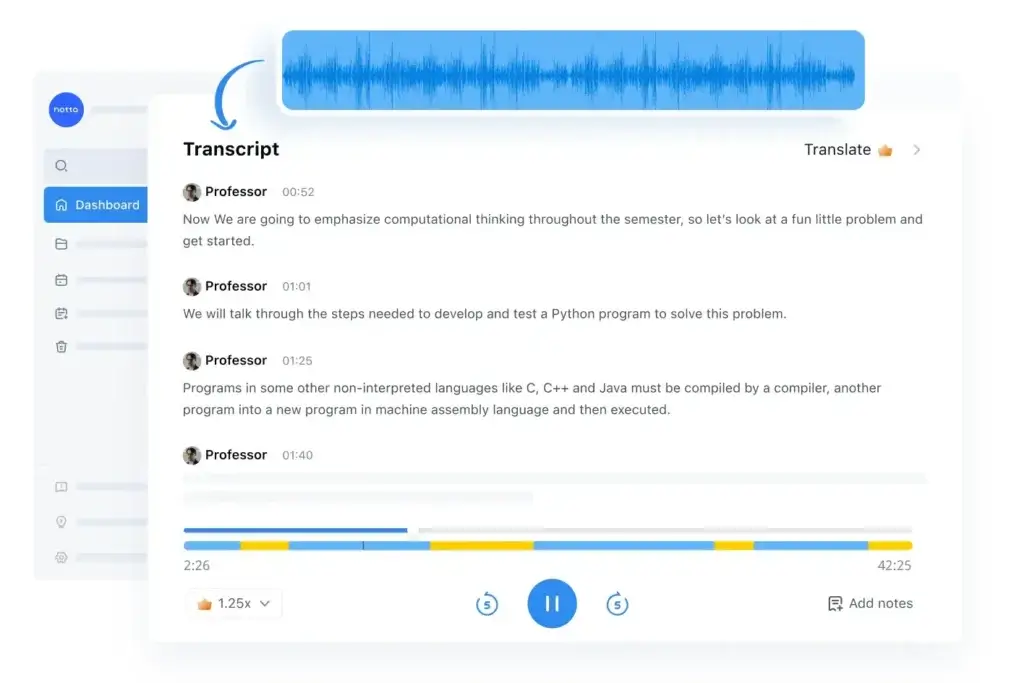
Notta’s main feature is AI transcription. You can use it to transcribe live meetings, uploaded recordings, mobile recordings, and in-person conversations.
For online meetings, Notta can join calls through the Notta Bot. The bot records and transcribes conversations from major conferencing tools such as Zoom, Google Meet, Microsoft Teams, and Webex.
Notta also supports 58 transcription languages, which makes it more useful than many simple AI note takers for international teams. If your meetings include clients, contractors, or team members from different countries, this language coverage is one of Notta’s strongest reasons to consider it.
- Live meeting transcription – Capture conversations as they happen.
- File transcription – Upload audio or video files for transcription.
- Speaker labels – Review who said what in longer discussions.
- Language support – Transcribe meetings across 58 languages.
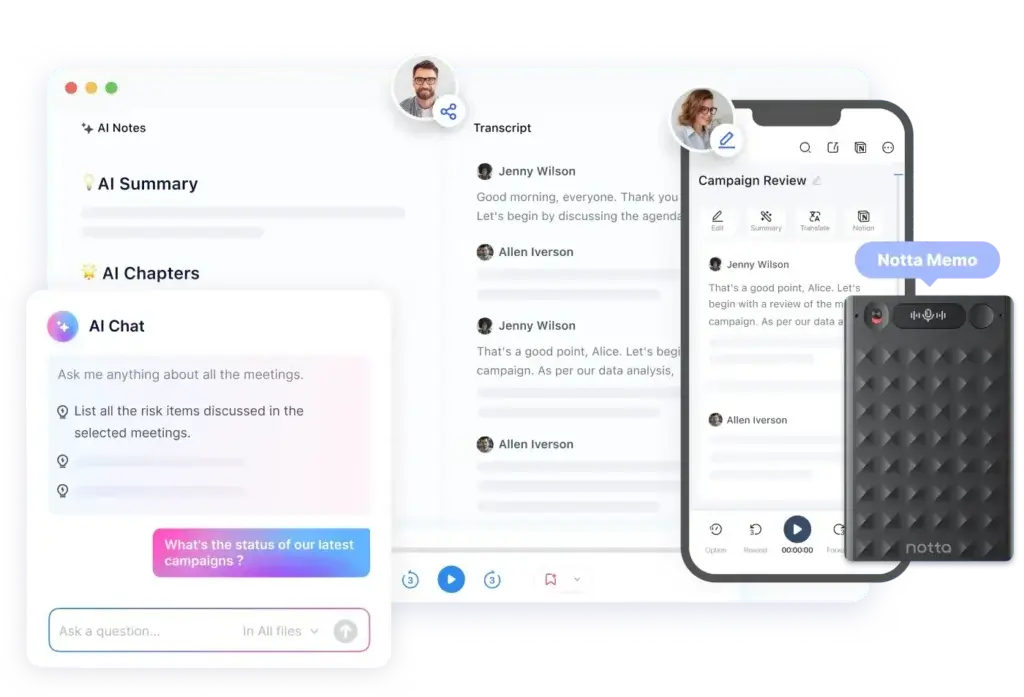
AI Meeting Notes and Summaries
Long transcripts are useful, but most users do not want to read every word after a meeting. Notta’s AI summaries help you move from raw conversation to structured notes.
After a call, Notta can generate a summary with key points, decisions, and next steps. This is especially helpful for recurring meetings, sales calls, interviews, lectures, and consulting sessions where you need a clean record without writing everything manually.
You can also use templates to shape the output. For example, a sales call summary may focus on objections, pain points, buying intent, and follow-up actions, while an interview summary may focus on candidate answers, strengths, concerns, and next steps.
- AI summaries – Turn long transcripts into readable notes.
- Action items – Identify tasks and follow-up points.
- Templates – Use different summary formats for different meetings.
- Editable notes – Refine AI-generated content before sharing.
Translation and Bilingual Meetings
Notta is particularly useful if your work involves multilingual communication. The platform supports transcript translation and bilingual transcription, helping you understand conversations that cross language boundaries.
This matters for global teams, agencies, consultants, sales teams, educators, and customer-facing professionals. Instead of relying only on memory or manual translation, you can create a meeting record that is easier to review, share, and repurpose.
Notta’s translation features are also useful for recorded files. If you have a webinar, interview, lecture, or podcast recording in another language, you can use Notta to create a transcript and translate the content for internal use.
- Transcript translation – Translate meeting notes into other languages.
- Bilingual transcription – Capture conversations involving two languages.
- Global collaboration – Make cross-border meetings easier to document.
Speaker Identification and Transcript Editing
Speaker identification is important when reviewing meetings with several participants. Notta labels speakers inside the transcript, making it easier to understand who raised a concern, approved a decision, or accepted responsibility for a task.
As with most AI transcription tools, speaker labeling may require some correction after the meeting. You can edit names, clean up transcript errors, and refine the final version before sharing it with others.
This editing layer is important because AI transcription is never perfect. Audio quality, accents, background noise, overlapping speech, and technical jargon can all affect accuracy.
Notta Brain
Notta Brain is one of the newer additions that makes the platform more interesting for productivity-focused teams. Instead of only summarizing meetings, Notta Brain is designed to help turn meeting content into more structured outputs.
For example, you can use AI credits to ask questions about your meeting content, generate follow-up material, and transform meeting information into more useful formats. This makes Notta more than a transcript storage tool. It becomes a meeting knowledge assistant.
This feature is especially relevant for consultants, sales teams, educators, marketers, and project teams that regularly turn conversations into reports, training notes, client updates, or internal documentation.
Notta Automations
Notta Automations help you reduce manual work after meetings. Instead of downloading transcripts and copying summaries into other tools, you can connect Notta with your workflow and move meeting information where it needs to go.
This is useful for sales teams that want meeting notes inside their CRM, project teams that want next steps documented, and managers who need consistent meeting records across recurring calls.
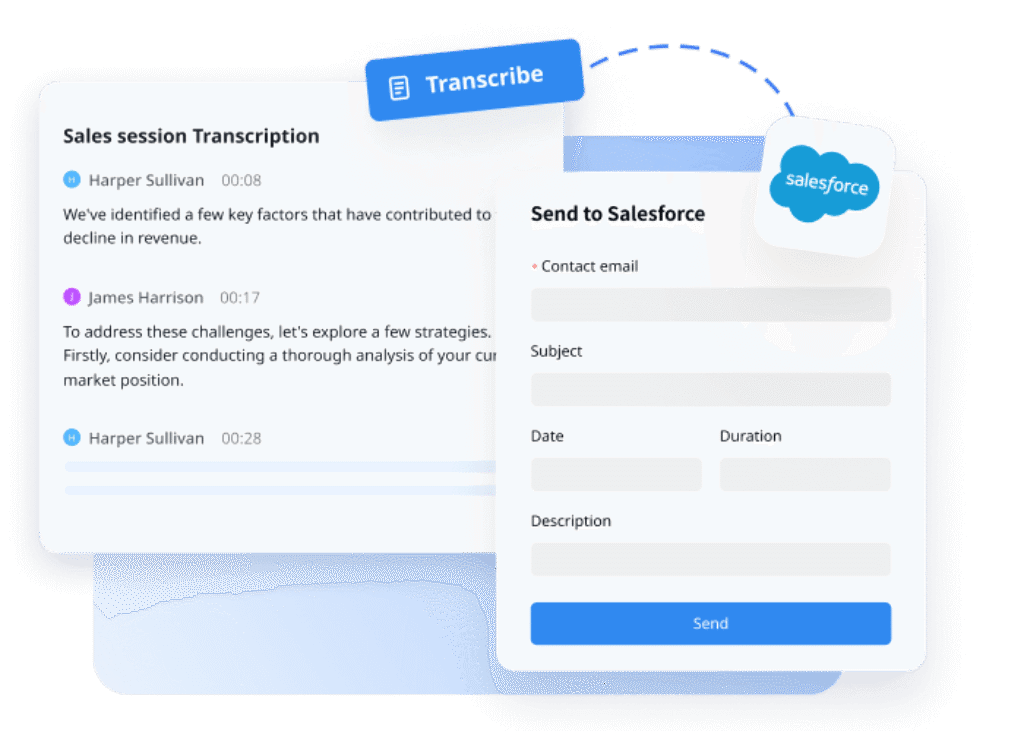
Notta can connect with tools such as Google Calendar, Google Drive, HubSpot, Notion, Outlook Calendar, Salesforce, Slack, and Zapier. Zapier also gives you more flexibility if your workflow depends on apps that are not directly connected.
- CRM workflows – Push meeting notes into customer records.
- Knowledge management – Send transcripts and summaries to Notion or Google Drive.
- Team updates – Share AI notes with Slack or other collaboration tools.
- Custom workflows – Use Zapier for broader automation options.
Meeting Scheduler and Collaboration
Notta also includes scheduling and collaboration features. You can connect your calendar, create meeting workflows, manage transcripts in folders, and share meeting records with your team.
This is helpful if you use Notta across a team rather than as a personal note-taking app. Shared workspaces make it easier to organize meeting content by department, client, project, or use case.
For teams, Notta’s collaboration value depends heavily on how consistently you use it. If everyone captures meetings, edits summaries, and stores notes in the same workspace, Notta can become a searchable meeting library. If only one or two users adopt it, the value is more limited.
Notta Memo and Mobile Recording
Notta is not limited to online meetings. You can also use the mobile app to record in-person conversations, interviews, lectures, and field discussions.
Notta Memo extends this idea with dedicated recording hardware. It is useful if you frequently record in-person meetings, trade show conversations, lectures, phone calls, or interviews and want a device that is always ready to capture audio.
However, Notta Memo is not necessary for everyone. If you only record conversations occasionally, the mobile app may be enough. Also, while hardware recording can work offline, AI transcription, summaries, translation, chat, export, and sync still depend on the app and connectivity.
- Mobile recording – Capture in-person conversations from your phone.
- Notta Memo – Use dedicated hardware for frequent recording workflows.
- Offline capture – Record first, then sync later when connected.
- Best use cases – Interviews, lectures, sales visits, consulting sessions, and events.
Integrations and Export Options
Notta integrates with several tools that matter for business workflows. You can connect meeting records with calendars, CRM systems, collaboration apps, and knowledge bases.
For example, you can sync meeting transcripts to HubSpot, send notes to Notion, save files to Google Drive, or use Zapier to build more customized automations. Notta also supports exports, allowing you to download transcripts and share them outside the platform.
One important update: if you previously listed ClickUp as a direct Notta integration, you should verify that before keeping the claim. If you want to mention ClickUp, it is safer to position it as a possible workflow through Zapier unless you confirm a direct native integration.
- CRM integrations – Useful for sales and customer-facing teams.
- Calendar integrations – Helps Notta join or prepare for scheduled meetings.
- Knowledge base workflows – Send notes to tools like Notion or Google Drive.
- Export formats – Download transcripts and summaries for sharing or archiving.
User Experience and Interface
How Does Everyday Work with Notta Look?
A good AI meeting assistant should feel simple. If you need to spend too much time managing the software, correcting the workflow, or searching for basic actions, the tool starts creating work instead of reducing it.
Notta performs well from a usability perspective. The interface is clean, the main workspace is easy to understand, and the learning curve is short for most users.
Clean Dashboard and Simple Navigation
Notta’s dashboard gives you quick access to recordings, transcripts, summaries, folders, and workspace content. You can move between meeting files without feeling buried in menus.
This makes the platform approachable for users who are new to AI note-taking software. You do not need to be technical to record a meeting, upload a file, or review a summary.
Transcript Review Feels Practical
When you open a meeting, Notta displays transcript text, speaker labels, timestamps, playback controls, and AI notes. This makes it easy to jump to specific parts of the conversation instead of replaying the full recording.
The editing experience is also important. You can correct speaker names, clean up transcript mistakes, and adjust summary wording before sharing the final notes with your team.
Helpful for Desktop and Mobile Workflows
Notta works well across web and mobile use cases. This flexibility matters because not every important conversation happens on Zoom or Teams.
You may need to capture an in-person interview, a lecture, a field meeting, or a quick phone conversation. The mobile app and Notta Memo help fill that gap.
Collaboration Works Best on Paid Plans
If you use Notta as an individual, the workflow is straightforward. Record, transcribe, summarize, edit, and export.
For teams, the value improves with shared workspaces, permissions, usage reporting, and CRM workflows. These features are more relevant on Business and Enterprise plans, so team adoption depends on budget and meeting volume.
One Potential Friction Point: The Meeting Bot
Some users do not mind a bot joining meetings. Others find it intrusive, especially on client calls or sensitive internal discussions.
This is not unique to Notta. Many AI meeting assistants use a bot-based recording model. Still, it is something to consider before rolling Notta out across a sales team, HR team, leadership team, or legal workflow.
Pros And Cons
Advantages and Disadvantages
Positive
✅ Strong multilingual transcription
✅ AI summaries and action items
✅ Useful CRM and workflow integrations
✅ Mobile recording and Notta Memo support
Negative
❌ Free plan is restrictive
❌ Some advanced features require paid plans
❌ Bot-based recording may not suit every meeting
❌ AI features require cloud processing
Notta is a capable AI note-taking tool, but it is not perfect. Its strengths are most visible when you need multilingual transcription, summaries, and workflow automation. Its weaknesses become more important when your priority is a generous free plan, strict privacy control, or fully offline AI processing.
✅ Pros
Strong multilingual transcription – Notta supports 58 languages, making it a strong option for global teams, educators, consultants, and international client work.
Useful AI summaries – The platform can turn long transcripts into clearer summaries, action items, and structured meeting notes.
Good for multiple recording scenarios – You can use Notta for live meetings, uploaded files, mobile recordings, and in-person conversations.
Helpful integrations – Notta connects with tools such as Google Calendar, Google Drive, HubSpot, Notion, Salesforce, Slack, Outlook Calendar, and Zapier.
Notta Memo adds hardware flexibility – If you frequently record in-person meetings or phone calls, Notta Memo can be useful as a dedicated recording device.
Clean interface – The platform is easy to learn, which helps teams adopt it faster.
❌ Cons
The free plan is limited – The free plan is useful for testing the interface, but the 3-minute recording limit is too restrictive for most real meetings.
Advanced features are paywalled – Business users may need paid plans or add-ons to access higher limits, collaboration controls, automation, translation, and stronger admin features.
Meeting bot visibility may be uncomfortable – Some clients, candidates, or internal stakeholders may not like having a recording bot in the meeting.
AI accuracy depends on audio quality – Like any transcription tool, Notta can struggle with background noise, overlapping voices, strong accents, and specialized terminology.
Privacy-sensitive teams need extra review – Notta provides security and compliance controls, but teams handling legal, medical, financial, HR, or confidential business conversations should review data policies, retention settings, and plan-level controls before adoption.
Notta Memo is not necessary for everyone – The hardware is useful for frequent in-person recording, but occasional users can often rely on the mobile app.
Pricing and Tiers
How Much Does Notta Cost?
Notta offers a free plan, a Pro plan for individual professionals, a Business plan for teams, and an Enterprise plan for larger organizations that need advanced control and support.
Pricing can change, so you should always confirm the latest limits on the official Notta pricing page before purchasing. Based on the current pricing structure, the biggest update is that Pro now supports up to 5 hours per recording, while Business includes unlimited transcription and a higher AI summary allowance.
| Plan | Price | Usage Limits | Best For |
| Free | $0 | 120 transcription minutes/month, up to 3 minutes per conversation, 50 file uploads/month, 10 AI summaries/month | Testing Notta and short recordings |
| Pro | $8.17/month billed annually | 1,800 transcription minutes/month, up to 5 hours per recording, 100 file uploads/month, 100 AI summaries/month | Professionals with regular meetings and longer recordings |
| Business | $16.67/month per seat billed annually | Unlimited transcription, up to 5 hours per recording, 200 file uploads/month, 200 AI summaries/month | Teams that need collaboration, video recording, usage reports, CRM, and Zapier integration |
| Enterprise | Custom | Customized transcription, up to 5 hours per recording, unlimited uploads, unlimited AI summaries | Organizations that need SAML SSO, audit logs, full data access control, flexible payments, and priority support |
Notta Add-On Services
Notta also offers add-ons for users who need more translation and AI capabilities. These include monolingual translation, bilingual transcription and translation, and Notta Brain.
| Add-On | Price | What It Adds |
| Monolingual Translation | $6/month billed annually | Additional translation usage for Pro, Business, and Enterprise users |
| Bilingual Transcription and Translation | $9/month billed annually | Additional bilingual transcription and translation usage |
| Notta Brain | $93.59/year | 8,000 AI credits/month for more advanced AI workflows |
Which Notta Plan Offers the Best Value?
The Free plan is best for testing the interface, but it is too limited for real meeting workflows.
The Pro plan is the best starting point for freelancers, consultants, students, creators, and individual professionals who need more recording time and transcript features.
The Business plan is the better choice for teams because it includes unlimited transcription, collaboration features, usage reporting, video recording, CRM support, and Zapier integration.
The Enterprise plan is the right option if your organization needs stricter access controls, SAML SSO, audit logs, custom usage, and priority support.
Who Is It Best For?
Is Notta The Right Fit For Your Workflow?
Notta works best when your meetings create information that needs to be reviewed, shared, translated, or moved into another system. If you only need occasional personal notes, Notta may be more than you need. If meetings are central to your work, the platform becomes much more valuable.
Best for Multilingual Teams
Notta is a strong fit for multilingual teams because it supports transcription across many languages and offers translation features. This makes it useful for global teams, international sales, education, research, and consulting.
Best for Sales and Customer-Facing Teams
Sales teams can use Notta to record demos, discovery calls, client check-ins, and onboarding meetings. The ability to summarize calls and sync notes into CRM workflows can reduce manual follow-up work.
If your sales team already uses tools like Salesforce or HubSpot, Notta can help preserve customer context after every call.
Best for Recruiters and HR Teams
Recruiters can use Notta to capture interviews, summarize candidate conversations, and review answers after the meeting. This is helpful when comparing candidates or sharing notes with hiring managers.
However, HR teams should be careful with consent, retention, and privacy settings because interviews can include sensitive personal information.
Best for Educators, Students, and Researchers
Notta is also useful for lectures, seminars, interviews, and research calls. Students can review transcripts after class, while researchers can turn interviews into searchable records.
The mobile app and Notta Memo make this use case stronger because not every learning or research session happens inside a video meeting platform.
Best for Consultants and Agencies
Consultants and agencies often need accurate records of client conversations. Notta helps turn calls into notes, decisions, follow-up tasks, and internal documentation.
This can improve client communication because you are less likely to lose important details after a busy meeting day.
Where Notta May Not Be the Best Fit
Notta may not be ideal if you need unlimited free recording, fully local AI processing, or a meeting assistant that never uses a bot. It may also be too much if you only need basic personal notes and do not care about summaries, translation, or integrations.
Privacy-sensitive industries should also review Notta carefully before using it for confidential conversations. This includes legal, healthcare, finance, HR, enterprise strategy, and regulated customer data workflows.
Security, Privacy, and Compliance
Is Notta Safe for Business Meetings?
Security is one of the most important topics when reviewing any AI meeting assistant. Meeting transcripts can include customer information, employee feedback, sales strategy, legal discussions, product plans, and financial details.
Notta positions itself as a secure platform with enterprise-grade compliance, admin controls, and privacy protections. The company states that it has obtained or follows security standards and frameworks such as SOC 2 Type II, ISO 27001, GDPR, CCPA, SSL, and APPI.
Notta also states in its support documentation that files are transcribed by machines and are not seen by humans. It uses HTTPS with TLS 1.2 for browser-server communication and AES-256 encryption while data is in its custody.
That said, you should still review Notta’s security page, privacy policy, and plan-level controls before using it for sensitive business meetings.
Business Security Checklist Before Using Notta
- Confirm whether your plan includes the admin controls you need.
- Review retention, sharing, and workspace permission settings.
- Check whether Enterprise features such as SAML SSO and audit logs are required.
- Create an internal policy for recording meetings with AI tools.
- Get participant consent when meetings are recorded.
- Avoid recording highly sensitive meetings unless your legal or security team approves the workflow.
Overall, Notta has stronger security positioning than many lightweight note-taking tools, but it still requires due diligence if you plan to use it in regulated or high-confidentiality environments.
Notta VS Alternatives
Comparison With Other AI Note Takers
Notta is a strong AI transcription and meeting note-taking tool, but the best choice depends on your workflow. Some alternatives are better for free individual use, some are better for sales intelligence, and others are better for lightweight personal notes.
Below are the Notta alternatives worth considering.
Top Alternatives to Notta
- Fireflies AI – Strong for team meeting capture, searchable transcripts, and sales workflows.
- Fathom – A strong choice for individuals who want a generous free AI meeting assistant.
- ClickUp Note Taker – Best if you want meeting notes connected directly to a broader work management platform.
- Granola AI – Excellent for lightweight personal note-taking with minimal setup.
Notta vs Competitors: Comparison Table
| Tool | Best For | Main Strength | Main Limitation |
| Notta | Multilingual teams, hybrid meetings, interviews, and translation-heavy workflows | Strong transcription, translation, AI summaries, Notta Memo, and CRM workflows | Free plan is restrictive, and advanced features require paid plans |
| Fireflies AI | Sales teams and teams that need searchable meeting records | Strong meeting archive, collaboration, and CRM-focused workflows | Can feel heavier than simple personal note-taking tools |
| Fathom | Individuals who want fast AI summaries without paying upfront | Very strong free individual plan and simple meeting workflow | Less focused on multilingual transcription than Notta |
| ClickUp Note Taker | Teams already using ClickUp for tasks, docs, and projects | Meeting notes connect directly to work management workflows | Best value depends on whether you already use ClickUp |
| Granola AI | Professionals who want lightweight personal meeting notes | Clean interface and low-friction note-taking experience | Not as broad for translation, CRM workflows, or enterprise use cases |
Notta vs Fireflies
Choose Notta if multilingual transcription, translation, mobile recording, and Notta Memo matter most. Choose Fireflies if your priority is searchable team meeting intelligence, sales workflows, and collaboration around meeting records.
Notta vs Fathom
Choose Notta if you need language support and flexible recording options. Choose Fathom if you are an individual user looking for a generous free AI meeting assistant with fast summaries.
Notta vs ClickUp Note Taker
Choose Notta if you want a standalone transcription and translation platform. Choose ClickUp Note Taker if you already manage tasks, docs, projects, and team collaboration inside ClickUp.
Notta vs Granola AI
Choose Notta if you need transcripts, translation, team workflows, and meeting exports. Choose Granola if you want a lightweight note-taking companion that feels simple and personal.
Setup Guide
Getting Started with Notta
How to Get Started With Notta
Notta is easy to set up. The exact workflow depends on whether you want to record online meetings, upload files, capture in-person conversations, or connect Notta to your existing tools.
- Create your account – Sign up through Notta’s website or mobile app and choose the plan that matches your usage needs.
- Connect your calendar – Connect Google Calendar or Outlook Calendar if you want Notta to help with scheduled meetings.
- Record an online meeting – Add a Zoom, Google Meet, Microsoft Teams, or Webex link and allow the Notta Bot to join the session.
- Upload files – Upload audio or video files if you already have recorded content that needs transcription.
- Review the transcript – Correct speaker names, clean up transcript errors, and check important timestamps.
- Generate AI notes – Use summaries, templates, action items, and AI chat to extract value from the meeting.
- Share or export – Send the transcript to your team, export the file, or sync meeting notes into another tool.
Tips & Best Practices for Using
AI transcription tools perform best when the recording environment is clear and the workflow is consistent. A few small habits can make Notta significantly more useful.
- Improve audio quality – Use a good microphone and reduce background noise.
- Ask speakers to avoid talking over each other – Overlapping speech reduces transcript accuracy.
- Use templates by meeting type – Sales calls, interviews, and project updates need different outputs.
- Edit summaries before sharing – AI notes are helpful, but they still need human review.
- Clean speaker labels early – Correct names before the transcript becomes part of your records.
- Connect your CRM or workspace – Notta is more valuable when notes flow into your existing process.
- Create a recording policy – Make sure participants understand when meetings are being recorded.
Conclusion
Final Thoughts – Is Notta Worth It in 2026?
Notta is worth considering if you need an AI note-taking tool that goes beyond basic meeting summaries. Its strongest advantages are multilingual transcription, translation, flexible recording options, AI summaries, integrations, and mobile support.
It is especially useful for sales teams, consultants, educators, recruiters, researchers, and global teams that need accurate meeting records without relying on manual notes.
The Business plan offers the best value for teams because it includes unlimited transcription, collaboration features, CRM support, Zapier integration, video recording, and stronger administration features. The Pro plan is better for individual professionals who need more than the free plan but do not require team controls.
Notta is not perfect. The free plan is restrictive, the meeting bot may not suit every conversation, and privacy-sensitive teams should review security and data handling policies before using it for confidential meetings.
Overall, Notta earns a strong score of 8.4/10. It is one of the better AI meeting transcription tools for multilingual and hybrid workflows, but it competes in a crowded category. If you want a free individual AI notetaker, compare it with Fathom. If you need deeper sales meeting intelligence, compare it with Fireflies. If you want meeting notes inside a full productivity suite, consider ClickUp Note Taker.
Frequently Asked Questions
Have more questions?
What is Notta used for?
Notta is used for AI transcription, meeting notes, AI summaries, translation, and action item extraction. You can use it for online meetings, uploaded recordings, mobile recordings, interviews, lectures, client calls, and in-person conversations.
Is Notta free?
Yes. Notta offers a free plan with 120 transcription minutes per month, up to 3 minutes per conversation, 50 file uploads per month, and 10 AI summaries per month. The free plan is useful for testing, but most regular users will need a paid plan.
How much does Notta cost?
Notta has a free plan, a Pro plan starting at $8.17 per month when billed annually, a Business plan starting at $16.67 per seat per month when billed annually, and a custom Enterprise plan. Add-ons are available for translation and Notta Brain.
Is Notta accurate?
Notta can produce accurate transcripts when audio quality is clear, speakers avoid overlap, and the correct language is selected. Like all AI transcription tools, accuracy can drop with background noise, accents, overlapping speech, or technical jargon.
Does Notta work with Zoom, Google Meet, Teams, and Webex?
Yes. Notta can record and transcribe online meetings from major platforms such as Zoom, Google Meet, Microsoft Teams, and Webex using the Notta Bot.
Does Notta support multiple languages?
Yes. Notta supports transcription in 58 languages and also offers translation and bilingual transcription features. This makes it useful for international teams, multilingual meetings, education, interviews, and global client work.
Is Notta safe for business meetings?
Notta provides security and compliance features, including encryption and enterprise-grade security controls. However, teams handling confidential, legal, medical, financial, or HR information should review Notta’s privacy policy, data retention settings, and plan-level controls before using it for sensitive meetings.
What is Notta Brain?
Notta Brain is an AI add-on designed to help users interact with and repurpose meeting content. It uses AI credits and can help generate more structured outputs from transcripts, summaries, and meeting records.
What is the best Notta alternative?
The best Notta alternative depends on your workflow. Fathom is strong for free individual use, Fireflies is strong for sales and searchable meeting records, ClickUp Note Taker is useful for ClickUp users, and Granola is a good option for lightweight personal notes.
Is Notta better than Fireflies, Fathom, or Granola?
Notta is better if you need multilingual transcription, translation, mobile recording, and flexible meeting capture. Fireflies may be better for sales teams, Fathom may be better for individual users who want a free AI meeting assistant, and Granola may be better for simple personal note-taking.