
Introduction
Choosing an AI website builder is no longer only about speed. You also need to think about how much control you keep, how easy it is to refine the site after the first draft, whether the platform supports SEO properly, and how expensive it becomes once you move past the trial phase.
In this Wegic review, you will get a practical look at what the platform does well, where it still has limitations, and who should seriously consider it. Wegic stands out because it does not behave like a traditional drag-and-drop website builder first. Instead, it is built around conversation. You describe the site you want, ask for edits in natural language, and the AI handles most of the design and implementation work for you.
That approach makes Wegic one of the more interesting AI-first website builders in 2026. It is fast, beginner-friendly, and increasingly capable. At the same time, it is not the same as using a more mature platform like Wix, Squarespace, or Webflow. The biggest question is whether you want the simplicity of a conversational workflow or the deeper manual control of a conventional site builder.
What Is Wegic?
Wegic is an AI-powered website builder that lets you create, edit, and publish websites through simple conversations. The platform presents itself as an AI website team, meaning an AI designer, developer, and manager working together to help you launch a site without coding.
Instead of starting with a blank editor and building page by page manually, you begin by describing your project. Wegic asks follow-up questions about your business, style, colors, and requirements, then generates a responsive website draft that you can continue refining through chat.
Background and Product Direction
Wegic is part of the current wave of AI-native site builders that aim to reduce the time between idea and launch. That positioning is important. This is not a legacy builder that recently added AI text suggestions. Wegic is built around the AI workflow from the start.
The product has also been evolving quickly. Its official changelog and help center show several recent improvements, including restoring previous versions, downloadable website code, voice input for editing, better pre-built conversations, and comment-based editing directly on the page. That pace of iteration matters because AI builders still change very quickly, and Wegic is clearly still expanding its capabilities.
Target Users and Use Cases
Wegic is best suited for users who care more about speed and simplicity than deep manual control.
- Beginners – You can create a site without design or coding knowledge.
- Small businesses – It works well for brochure sites, service sites, and lead generation pages.
- Freelancers and creators – Portfolios, personal sites, and simple branded websites are easy to generate.
- Fast-moving teams – It is useful when you need a presentable site quickly.
- Experimenters – If you want to test ideas or site concepts fast, Wegic is appealing.
It is less ideal for users who want granular design systems, advanced e-commerce operations, or a very open plugin ecosystem.
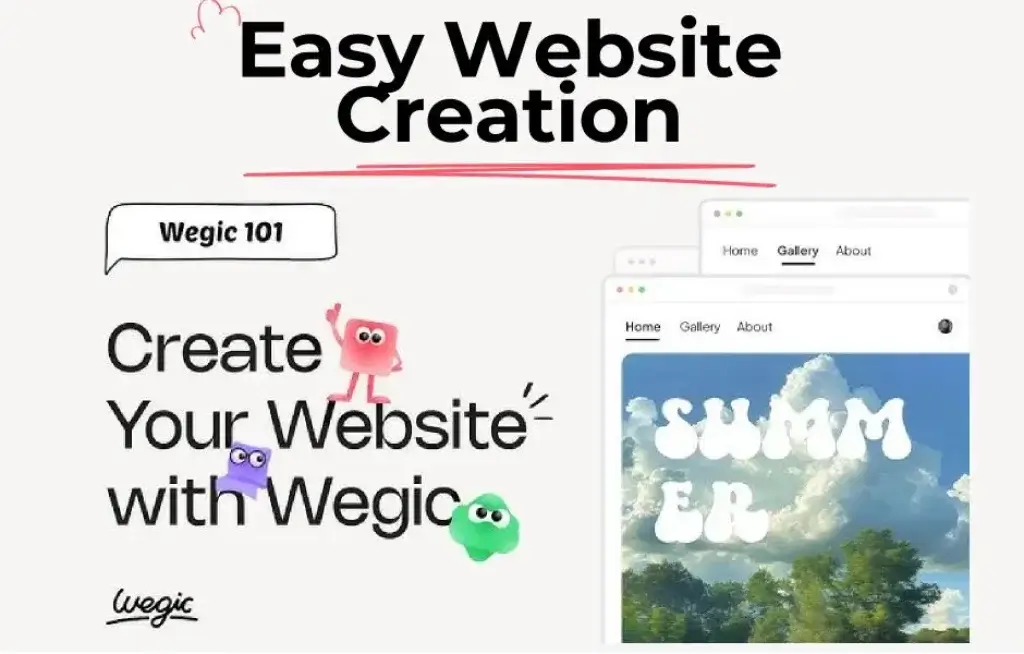
Key Features of Wegic
How Does It Work?
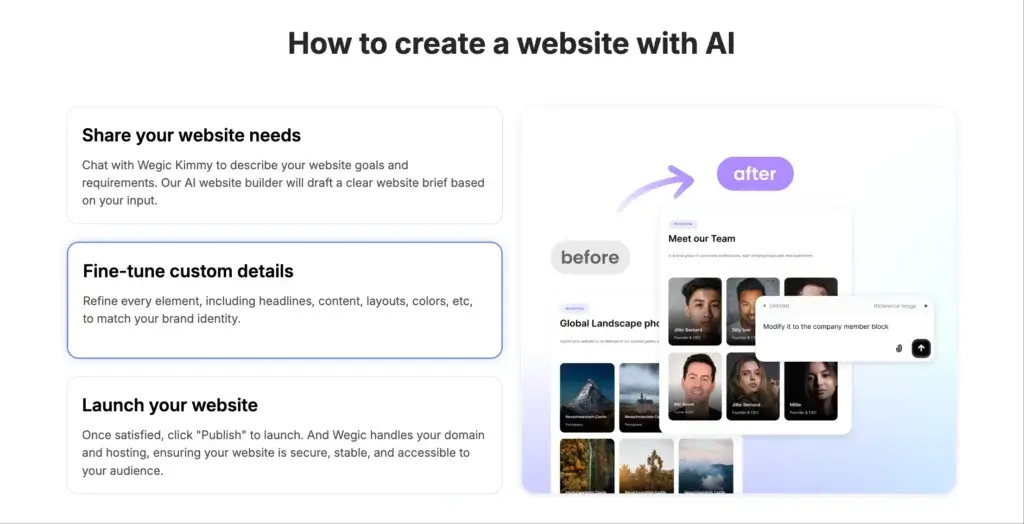
Wegic works differently from traditional builders because the main interface is conversational. You do not start by dragging blocks into place. You start by telling the AI what kind of website you need, and it builds a first version for you.
Chat-to-Website Workflow
The core appeal is simple. You type something like “Build me a consulting website” or “Create a photography portfolio,” and Wegic asks follow-up questions about style, colors, features, and content. This makes it far more approachable than platforms that expect you to understand templates, layouts, and page structure before you begin.
Natural Language Editing
Once the first version is generated, you can continue editing by describing what you want changed. For example, you can ask Wegic to rewrite a headline, move a section, change colors, or improve the structure. This is one of the platform’s most valuable strengths, because it reduces the need to learn a traditional website editor.
Responsive Design by Default
Wegic states that every website it creates is fully responsive by default. That means pages automatically adapt to desktop, tablet, and mobile screens without requiring separate manual layout work. For beginners, this is a major advantage because mobile optimization is usually one of the first weak points in basic website creation.
AI-Generated Visuals and Media
Wegic can generate images for site sections such as hero banners, backgrounds, and supporting visuals. It can also refine existing images by adjusting colors, modifying styles, or removing backgrounds. The platform even supports AI-generated video for certain website use cases, which makes it more ambitious than builders that only help with text generation.
Publishing and Hosting Simplicity
Publishing is designed to be easy. You can publish to a Wegic-provided domain first, then, if you are on the Premium plan, connect your own custom domain. This makes Wegic accessible for fast testing, while still giving paying users a path to a more professional branded setup.
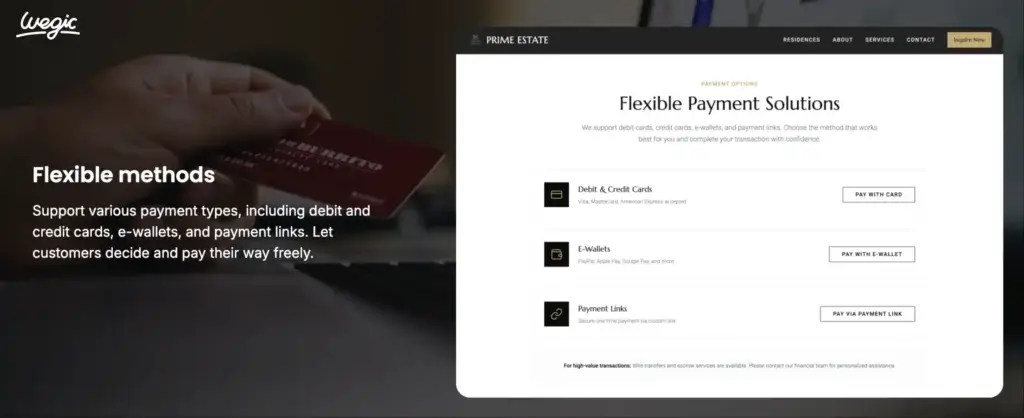
AI Features
Wegic AI Capabilities
AI is not just a side feature in Wegic. It is the product. That makes this section more important than it would be in a standard website builder review.
Conversational Site Generation
Wegic’s biggest differentiator is its chat-based generation flow. The AI does not expect perfect prompts from the start. Instead, it asks for clarification and guides you forward, which lowers the barrier for beginners and helps you move from vague idea to usable draft quickly.
Better Pre-Build Conversations
One of Wegic’s January 2026 updates improved how the AI talks with users before website generation. According to Wegic, the system now has more back-and-forth conversation before building, helping it better understand your business, goals, and visual direction. That should improve first-draft quality and reduce the number of revisions needed later.
Voice Input for Editing
Wegic also supports voice input inside the editor. You can speak instructions instead of typing them, and the platform converts the speech into text commands for the AI. This is not essential for everyone, but it is a useful productivity feature, especially if you are making many iterative changes.
Comment Mode and Sketch-Based Edits
Two of Wegic’s more practical editing features are Comment Mode and Edit with Sketch. Comment Mode lets you click directly on parts of the page and leave change requests, which the AI then applies. Edit with Sketch lets you upload screenshots or reference visuals so Wegic can better understand the exact section or style you want.
Restore Versions and Download Code
Wegic has also become more flexible recently. Users can now preview and restore earlier versions of their websites, which makes experimentation much safer. Subscribed users can also download their website code, which is important because it reduces platform lock-in somewhat and gives you a way to continue development elsewhere if needed.
This is one of the most meaningful improvements in the platform. Many AI builders are excellent for generating a first draft, but weaker when you think about portability. Wegic does not remove lock-in completely, but code export makes it more practical than some closed AI builders.
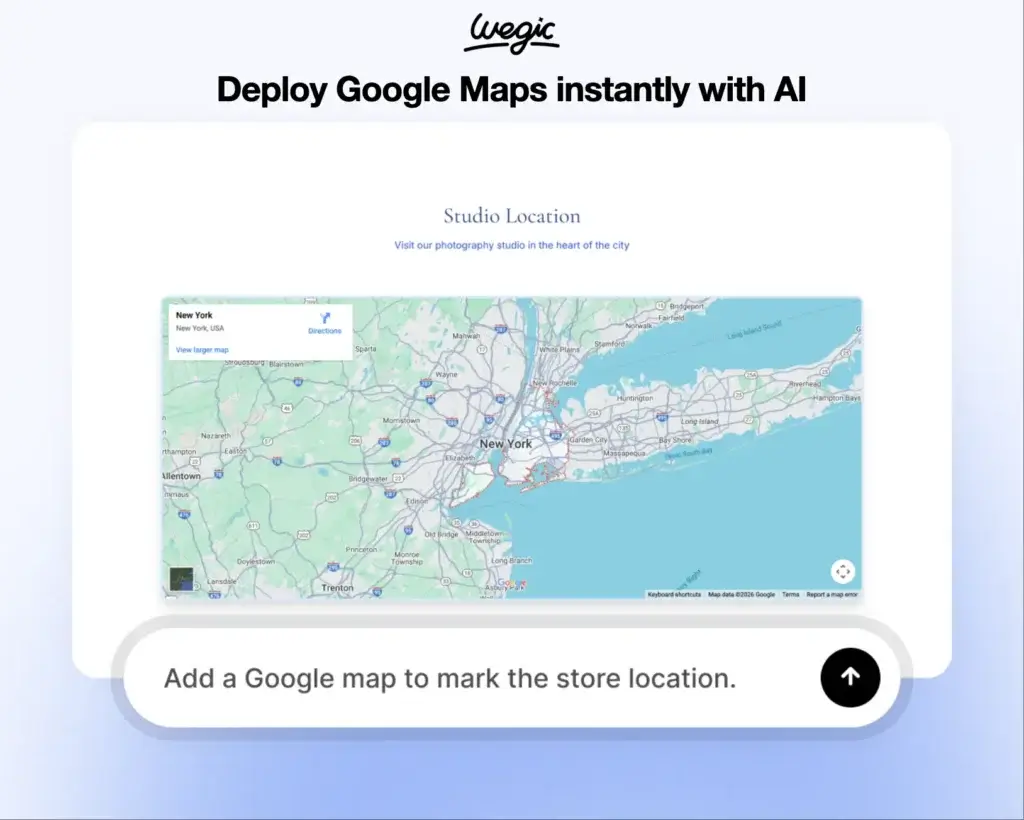
Pros and Cons
Benefits and Limitations of Using Wegic
Positive
✅ Low learning curve
✅ Fast first drafts
✅ Useful AI editing tools
✅ Responsive output by default
Negatives
❌ Credit model affects usability
❌ Premium gating is significant
❌ Less predictable than manual editing
❌ Not ideal for advanced websites
Strengths & Benefits
Wegic is strongest when you want fast results with minimal technical overhead.
- Low learning curve – You can build through conversation instead of learning a full editor.
- Fast first drafts – The platform is clearly designed to get you from idea to live site quickly.
- Useful AI editing tools – Voice input, comments, sketches, and chat revisions make refinement easier.
- Responsive output by default – Mobile adaptation is built into the generation process.
Limitations & Drawbacks
Wegic is promising, but it still comes with important tradeoffs.
- Credit model affects usability – Edits and modifications consume credits, which changes how freely you experiment.
- Premium gating is significant – Custom domains and unlimited visitors are tied to the higher plan.
- Less predictable than manual editing – AI can be fast, but not every change will be as exact as dragging elements yourself.
- Not ideal for advanced websites – Larger or more specialized projects may outgrow the platform quickly.
User Experience
Design Experience and User Interface
The Wegic experience is built for people who do not want to manage a conventional site editor. That is both its biggest advantage and its biggest limitation.
A Different Kind of Builder
Traditional builders give you direct control but also make you responsible for more choices. Wegic removes much of that friction by letting the AI propose the structure, visuals, and copy direction first. This can save a huge amount of time if you are building a simple business site or portfolio.
Why It Feels Easy
The interface is more approachable because it behaves like a conversation rather than a design tool. You do not need to know which menu controls spacing, which panel changes typography, or which layout block should come next. You describe the result you want, and Wegic interprets it for you.
Where It Can Feel Restrictive
The tradeoff is precision. If you are a designer or a more advanced marketer, you may sometimes want direct control over layout logic, spacing systems, or interactions. Wegic can help you get close quickly, but it is not the same as working in Webflow or even in a mature visual editor like Wix.
My view is that Wegic is excellent for fast execution, but less compelling if your workflow depends on pixel-level control and repeatable design systems.
SEO Features
Wegic SEO and Publishing
SEO is one of the most important evaluation points for any modern website builder, especially an AI-first one. Wegic’s SEO story is better than many people may expect, but it still deserves a realistic assessment.
Automatic Basic SEO Setup
Wegic says it automatically creates the basic SEO settings for your website. Before publishing, you can ask the AI to review titles, descriptions, alt text, keywords, and structure. This is a helpful workflow for beginners who may otherwise forget important basics.
SEO Architecture and CSR
Wegic also addresses a common concern directly in its help center. The company explains that it uses CSR, but says Google can still index CSR sites normally, and that rankings depend on content quality rather than rendering method. Wegic also says it automatically includes semantic HTML structure, clean URLs, mobile-responsive design, fast loading times, and proper heading hierarchy.
That does not automatically make every Wegic site well-optimized, but it does suggest the platform is thinking seriously about indexability. For small business websites, brochure sites, and lighter content sites, this should be sufficient. For content-heavy SEO operations, I would still want to test the output carefully rather than assume the AI got everything right.
Publishing Options
You can publish to a Wegic-provided domain quickly, which is useful for testing or review. Premium users can connect their own domain through DNS records. That means serious branded deployment requires the higher plan, which is an important pricing consideration.
Pricing
Wegic Pricing & Plans
Wegic’s pricing model is more nuanced than a typical site builder because it is tied to credits. Those credits are used not only for generating the first website, but also for edits and modifications afterward. This matters a lot, because the true cost of the platform depends on how often you revise and how complex those revisions are.
Free Credits and Trial
New users get a small amount of free credits to chat with the AI before generating a website. To generate the first full website, Wegic currently offers a $2.99 trial package. That trial includes one full website generation.
Starter Plan
Starter is the lower paid plan. It includes 600 credits per month, publishing to wegic.net, basic custom design, up to 10,000 visitors per month, AI-generated website images, code download, mobile-optimized websites, removal of Wegic branding, and priority support.
Premium Plan
Premium includes all Starter features, plus 2,000 credits per month, custom domain support, advanced custom design, unlimited visitors, and the ability to buy extra credits. If you want to use your own domain, Premium is the important plan to focus on.
Pricing Table
The table below gives a practical summary of the current Wegic pricing structure.
| Plan | Trial | Starter | Premium |
| Starting price | $2.99 one-time | $39.9 monthly | $69.9 monthly |
| Annual price | Not applicable | $23.9/mo billed yearly | $41.9/mo billed yearly |
| Credits | One site generation | 600 per month | 2,000 per month |
| Custom domain | No | No | Yes |
| Visitors | Limited | Up to 10,000/month | Unlimited |
| Code download | No | Yes | Yes |
| Best for | Testing the platform | Simple sites | Serious launches |
My take is that Wegic looks affordable at the trial stage, but the long-term value depends heavily on how many credits you need. If you are the kind of user who revises your site constantly, you need to think beyond the headline monthly price.
Use Cases
Who Should Use Wegic?
Wegic can be a very good fit, but only for the right kind of website owner.
Best for Beginners
If you have never built a website before, Wegic is one of the easiest ways to get started. The conversational approach removes much of the confusion that comes with traditional editors.
Best for Fast Business Websites
If you need a business site, personal brand site, consultant site, or simple portfolio quickly, Wegic makes a lot of sense. It is especially useful when speed matters more than advanced customization.
Good for Early Validation
Wegic is also a strong option for testing ideas. If you want to validate positioning, launch a quick branded presence, or create a simple promotional site without investing a lot of design time, the platform is appealing.
Less Ideal for Advanced Web Projects
If you need deep CMS features, sophisticated ecommerce, complex content architecture, or advanced front-end control, Wegic is probably not your best long-term platform. It is more of an AI-first quick-launch builder than a fully mature web platform.
Competitors
Competitor Alternatives to Wegic
Wegic competes less with traditional builders on manual editing depth, and more on simplicity and AI-assisted speed. Still, most buyers will compare it with Wix, Squarespace, Webflow, and other AI website builders.
| Feature Type | Wegic | Wix | Squarespace | Webflow |
| Core focus | AI-first website creation | All-in-one builder | Design-led builder | Professional web design |
| Best for | Beginners and fast launches | SMBs and general use | Polished brand sites | Designers and advanced teams |
| Ease of use | Very high | High | High | Moderate to low |
| Manual control | Limited | Strong | Moderate | Excellent |
| AI workflow | Core product experience | Strong but hybrid | More limited | More manual |
| SEO flexibility | Adequate for many users | Strong | Solid basics | Strong technical control |
| Best overall angle | Fastest conversational path | Best all-around balance | Best polished simplicity | Best pro-level control |
Compared with Wix, Wegic is easier to start with, but Wix is the more mature and balanced platform overall. Compared with Squarespace, Wegic feels more AI-native, while Squarespace offers a more polished conventional builder experience. Compared with Webflow, Wegic is far easier for beginners, but Webflow remains far stronger for advanced professional web design.
If your priority is getting a decent website live fast through natural language, Wegic is compelling. If your priority is long-term flexibility and platform depth, one of the more mature builders will usually be safer.
Best Practices
Getting Started with Wegic
To get better results from Wegic, you should treat it as a collaborative AI workflow, not a magic button.
Start with a Clear Site Type
Wegic works best when you give it a concrete starting point. Instead of saying “make me a website,” tell it whether you need a consultancy site, a portfolio, a restaurant website, or a service business homepage.
Use References and Visual Guidance
One of the more useful parts of Wegic is that you can upload images, screenshots, or sketches to guide the design. This helps reduce vague AI interpretation and usually produces better results.
Review the SEO Before Publishing
Even though Wegic creates basic SEO settings automatically, you should still review titles, descriptions, alt text, and structure before publishing. AI-generated websites still need editorial supervision.
Watch Your Credit Usage
Because credits are consumed by edits and can increase with heavier AI work like images, videos, and design changes, it is important to keep an eye on usage. Premium users can also buy extra credits if needed, but that changes the economics of the platform.
Export Code if Portability Matters
If you think you may eventually move away from the platform, it is smart to use the code download feature while your subscription is active. That gives you more flexibility later.
Conclusion
Final Thoughts
Wegic is one of the more interesting AI website builders because it commits fully to the conversational model. It is not trying to be a traditional builder with a few AI extras. It is trying to make website creation feel like briefing an assistant, then refining the work through natural language.
That makes it especially strong for beginners, small businesses, freelancers, and anyone who wants a website to go live quickly without learning a complex editor. Recent updates, such as version restore, comment mode, voice input, and code download, make the platform more practical than it was earlier.
Its main weaknesses are also clear. The credit system affects how freely you can iterate. Premium is required for a custom domain connection, and it still lacks the maturity and control of more established website platforms.
Overall, Wegic is a strong option if your priority is speed, simplicity, and AI-assisted creation. If your priority is full design control, advanced business functionality, or long-term platform depth, you will usually be better served by a more mature website builder.
Have more questions?
Frequently Asked Questions
What is Wegic?
Wegic is an AI-powered website builder that creates, edits, and publishes websites through natural conversation instead of a traditional manual editor.
Is Wegic good for beginners?
Yes. Wegic is one of the easier website builders for beginners because you can describe what you want in plain language and let the AI handle most of the heavy lifting.
Do you need coding knowledge to use Wegic?
No. Wegic is designed for non-technical users and does not require coding knowledge to generate or edit a website.
Can Wegic create mobile-friendly websites?
Yes. Wegic says all websites it generates are fully responsive and adapt automatically to desktop, tablet, and mobile screens.
Does Wegic support custom domains?
Yes, but custom domain connection currently requires the Premium plan.
Can you export your website from Wegic?
Yes. Wegic now offers code download for subscribed users, which can help if you want a local copy or plan to continue development elsewhere.
How does Wegic pricing work?
Wegic uses a credit-based model. Credits are used for creating and editing websites, and paid plans mainly differ by credit volume and premium features.
Is Wegic good for SEO?
Wegic covers important basics such as automatic SEO setup, semantic HTML structure, clean URLs, and mobile responsiveness, but you should still review the output carefully before publishing.
Can Wegic generate images and videos?
Yes. Wegic can generate website images and also supports certain AI-generated video use cases for site content and visuals.
Is Wegic worth it overall?
Yes, for the right user. If you want a fast, beginner-friendly AI website builder, Wegic is worth considering. If you need deeper control and platform maturity, a more established builder may be the better long-term choice.