
Introduction
Choosing a website builder is not only about templates or visual design. It affects how much control you have over your brand, how easily your team can update content, how well your site can scale, how strong your CMS will be, and how much developer involvement you need over time. In this Webflow review, you will get a practical look at what the platform offers, where it stands out, where it still has limits, and which type of user will get the most value from it.
Webflow has evolved far beyond its early reputation as a tool mainly for designers. In 2026, it is better understood as a website experience platform that combines visual development, CMS, managed hosting, AI-assisted building, localization, analytics, optimization, and collaboration. That broader positioning is exactly why Webflow remains one of the most relevant platforms to review seriously today.
What Is Webflow?
Webflow is a visual website-building and hosting platform that lets you design responsive websites, manage structured content, publish on managed infrastructure, and extend projects with custom code, integrations, APIs, and e-commerce capabilities. It sits between traditional website builders and developer-first frameworks.
Its biggest appeal is control without starting from raw code. You can visually build layouts using concepts tied closely to HTML, CSS, and JavaScript, then publish on Webflow’s managed hosting. That makes it especially attractive if you want more precision than beginner-focused builders offer, but without taking on the full maintenance burden of a self-hosted stack.
Background and Evolution
Webflow has changed meaningfully over the last two years. The platform now pushes AI much more aggressively, with Webflow AI, AI Assistant, and AI Site Builder becoming a bigger part of the product story. It has also expanded its platform with Analyze, Optimize, Localization, and more enterprise-oriented collaboration and governance features. That matters because an up-to-date Webflow review should not treat it as only a design tool anymore. It is now trying to cover building, managing, and optimizing websites in one environment.
Target Users and Use Cases
Webflow appeals to several important audiences:
- Designers – You get deep visual control without handing everything to developers.
- Marketing teams – You can launch landing pages, campaign sites, and content hubs faster.
- Agencies and freelancers – You can build client sites with stronger handoff and collaboration workflows.
- Content-driven businesses – The CMS is well suited for blogs, directories, case studies, and resource centers.
- Growing brands – You get managed hosting, scalable CMS, localization, and optimization tools in one platform.
That said, Webflow is not automatically the best choice for every project. It looks strongest when design precision, CMS flexibility, and marketing control matter more than plug-and-play simplicity. It is less compelling if you want the easiest beginner experience, or if your site is primarily a large-scale retail store rather than a marketing or content experience.
Key Features of Webflow
How Does It Work?
Webflow stands out because it combines visual development, CMS, hosting, collaboration, and site optimization in one platform. The value is not just that it helps you design pages. It gives you a more professional workflow than most website builders without forcing you into a fully custom engineering stack.
Visual Development With Real Front-End Logic
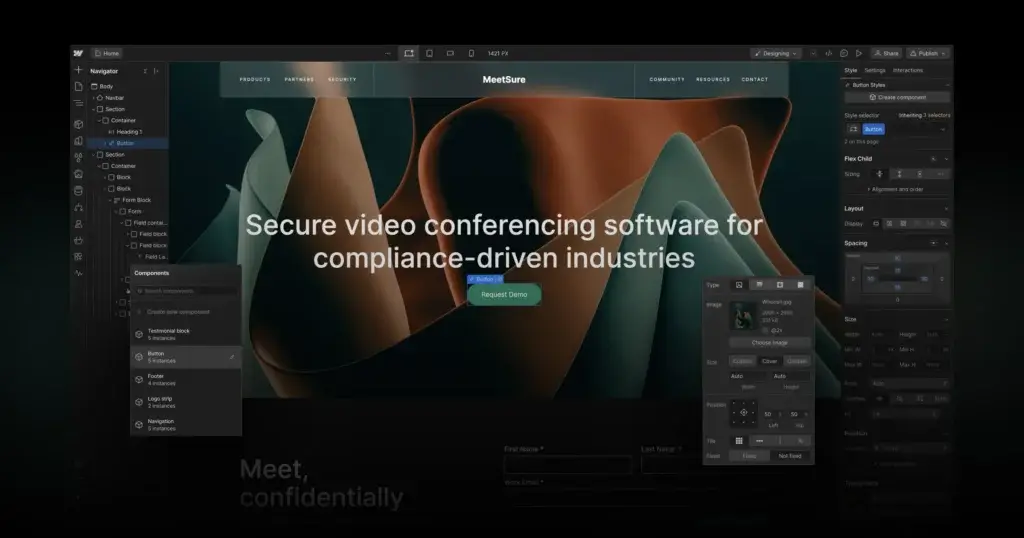
One of Webflow’s biggest strengths is that it feels closer to front-end development than typical drag-and-drop builders. You work visually, but the platform is built around concepts like divs, classes, containers, grids, flex layouts, and interactions. That makes it more precise than beginner-first builders and easier to scale into more structured projects.
Strong CMS for Structured Content
Webflow’s CMS remains one of the clearest reasons to choose it. A CMS Collection works like a database for structured content, and each collection can generate dynamic item pages from a shared template. This makes Webflow especially strong for blogs, case studies, directories, events, team pages, and resource libraries.
Design Freedom Without Heavy Plugin Dependency
Webflow gives you much more control over layout and presentation than tools like Wix or Squarespace, while keeping the experience managed. You do not need to rely on a large plugin ecosystem just to create more custom page structures. For many brands, that balance between freedom and managed simplicity is exactly the appeal.
Managed Hosting and Performance
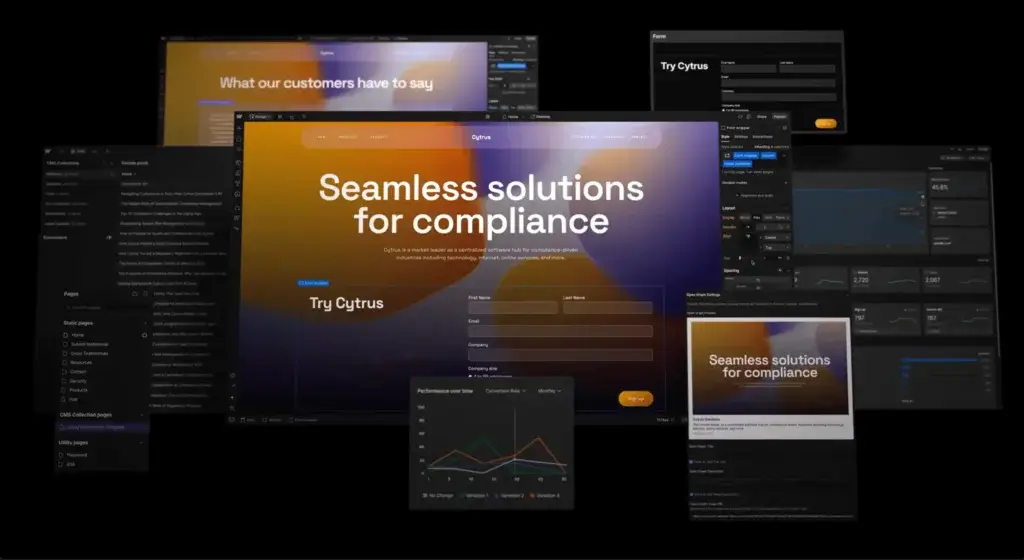
Webflow includes hosting with paid Site plans, which reduces technical maintenance significantly. It positions its hosting as enterprise-grade, built on AWS and Cloudflare, with automatic SSL, global CDN delivery, automatic backups, DDoS and bot protection, and a managed infrastructure model that removes much of the usual hosting overhead.
Collaboration and Client Handoff
Another reason Webflow has grown beyond solo designer use is collaboration. You can give content editors limited access, create structured handoff workflows, and support agency-client relationships more cleanly than many traditional site builders. This is one of the platform’s underrated strengths if multiple stakeholders touch the website.
Apps, APIs, and Extensibility
Webflow is not as open-ended as a self-hosted WordPress stack, but it is more extensible than many people assume. You can use APIs, app integrations, custom code, and modern workflows to connect Webflow to your broader marketing or content systems. In practice, it is best understood as a managed platform with meaningful extensibility, not a closed toy builder.
AI Features
Webflow AI Capabilities
AI is now a central part of Webflow’s product direction. This is no longer a platform that only sells design freedom. It now presents AI as part of how you build, manage, and optimize websites across the entire workflow.
Webflow AI Is Now a Platform Layer
Webflow describes Webflow AI as the collective name for its AI-powered features. That matters because newer reviews should not talk about one isolated AI feature. Webflow now uses AI across content generation, site building, contextual assistance, CMS creation, optimization, localization, and workflow acceleration.
AI Assistant Speeds Up Creation
The Webflow AI Assistant is built into the platform to help users reason through tasks, take action, and answer questions without leaving the workflow. In practice, this makes Webflow more approachable for teams that want advanced output but still need guidance while building.
AI Site Builder Changes the Starting Point
Webflow now offers an AI Site Builder that creates a functional website draft and a foundational design system that you can refine manually. This is important because it lowers the barrier to entry. Older versions of Webflow could feel intimidating at the blank-canvas stage. AI Site Builder makes the first version of the site much faster to create.
AI Is Most Valuable as an Accelerator
The best way to use Webflow AI is as a productivity layer, not as a replacement for design judgment or content strategy. You can use it to generate sections, refine copy, create structured CMS items, and move faster, but the strongest results still come when you actively shape the output. That is especially true on a platform like Webflow, where design control is one of the main reasons to use it.
Pros and Cons
Benefits and Limitations of Using Webflow
Positive
✅ Excellent visual precision
✅ Very capable CMS
✅ Good fit for marketing teams
✅ Managed hosting and security
✅ Agency-friendly workflows
Negatives
❌ Steeper learning curve
❌ Pricing gets layered
❌ Not the best pure e-commerce platform
❌ Less flexible than open-source CMS setups
Strengths & Benefits
Webflow gets a lot right for teams that want professional website control without running a full custom stack.
- Excellent visual precision – You get far more layout and styling control than most site builders.
- Very capable CMS – Webflow is especially strong for structured content and scalable content operations.
- Good fit for marketing teams – Teams can launch and update content faster without relying fully on developers.
- Managed hosting and security – Webflow handles hosting, SSL, backups, CDN delivery, and much of the operational burden.
- Agency-friendly workflows – Client collaboration, editing controls, and handoff are stronger than in many competing builders.
Limitations & Drawbacks
Webflow is strong, but it still has tradeoffs you should understand before committing.
- Steeper learning curve – It is more powerful than beginner-first builders, but that also makes it less instantly approachable.
- Pricing gets layered – Site plans, workspace plans, and add-ons can make total cost less simple than it first appears.
- Not the best pure e-commerce platform – Shopify is usually the stronger fit for larger or more specialized online stores.
- Less flexible than open-source CMS setups – You gain speed and structure, but you give up some portability and plugin freedom.
Growth Features
Webflow CMS, SEO, and Growth Tools
Webflow is particularly strong when your site is more than a static brochure. It gives you serious CMS capabilities, strong SEO control, and newer built-in growth features that move it closer to a website experience platform rather than only a builder.
CMS That Works Well for Real Content Operations
Webflow’s CMS is one of its biggest competitive advantages. You can create Collections for different content types, define fields, generate dynamic pages, and use templates across thousands of items. That makes Webflow a strong fit for SEO-driven sites, resource centers, knowledge hubs, directories, and structured landing page systems.
SEO Strengths
Webflow has long been attractive for SEO-minded teams because it offers clean control over page structure, metadata, redirects, URLs, and publishing workflows without the bloat of many builder ecosystems. It also fits well with technical SEO needs around performance, structured content, localization, and scalable page creation.
Analyze and Optimize Expand the Platform
One of the more meaningful recent developments is that Webflow now includes Analyze and Optimize as add-ons. Analyze gives you site-performance and visitor insights, while Optimize adds A/B testing, personalization, and AI-driven optimization. That makes Webflow more compelling for teams that care about conversion and testing, not only design and publishing.
Localization Is a Serious Growth Feature
Webflow Localization deserves more attention than it usually gets in reviews. It supports localized SEO, machine-powered translation, localized URLs, locale-specific publishing controls, and multilingual CMS content. For businesses targeting multiple regions, that is a meaningful platform advantage over simpler site builders.
Online Selling
Webflow E-commerce Capabilities
Webflow can absolutely power online stores, but it is important to position it accurately. This is a design-led ecommerce option, not the strongest commerce-first platform in the market.
What Webflow Does Well for E-commerce
Webflow Ecommerce is strongest when brand presentation, custom storefront design, and content-led selling matter a lot. You can visually customize shopping cart and checkout experiences, build stronger branded product pages, and combine commerce with content and marketing more elegantly than many retail-focused platforms.
Current E-commerce Plans
Webflow offers three ecommerce tiers: Standard, Plus, and Advanced. Standard is the entry plan, but it carries a 2% Webflow transaction fee on top of payment-provider fees. Plus and Advanced remove that Webflow transaction fee and raise product and staff limits, which makes them more viable for serious selling.
Where Webflow Makes Sense
Webflow Ecommerce is a good fit for design-led stores, premium brand sites, smaller catalogs, and businesses where the website experience matters as much as the transaction. If your store is closely tied to branding, storytelling, and content, Webflow can be a very compelling option.
Where Shopify Still Wins
Shopify remains the better choice when e-commerce is the core operating system of the business. It usually handles retail complexity, app ecosystem depth, checkout extensibility, operational scale, and merchant workflows more confidently. My view is that Webflow is better for design-led web experiences with commerce built in, while Shopify is still better for pure retail scale.
Pricing
Webflow Pricing & Plans
Webflow pricing is more layered than many website builders because you may pay for Site plans, Workspace plans, and optional add-ons. For most readers focused on launching a site, the main plans to evaluate first are the Site plans and, if needed, the e-commerce plans.
Basic
Basic starts at about $14 per month when billed yearly. It is designed for landing pages, portfolios, personal sites, or simple projects that do not require CMS functionality. You get a custom domain, 150 pages, Webflow AI, hosting, and 10 GB of bandwidth.
CMS
CMS starts at about $23 per month when billed yearly and is the most practical entry point for many business websites. It includes 150 pages, 20 CMS Collections, 2,000 CMS items, 50 GB of bandwidth, and support for structured content. If you plan to blog, publish resources, or manage dynamic pages, this is usually the minimum serious plan.
Business
Business starts at about $39 per month when billed yearly. It raises the page limit to 300, increases collections, and supports a much larger CMS and traffic range. This is usually the better fit for growing marketing sites, larger content hubs, and more active brands.
E-commerce Plans
Webflow’s ecommerce tiers are added separately. Standard starts around $29 per month, Plus starts around $74 per month, and Advanced starts around $212 per month, all billed yearly. Standard includes 500 ecommerce items and a 2% Webflow transaction fee, while Plus and Advanced remove the Webflow transaction fee and support larger store limits.
Add-Ons Can Matter
Webflow also sells optional add-ons like Analyze, Optimize, and Localization. That is important because the platform’s true cost can be higher than the base site price if you need experimentation, multilingual publishing, or advanced analytics directly inside the ecosystem.
Pricing Table
The table below gives a practical view of how Webflow’s main plans compare.
| Plan | Basic | CMS | Business | Ecommerce Standard |
| Starting price | About $14/mo | About $23/mo | About $39/mo | About $29/mo |
| Best for | Simple sites | Content-driven sites | Growing marketing sites | Design-led stores |
| Custom domain | Yes | Yes | Yes | Yes |
| Pages | 150 | 150 | 300 | Uses site plan base |
| CMS support | No | 2,000 items | Up to larger CMS ranges | 2,000 CMS items |
| Bandwidth | 10 GB | 50 GB | Higher traffic range | Depends on ecommerce tier |
| Transaction fee | None | None | None | 2% Webflow fee |
| Recommended for | Static launches | Most content sites | Scaling brands | Smaller branded stores |
For most readers, the CMS plan is the practical starting point. If your site relies on structured content and SEO, it is usually the first plan that makes full sense. Business becomes more attractive when traffic, CMS complexity, and team needs increase.
Use Cases
Who Should Use Webflow?
Webflow is not the right builder for everyone, but it is exceptionally strong for a few important buyer profiles.
Designers Who Want More Than Templates
If you want visual control that goes far beyond picking a template and swapping text, Webflow is one of the best choices in the market. It gives you space to create much more custom layouts and interactions than most all-in-one site builders.
Marketing Teams That Need Speed and Control
Webflow is especially attractive for marketing teams that want to launch pages faster without waiting on engineering for every update. It works well for campaign pages, product marketing sites, content hubs, and ongoing site optimization.
Agencies and Freelancers
Agencies benefit from Webflow’s client workflows, managed hosting, reusable systems, and structured content capabilities. It can be a very efficient platform for building premium client sites without the maintenance burden of a self-hosted CMS stack.
Content-Heavy Sites
If your website depends on repeatable content types like articles, locations, team profiles, resources, or case studies, Webflow’s CMS becomes a major advantage. It is much stronger in this area than many site builders aimed only at simple brochure websites.
When Webflow Might Not Be Right
Webflow may not be the best choice if you want the easiest possible beginner experience, full open-source flexibility, or enterprise-grade commerce operations. In those cases, Wix, WordPress, or Shopify may be better aligned with your priorities.
Competitors
Competitor Alternatives to Webflow
Webflow competes with website builders, CMS platforms, and ecommerce systems at the same time, which is why its alternatives vary depending on your goal. The most relevant comparisons are usually WordPress, Wix, Squarespace, and Shopify.
| Feature Type | Webflow | Wix | WordPress | Shopify |
| Core focus | Visual development platform | All-in-one website builder | Open CMS ecosystem | Commerce-first platform |
| Best for | Design-led and content-driven sites | Beginners and SMBs | Maximum flexibility | Serious online stores |
| Ease of use | Moderate | High | Moderate to low | Moderate |
| Design flexibility | Excellent | Good | Very high with setup | Good for stores |
| CMS strength | Strong | Moderate | Very strong | Moderate |
| Hosting model | Managed | Managed | Usually separate | Managed |
| Overall angle | Best for pro web control | Best for convenience | Best for openness | Best for ecommerce scale |
Compared with Wix, Webflow gives you more professional design control and a stronger CMS, but Wix is easier for beginners and broader as an all-in-one business toolkit. Compared with WordPress, Webflow is more managed and easier to maintain, but WordPress still wins on openness and ecosystem depth. Compared with Shopify, Webflow is stronger for design-led website experiences, while Shopify remains the better dedicated e-commerce platform.
If I had to summarize it simply, Webflow is still one of the best choices for teams that care deeply about design quality, structured content, and marketing control, but do not want the maintenance burden of building everything from scratch.
Best Practices
Getting Started with Webflow
To get the most out of Webflow, you should make a few smart decisions early.
Choose the Right Starting Point
If you want a faster setup, start with AI Site Builder or a strong template. If you want full manual control from day one, begin directly in the Designer. The key is not starting from the most complex path unless your project really needs it.
Plan Your CMS Before Building Too Much
One of the most common mistakes in Webflow projects is treating the CMS like an afterthought. If your site will include blogs, case studies, resources, team pages, or location content, plan your Collections, fields, URLs, and relationships early. That saves a lot of restructuring later.
Use Components and Structure Consistently
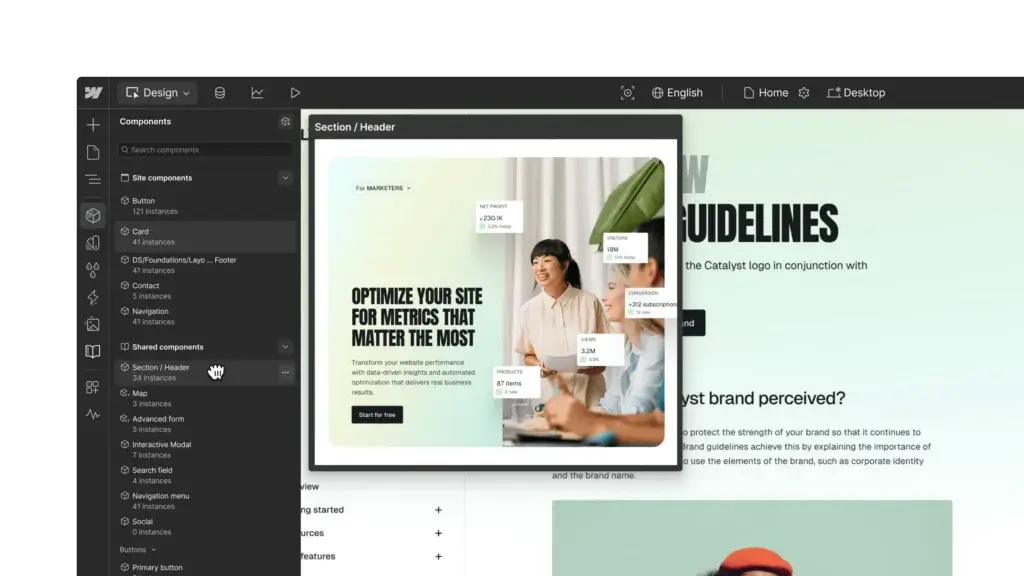
Webflow rewards structure. Reusable components, naming conventions, consistent class systems, and a clean design system make the site easier to scale and hand off. If you treat Webflow casually, large projects can get messy faster than you expect.
Set SEO and Localization Early
If search visibility matters, define metadata patterns, URL structures, redirects, and CMS templates early. If you plan to target multiple regions, decide on localization before the site architecture becomes too large, because a multilingual structure affects URLs, SEO, and content workflows.
Match the Platform to the Business Model
Webflow is strongest when design quality, content scalability, and marketing speed all matter. If your site is mostly a sophisticated brand and content experience, it is a strong fit. If your site is primarily a complex retail operation, a commerce-first platform may still be better aligned.
Conclusion
Final Thoughts
Webflow remains one of the strongest website platforms for users who care about design quality, content structure, and marketing control. It helps you build custom-feeling websites visually, manage structured content at scale, host sites on managed infrastructure, and increasingly optimize and personalize experiences from within the same ecosystem.
Its biggest strengths are design flexibility, CMS quality, managed hosting, and a more professional workflow than most all-in-one builders. Its biggest limitations are the learning curve, layered pricing, and a weaker commerce story than Shopify for large-scale selling.
Overall, Webflow is a strong recommendation for designers, agencies, marketing teams, and growing brands that want more control than beginner website builders usually offer, but without the maintenance burden of a self-hosted stack.
Have more questions?
Frequently Asked Questions
Is Webflow good for beginners?
Webflow can work for beginners, but it is not the easiest platform to learn. It is better for users who want more control and are willing to spend time learning how the builder works.
Is Webflow good for SEO?
Yes. Webflow is a strong platform for SEO because it offers clean page structure, metadata controls, redirects, structured content, and scalable CMS-based publishing workflows.
What is Webflow best for?
Webflow is best for design-led websites, marketing sites, content hubs, resource centers, and other projects where visual quality and structured content both matter.
Does Webflow include hosting?
Yes. Paid Webflow Site plans include managed hosting, SSL, CDN delivery, backups, and security protections as part of the platform.
Does Webflow have AI features?
Yes. Webflow now includes Webflow AI, AI Assistant, and AI Site Builder, along with AI-powered support for content generation, CMS creation, optimization, and localization workflows.
Is Webflow better than Wix?
That depends on your goal. Webflow is usually better for advanced design control and CMS-driven marketing sites, while Wix is easier for beginners and stronger as a simpler all-in-one business platform.
Is Webflow better than WordPress?
Webflow is easier to manage as a hosted platform and often faster to work with for modern site builds. WordPress is still better if you need maximum plugin flexibility, open-source control, or a broader ecosystem.
Can you sell products on Webflow?
Yes. Webflow supports ecommerce through Standard, Plus, and Advanced ecommerce plans, with customizable product pages, cart, checkout, and payment support.
Is Webflow good for agencies?
Yes. Webflow is a strong option for agencies because it combines design control, structured CMS, managed hosting, and useful client collaboration and handoff workflows.
Is Webflow worth it overall?
Yes, for the right use case. If you want strong design control, a capable CMS, and managed hosting in one platform, Webflow is worth serious consideration. If you want the easiest beginner tool or the deepest retail commerce platform, a different option may fit better.