
Introduction
Choosing a website builder is about more than appearance. It affects how fast you can launch, how much design control you get, how easily you can manage content and products, how well your pages can support SEO, and how much technical overhead you need to handle over time. In this Squarespace review, you will get a practical look at what the platform does well, where it still has limitations, and which type of user is most likely to get real value from it.
Squarespace remains one of the strongest all-in-one website builders in 2026, especially if you care about polished design, a clean editing experience, and built-in business tools. It is no longer just a portfolio-first website builder. Squarespace now combines website creation, ecommerce, scheduling, email marketing, domains, invoicing, memberships, and AI-assisted site creation in one managed platform.
What Is Squarespace?
Squarespace is a hosted website builder and commerce platform that helps you build, launch, and manage a website without needing separate hosting, a separate CMS, or a patchwork of plugins. You can use it for business websites, portfolios, service businesses, blogs, memberships, online stores, and booking-based businesses.
Its biggest strength is that it keeps everything under one roof. You get hosting, templates, a visual editor, built-in SEO tools, commerce features, analytics, and business add-ons from one provider. That makes Squarespace especially appealing if you want a professional site without having to manage a more technical stack.
Background and Product Evolution
Squarespace has become more flexible than many people still assume. The platform now centers much of its site creation experience around Blueprint AI and its broader Design Intelligence system. At the same time, Fluid Engine remains the main drag-and-drop editing framework that gives you more layout control than older versions of Squarespace did. This matters because a current Squarespace review should not describe it as a rigid template-only builder. It is still curated in feel, but it is more adaptable than its older reputation suggests.
Target Users and Use Cases
Squarespace works especially well for several groups:
- Creatives and freelancers – Strong design quality for portfolios, personal brands, and service sites.
- Small businesses – Good fit for sites that need content, lead capture, scheduling, email, and light to moderate selling.
- Service businesses – Acuity Scheduling, invoicing, and polished service templates make it a practical option.
- Content-led brands – Blogging, memberships, newsletters, and design consistency work well together.
- Smaller online stores – Attractive storefronts and integrated selling tools are a strong match for many SMB sellers.
That said, Squarespace is not the best choice for every use case. It is strongest when you want a design-led all-in-one platform. It is less compelling if you want the open-ended extensibility of WordPress, the deeper ecommerce specialization of Shopify, or the more advanced front-end control of Webflow.
Key Features of Squarespace
How Does It Work?
Squarespace stands out because it blends professional design, built-in business features, and a more guided editing experience than some of its rivals. The main value is not only that you can build pages visually. It is that you can launch a polished site quickly and manage more of your website operations from one place.
Design-Led Website Building
Squarespace still has one of the most polished template ecosystems in the website builder market. If design quality matters to you, that alone is a major reason to consider it. The templates tend to feel cleaner and more curated than what you get from many general-purpose builders, which helps you launch a site that looks strong even before deep customization.
Fluid Engine Editor
Fluid Engine is Squarespace’s drag-and-drop editor, and it gives you much more control than the older section editing experience many users still associate with the platform. You can move blocks, build more custom layouts, and make more precise page adjustments while still staying inside a managed system. That makes Squarespace more flexible than its older reputation suggests, even if it is still less open-ended than Wix or Webflow.
All-in-One Business Tools
Squarespace is more than a site builder. It includes domains, analytics, ecommerce, memberships, invoicing, email marketing, blogging, scheduling, and service-selling tools. This is one of the platform’s biggest practical advantages. You do not need to assemble multiple tools early just to run a professional website.
Managed Hosting and Simplicity
Squarespace handles hosting, security basics, updates, and infrastructure for you. That removes a lot of technical overhead, which is one of the main reasons it appeals to non-technical site owners. You focus on content, design, and business operations rather than server setup or plugin maintenance.
Good Fit for Service Businesses
Squarespace is especially strong for consultants, photographers, agencies, coaches, wellness professionals, and other service providers. Its combination of design, scheduling, invoicing, and content tools makes it a natural fit for sites that need to sell services as well as showcase a brand.

AI Features
Squarespace AI Capabilities
AI is now a meaningful part of the Squarespace experience, but it is handled in a more curated way than many AI website builders. Instead of relying on a generic prompt-only workflow, Squarespace ties its AI tools into its broader design system.
Blueprint AI Website Builder
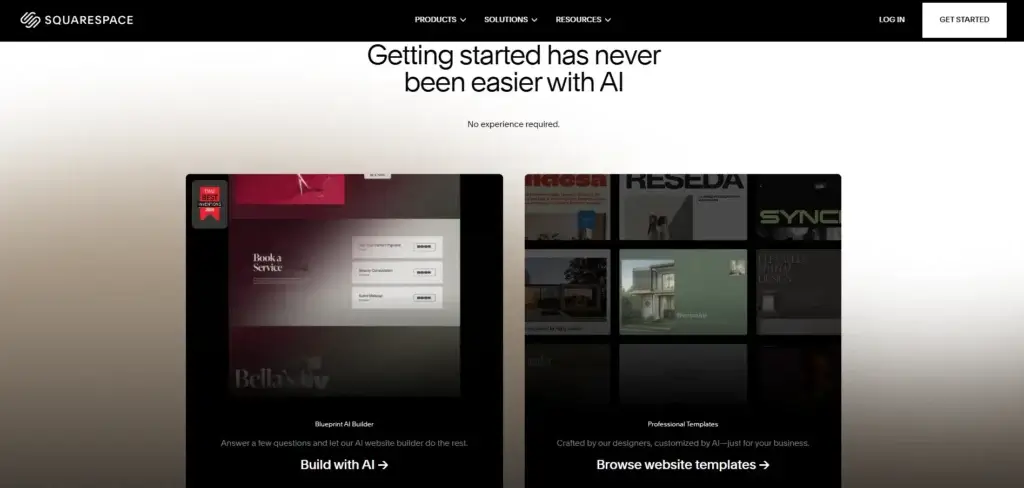
Squarespace Blueprint AI helps you generate a tailored site based on your business type, content needs, style choices, and goals. It is designed to give you a custom starting point rather than force you into a fixed template path. That makes it a practical entry point for new users who want faster setup without starting from a blank canvas.
Design Intelligence
Squarespace positions Blueprint AI as part of its broader Design Intelligence system. This is important because it shows how the company thinks about AI. The goal is not only to generate pages quickly. It is to guide users toward stronger layout, branding, and content decisions across the site-building process.
AI Writing and SEO Assistance
Squarespace also uses AI for content support, including website copy, product copy, email copy, and SEO-related assistance. That can save time, especially if you are launching a site quickly or need help drafting metadata and on-page content. Still, the best results come when you treat AI as a starting layer and then refine the output manually.
My Take on Squarespace AI
Squarespace’s AI direction is smarter than many rushed AI site builders because it stays aligned with the platform’s design-first identity. It is less about throwing out a random website in seconds, and more about guiding you to a more polished first draft. That is a better fit for users who want speed but still care about brand quality.
Pros and Cons
Benefits and Limitations of Using Squarespace
Positive
✅ High-quality design system
✅ Managed simplicity
✅ Strong business add-ons
✅ Good service-business fit
Negatives
❌ Less open-ended than WordPress
❌ Not the best for complex retail operations
❌ Smaller extension ecosystem
❌ Design freedom still has guardrails
Strengths & Benefits
Squarespace gets a lot right for users who want a polished site without a complicated setup.
- High-quality design system – The platform still leads with strong templates and visual consistency.
- Managed simplicity – Hosting, updates, and core infrastructure are handled for you.
- Strong business add-ons – Scheduling, email, invoicing, memberships, and commerce are all available in the same ecosystem.
- Good service-business fit – Few builders combine aesthetics and service tools as naturally as Squarespace.
Limitations & Drawbacks
Squarespace is strong, but it still comes with tradeoffs.
- Less open-ended than WordPress – You gain convenience, but you lose some flexibility and portability.
- Not the best for complex retail operations – Shopify is still the better choice for serious commerce-first businesses.
- Smaller extension ecosystem – Wix and WordPress usually offer more add-ons and broader customization routes.
- Design freedom still has guardrails – It is more flexible than before, but still more controlled than Webflow.
Growth Features
Squarespace SEO, Marketing, and Business Tools
Squarespace performs better in SEO than some older reviews suggest. It includes many of the basics modern sites need, and for most small business and content sites, the SEO stack is solid enough to be taken seriously.
Built-In SEO Features
Squarespace includes automatic sitemaps, mobile optimization, meta title and description controls, and structured data support. This covers the core areas many small and mid-sized sites need from the platform itself. The bigger SEO challenge is usually execution, not whether Squarespace offers the basics.
SEO Is Good, but Not Magical
Squarespace gives you the tools, but it does not replace strategy. You still need strong information architecture, helpful content, internal linking, keyword targeting, and thoughtful metadata. In my view, Squarespace is absolutely good enough for SEO for most business websites, blogs, portfolios, and moderate-content brands.
Email Marketing and Audience Growth
Squarespace’s Email Campaigns product is one of its underrated strengths. It lets you build branded email campaigns that stay visually aligned with your site. That is especially useful for creators, service providers, and smaller brands that want a simpler email marketing setup.
Scheduling, Invoicing, and Services
Squarespace is particularly strong when your website needs to support a service business. Acuity Scheduling, invoicing, and service-selling tools make it more operationally useful than a builder that focuses only on design. That is one of the reasons Squarespace stands out for consultants, coaches, photographers, and appointment-based businesses.
Analytics and Site Operations
Squarespace also includes built-in analytics, which helps you track traffic, sales, conversions, and visitor behavior without leaving the platform. That keeps the experience simpler for users who want performance visibility without building a complicated analytics stack on day one.

Online Selling
Squarespace E-commerce Capabilities
Squarespace is a capable e-commerce platform, but the real question is how central e-commerce is to your business. If your store is part of a broader branded website, Squarespace is often a strong fit. If your whole business is a more advanced retail machine, Shopify is usually the better choice.
What Squarespace Does Well for E-commerce
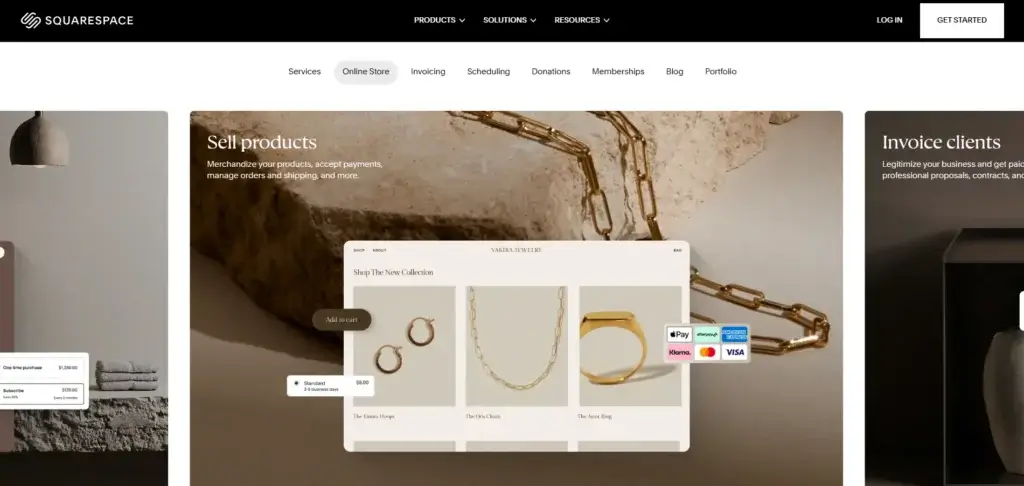
Squarespace supports online stores, digital products, memberships, subscriptions, checkout, discounting, product merchandising, shipping tools, and multichannel growth features. It also supports abandoned checkout recovery on higher levels, which matters for stores that want stronger conversion support.
Where It Makes Sense
Squarespace ecommerce is strongest for design-led brands, creators, smaller product businesses, service-plus-product businesses, and merchants who want content and commerce to work together naturally. It is especially appealing when presentation matters as much as the transaction itself.
Where Shopify Still Wins
Shopify is still stronger for advanced commerce operations, deeper retail-focused integrations, more mature POS and inventory ecosystems, and businesses that are scaling heavily around ecommerce. My view is simple: Squarespace is better when your site is the brand hub, Shopify is better when the store is the business engine.
A Balanced E-commerce Option
If you want an online store inside a polished all-in-one website platform, Squarespace is a strong option. If you need more commerce depth than aesthetic simplicity, Shopify remains the more specialized choice.
Pricing
Squarespace Pricing & Plans
Squarespace pricing has changed, and this is one area where the current context matters. The platform now uses four plan names – Basic, Core, Plus, and Advanced – but Squarespace also notes that these newer plans are being rolled out in waves. That means some users may still see legacy plan names depending on where they are in the transition.
Pricing also varies by billing cycle and region, so you should always check the live pricing page before publishing exact rates. Still, the overall structure is clear enough to evaluate.
Basic
Basic is the entry point for simple sites and early business use cases. It can work for portfolios, brochure sites, and smaller projects that do not need a more robust commerce setup.
Core
Core is where Squarespace becomes more commercially interesting for many users. It adds stronger selling features and broader business functionality, which makes it a practical starting point for many small business websites.
Plus
Plus is better suited to growing sellers that want lower fees and more room for store operations. This is usually the plan tier that starts to feel more serious for businesses generating ongoing online revenue.
Advanced
Advanced is built for stores and brands that need the lowest plan-level fees, more capacity, and a higher operational ceiling. It is the most robust standard website plan, but many users will not need it right away.
Pricing Table
The table below gives a practical overview based on Squarespace’s current positioning.
| Plan | Basic | Core | Plus | Advanced |
| Starting price | From about $16/mo | Mid-tier pricing | Higher commerce tier | From about $99/mo |
| Best for | Simple websites | Small businesses | Growing sellers | Larger commerce needs |
| Commerce transaction fee | 2% | No commerce fee | No commerce fee | No commerce fee |
| Digital product fee | 7% | 5% | 1% | 0% |
| Video storage | 30 minutes | 5 hours | 50 hours | Unlimited |
| Recommended for | Basic launches | Most SMB websites | Growing online sales | Heavier selling operations |
For many readers, Core will be the practical starting point, especially if the website needs business functionality. Plus and Advanced make more sense once online selling becomes a stronger revenue channel.
Use Cases
Who Should Use Squarespace?
Squarespace is not the right builder for everyone, but it fits several important use cases very well.
Creatives and Portfolio Sites
If presentation matters, Squarespace remains one of the best options in the market. Photographers, designers, artists, architects, and personal brands still benefit from its polished visual style.
Small Businesses That Want Simplicity
Squarespace is a strong fit for businesses that want a website, blog, email tools, scheduling, and light selling without managing multiple systems. It offers a cleaner operational setup than many more fragmented alternatives.
Service Businesses
If your business depends on consultations, appointments, or packaged services, Squarespace is especially appealing. The built-in connection to scheduling and invoicing makes it more practical than a builder that focuses only on pages.
Content and Brand-Led Sites
Squarespace works well when your site needs to support articles, newsletters, memberships, products, and brand storytelling together. That content-plus-commerce balance is one of its best use cases.
When Squarespace Might Not Be Right
Squarespace may not be ideal if you want maximum CMS freedom, a huge plugin ecosystem, deeply technical SEO control, or advanced retail infrastructure at scale. In those cases, WordPress, Webflow, or Shopify may be better aligned with your goals.
Competitors
Competitor Alternatives to Squarespace
Squarespace competes most directly with Wix, WordPress, Shopify, and Webflow. The right choice depends on whether you prioritize design polish, business simplicity, advanced commerce, or technical flexibility.
| Feature Type | Squarespace | Wix | Shopify | Webflow |
| Core focus | Design-led all-in-one builder | Flexible all-in-one platform | Commerce-first platform | Advanced design platform |
| Best for | Brands, portfolios, services | SMBs and creators | Scaling online stores | Designers and pros |
| Ease of use | High | High | Moderate | Lower |
| Design polish | Excellent | Strong | Good | Excellent |
| Business tools | Strong built-in stack | Broad built-in stack | Commerce-heavy stack | More fragmented |
| eCommerce depth | Good | Good | Excellent | Moderate |
| Overall angle | Best for polished simplicity | Best for flexibility | Best for serious retail | Best for advanced control |
Compared with Wix, Squarespace usually wins on visual consistency and cleaner design out of the box, while Wix usually wins on flexibility and breadth. Compared with Shopify, Squarespace is a better general website platform, but Shopify is still the better dedicated ecommerce platform. Compared with Webflow, Squarespace is easier to use and faster to launch, while Webflow gives more advanced front-end control.
If I had to summarize it simply, Squarespace is one of the best options for users who want a website that looks professional from the start and can grow into a real business asset without becoming technically demanding.
Best Practices
Getting Started with Squarespace
To get the most value from Squarespace, you should make a few smart decisions early.
Choose the Right Starting Path
If you want fast guided setup, start with Blueprint AI. If you already have a strong visual direction, start from a template and customize it with Fluid Engine. Both paths work, but your best option depends on whether speed or creative direction matters more at the start.
Pick a Template That Matches the Business Model
Squarespace sites often look best when the template already aligns with the kind of business you run. That matters more here than with some broader builders because Squarespace’s strength is in polished structure, not endless reconfiguration.
Set SEO Basics from the Beginning
Squarespace gives you the tools, but you should still set page titles, descriptions, image alt text, internal links, and site structure early. A clean setup from the start makes future optimization much easier.
Use Native Tools Before Adding Complexity
Many users can go a long way with Squarespace’s built-in scheduling, email, analytics, memberships, and commerce tools. It is usually smarter to master the native stack first before layering on extra services.
Match the Platform to the Real Goal
Squarespace is strongest when your site needs to look polished, support a brand, and run a business without technical friction. If that is your main goal, it is an excellent fit. If you need extreme flexibility or deep retail infrastructure, another platform may align better.
Conclusion
Final Thoughts
Squarespace remains one of the best website builders for users who care about presentation, simplicity, and an integrated business toolkit. It helps you launch a professional site quickly, but it also gives you room to grow into ecommerce, email, scheduling, memberships, and broader business operations.
Its biggest strengths are design quality, ease of use, built-in business features, and a cleaner overall experience than many more flexible platforms. Its main limitations are that it is less open than WordPress, less ecommerce-specialized than Shopify, and less technically customizable than Webflow.
Overall, Squarespace is a strong recommendation if you want a professional all-in-one website platform that looks polished from day one and stays manageable as your site evolves.
Have more questions?
Frequently Asked Questions
Is Squarespace good for beginners?
Yes. Squarespace is beginner-friendly, especially if you want a professional-looking site without learning a complicated system. Blueprint AI and the guided editor make the starting process easier than it used to be.
Is Squarespace good for SEO?
Yes. Squarespace includes solid built-in SEO features such as sitemaps, mobile optimization, metadata controls, and structured data support. For most small business sites, that is more than enough to compete effectively.
What is Squarespace Blueprint AI?
Blueprint AI is Squarespace’s AI website builder. It helps generate a personalized site structure and design direction based on your goals, business type, and style preferences.
What is Fluid Engine?
Fluid Engine is Squarespace’s drag-and-drop page editor. It gives you more visual control over layouts than the older editing experience and makes the platform more flexible.
Is Squarespace better than Wix?
That depends on what you value most. Squarespace usually wins on design polish and visual consistency, while Wix usually offers more flexibility and a broader app ecosystem.
Is Squarespace better than Shopify?
Not for every use case. Squarespace is better as a polished all-around website platform, while Shopify is usually the stronger choice for more advanced ecommerce operations.
Can you sell products on Squarespace?
Yes. Squarespace supports physical products, digital products, memberships, subscriptions, and service selling, depending on your plan and setup.
Does Squarespace include hosting?
Yes. Squarespace is a hosted platform, so hosting and core infrastructure are included as part of the service.
Does Squarespace work well for service businesses?
Yes. It is one of the better website builders for service businesses because it combines strong design with scheduling, invoicing, and marketing tools.
Is Squarespace worth it overall?
Yes. If you want a website builder that balances premium design, ease of use, and a built-in business toolkit, Squarespace is absolutely worth serious consideration.