
Introduction
Choosing the right parental control app is not only about limiting screen time anymore. You need a tool that can help you block inappropriate content in real time, manage device use, see what apps your child is using, and stay informed about risky behavior without making the whole experience impossible to manage day to day.
That is where Net Nanny comes in.
Net Nanny has been one of the best-known names in parental controls for years, and its strongest differentiator is still its real-time web filtering. Rather than relying only on fixed blacklists, Net Nanny is designed to analyze pages as they load, which helps it block inappropriate content more dynamically.
In this Net Nanny review, you will get a full breakdown of:
- How Net Nanny works and what makes it different from many parental control apps
- What features you get for web filtering, app blocking, screen time, and reporting
- Which devices Net Nanny supports and where the platform still has limits
- How Net Nanny pricing compares for small and large families
- Whether Net Nanny is worth paying for in 2026
If your main goal is to protect children from inappropriate websites, unsafe searches, and problematic app usage, Net Nanny remains one of the most relevant tools in this category.
It is especially appealing for families that care most about web filtering and broad parental controls rather than deep message surveillance. At the same time, its platform support is more limited than some competitors, so it is important to understand exactly where it fits before you buy.
Whether you are managing a younger child’s first device or trying to create better online safety rules for multiple kids, this review will help you decide if Net Nanny is the right fit for your family.
If you are still comparing options, you can also connect this page to your broader guide to the best parental control apps and related reviews like Bark, Qustodio, and Aura.
Let’s get into the details.
Overview
Net Nanny Overview
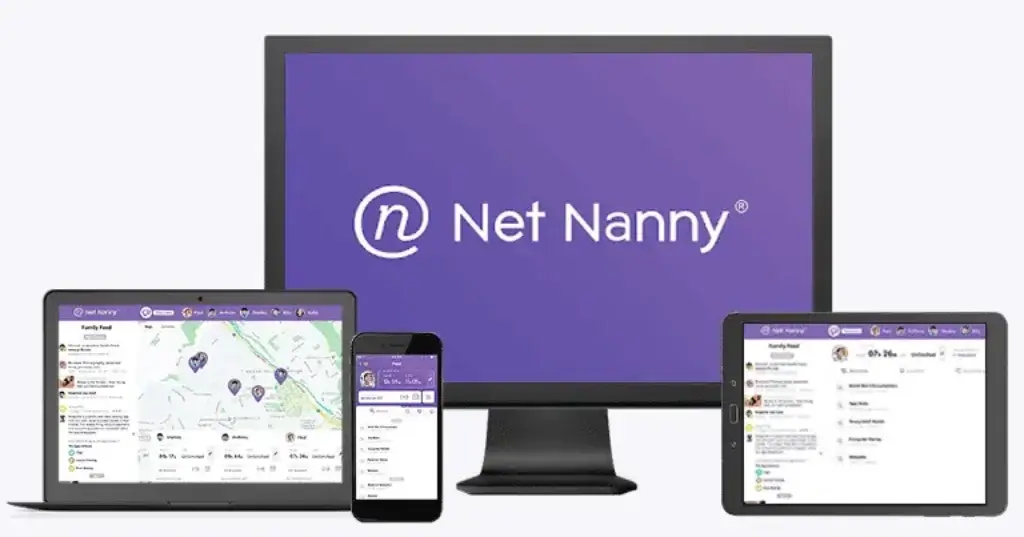
Net Nanny is a parental control platform built around intelligent web filtering and family oversight. It is designed to help you block harmful websites, manage screen time, monitor app usage, track searches, and view reporting from a single parent dashboard.
That focus is what makes Net Nanny different from some competitors. It is not primarily a text-monitoring or social-message alert tool. Instead, it leans hardest into filtering, control, and visibility across your child’s online activity.
What Net Nanny Is Best Known For
Net Nanny has built its reputation on real-time content filtering. That matters because many parental control tools still rely too heavily on static blocklists. Net Nanny’s approach is meant to evaluate page content as it loads, which can make it more effective against inappropriate sites that change often or are not yet on a traditional blacklist.
What You Get in the Platform
Net Nanny combines several core parental control features in one product:
- Real-time website and pornography filtering
- Screen time schedules and Internet shutoff controls
- App blocking and app visibility
- Family Feed reporting and alerts
- Location tracking and location history
- A parent dashboard for remote management
For many families, that makes Net Nanny feel more like a broad parental control suite than a single-purpose monitoring app.
Who Net Nanny Is Best For
Net Nanny is best for parents who want:
- Strong web filtering as the top priority
- A cleaner, traditional parental control dashboard
- Screen time and app controls in the same tool
- A solution for iPhone, Mac, and Windows households
It is less compelling if your family depends heavily on Android or Chromebook devices, because those platforms are not currently supported in Net Nanny’s current support documentation.
Software Specification
Net Nanny’s Best Features
Net Nanny’s strongest value comes from combining filtering, reporting, and device controls in a way that is fairly easy for parents to understand. While some tools in this category focus more heavily on message monitoring or family safety bundles, Net Nanny still stands out most for the quality of its web controls.
Real-Time Internet Filtering
This is the core feature, and it is the main reason families still consider Net Nanny. The software is built to analyze web pages in real time, which helps it block pornography and other inappropriate content more intelligently than products that depend only on fixed domain lists.
If your biggest concern is unsafe browsing, this is where Net Nanny is strongest.
Screen Time Management
Net Nanny lets you create daily allowances, schedules, and curfews for when your child can use the Internet. That makes it practical for families that want more than content filtering alone.
You can use these controls for bedtime shutdowns, school hours, homework routines, or general weekday limits.

Family Feed and Reporting
One of Net Nanny’s more useful features is the Family Feed. This gives you an overview of searches, screen time usage, alerts, and app activity, which helps you understand patterns instead of just seeing isolated blocks.
That reporting layer makes the product more actionable in daily use. You are not only blocking activity. You are also getting context.
YouTube Monitoring
Net Nanny includes YouTube monitoring features that let you review what videos your child watched, including video names, watch dates, and direct links. That is a valuable addition because YouTube often falls into a gray area where parents want visibility without blocking the platform entirely.
Location Tracking
Net Nanny also offers location tracking and location history on supported mobile devices. This can be helpful if you want to confirm when a child arrived at school, returned home, or moved between regular locations.
It is a good extra feature, although it is not really the main reason to buy Net Nanny.
App Blocking and App Advisor
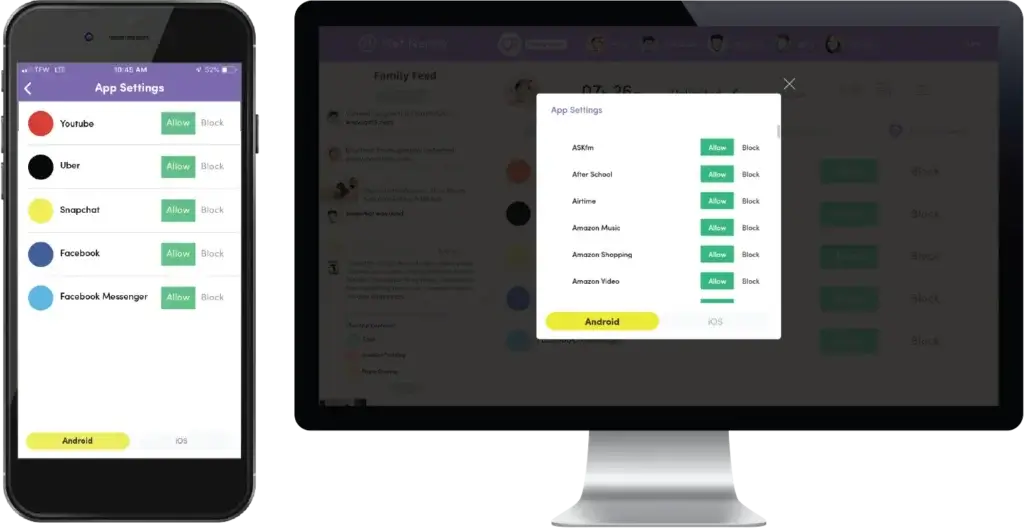
Net Nanny also gives you visibility into the apps your child is using and lets you block apps that are not appropriate. This is useful because many digital safety issues come from apps, not only websites.
The platform also uses App Advisor content to help you understand what certain apps do and whether they deserve a closer look.
User Experience
Setup and Ease of Use
A parental control app can have strong features and still be a poor fit if it is frustrating to install or difficult to manage. Net Nanny does fairly well here, especially if your family uses the platforms it supports best.
Installation Experience
Setup starts from the device you want to protect, and installation is handled through Net Nanny’s install flow and account login. On supported devices, the process is fairly straightforward.
For most parents, the bigger issue is not how hard setup is. It is whether the household devices match Net Nanny’s current platform support.
Parent Dashboard Experience
The Parent Dashboard is one of the cleaner parts of the product. You can log in from a web browser, review Family Feed activity, adjust rules, and manage installs without digging through confusing menus.
This is one reason Net Nanny still feels competitive. The interface is more polished than many older parental control tools.
How It Feels in Daily Use
In daily use, Net Nanny works best as a set-it-and-manage-it platform. You configure content categories, set schedules, review reports, and step in when something looks off.
That makes it useful for busy parents who want structure and oversight without constantly checking every small activity manually.
Where Ease of Use Drops
The biggest usability issue is platform inconsistency. Recent third-party testing still describes Net Nanny as strong overall, but some reviewers also noted reliability issues or crashes during testing. That does not erase its value, but it is worth knowing before you position it as flawless.
Compatibility
Device Compatibility and Platform Support
This is one of the most important sections in any Net Nanny review, because compatibility has become one of the product’s clearest strengths and weaknesses at the same time.
Supported Devices
According to Net Nanny’s current support documentation, the product supports:
- Windows 10 and above
- macOS 10.13 to macOS 11.x
- iOS 11 and higher
If your household fits that mix, Net Nanny can still be a strong choice.
Unsupported Platforms You Should Know About
Net Nanny’s support pages currently state that Android, Kindle Fire, and Chromebook devices are not supported. That is a meaningful limitation, especially when many competing parental control apps still support Android.
This point matters a lot for SEO and conversions because many parents assume every major parental control app will cover the same device types. Net Nanny does not.
iPhone and iPad
iOS remains one of Net Nanny’s stronger supported platforms, especially compared with older parental control tools that still feel much more Android-first. On iPhone, you can manage screen time, view app usage, block many apps, and use location features.
Still, Net Nanny is not a full phone surveillance tool. It does not monitor calls or texts on smartphones, which is an important expectation to set clearly.
Windows and Mac
Net Nanny is also a good fit for desktop-heavy families because Windows and Mac support remain part of the core offering. That is useful for households where kids spend a lot of time on schoolwork, browsing, and YouTube from laptops rather than only from mobile devices.
One limitation to remember is that location tracking is not relevant on desktop platforms, so mobile coverage is still important if location features matter to you.
Why Compatibility Is the Main Buying Filter
If your family uses supported Apple and desktop devices, Net Nanny makes a lot more sense. If your kids mainly use Android phones, Fire tablets, or Chromebooks, this tool drops down the list quickly.
In other words, compatibility should be one of the first filters in your buying decision, not an afterthought.
Pros and Cons
Advantages and Disadvantages
Positive
✅ Best-in-class web filtering
✅ Strong screen time and Internet scheduling tools
✅ Useful Family Feed and dashboard reporting
✅ Good fit for iPhone, Mac, and Windows households
Negatives
❌ Android, Chromebook, and Fire support are major gaps
❌ Not built for deep communication monitoring
❌ Pricing is mid-range to premium
❌ Reliability is not perfect
Before choosing any parental control app, you should weigh both the clear advantages and the practical trade-offs. Net Nanny has a strong identity, and that helps it stand out, but it also means it will fit some families much better than others.
✅ Pros
1. Best-in-class web filtering
Net Nanny’s biggest strength is still its intelligent content filtering. If your main goal is blocking inappropriate websites and reducing unsafe browsing exposure, this is where it performs best.
2. Strong screen time and Internet scheduling tools
Screen time management, Internet shutoff, app blocking, search visibility, and reporting make Net Nanny useful for everyday family rules, not only extreme situations.
3. Useful Family Feed and dashboard reporting
The Family Feed gives you a more complete overview of how devices are being used, which helps you make better decisions than a simple block-only product would.
4. Good fit for iPhone, Mac, and Windows households
If your family uses iPhone, Mac, and Windows devices, Net Nanny covers those platforms better than some parents expect.
❌ Cons
1. Android, Chromebook, and Fire support are major gaps
This is the biggest limitation and the one that will rule Net Nanny out for many households immediately.
2. Not built for deep communication monitoring
If you want text, call, or conversation monitoring, Net Nanny is not the right product. It is more about filtering and control than message surveillance.
3. Pricing is mid-range to premium
Net Nanny is not outrageously expensive, but it is not the cheapest option either, especially if you are comparing it with free or low-cost ecosystem tools.
4. Reliability is not perfect
Recent hands-on testing from third-party reviewers still notes that the app can be inconsistent at times. That is not a deal-breaker for every family, but it is worth acknowledging honestly.
Pricing
Pricing and Plans
Net Nanny’s pricing is relatively simple because it sells annual plans based on the number of protected devices. That makes it easier to compare than some parental control tools with multiple premium layers or hardware bundles.
Net Nanny Plan Options
| Plan | What You Get | Best For |
| 1 Desktop | Protect 1 Windows or Mac device with all Net Nanny features | Single-computer households |
| 5 Devices Family Protection Pass | Protect up to 5 supported devices | Most families with a few devices |
| 20 Devices Family Protection Pass | Protect up to 20 supported devices | Larger families with many devices |
Current Net Nanny Pricing
- 1 Desktop – $39.99/year
- 5 Devices Family Protection Pass – $54.99/year
- 20 Devices Family Protection Pass – $89.99/year
The 5-device plan is the one most families will likely choose. It hits the best middle ground between value and flexibility.
Is Net Nanny Good Value for Money?
If your devices are supported, Net Nanny is priced fairly. The step from 1 desktop to 5 devices is not huge, and the 20-device plan can be attractive for bigger households or families managing a mix of laptops, iPhones, and tablets.
The real value question is not only the sticker price. It is whether the supported device list matches your home. If it does, Net Nanny can be very good value. If it does not, even a low price would not matter much.
Where Pricing Feels Strongest
Net Nanny is strongest on value when:
- You need filtering and controls more than message monitoring
- You have multiple supported Apple or desktop devices
- You want one platform for web filtering, schedules, and app control
If you need broader Android coverage or more advanced communication monitoring, another product may give you better value even at a similar price point.
Net Nanny VS. Alternatives
How Net Nanny Compares to Other Parental Control Apps
Net Nanny is one of the better-known parental control tools on the market, but it is not the best fit for every family. The right comparison depends on what matters most to you.
Net Nanny vs Bark
Bark is usually the stronger choice if you care most about alerts related to bullying, predators, self-harm, and risky conversations. Net Nanny is stronger if your top priority is blocking inappropriate websites and managing screen time with more traditional controls.
Net Nanny vs Qustodio
Qustodio is often the better pick for households that need wider platform support, especially if Android is important. Net Nanny still has the edge in content filtering quality and its clean web-control experience.
Net Nanny vs Aura
Aura makes more sense if you want parental controls bundled with antivirus, VPN, identity theft protection, and broader family digital security. Net Nanny is the more focused parental control product.
Where Net Nanny Wins Most Clearly
Net Nanny is most compelling when:
- You want best-in-class filtering and website blocking
- Your family uses iPhone, Mac, and Windows devices
- You prefer a traditional parental control experience over message surveillance
- You want app blocking, schedules, and reporting in one place
It becomes much less compelling when Android support is non-negotiable.
Conclusion
Is Net Nanny Worth It?
Net Nanny is still one of the strongest parental control apps for families that care most about web filtering, screen time control, and app oversight. It has a clear identity, and that is a good thing. Rather than trying to do everything, it focuses on the parts it does best.
For the right household, that works very well.
Net Nanny is especially strong if you want:
- Excellent real-time website filtering
- Simple but capable screen time controls
- App visibility and app blocking
- A polished parent dashboard and Family Feed reporting
It is less attractive if you want:
- Support for Android, Fire tablets, or Chromebooks
- Monitoring of texts and calls
- The cheapest parental control option available
Who Should Choose Net Nanny
You should seriously consider Net Nanny if your family uses supported Apple and desktop devices, and your main concern is safer browsing rather than deep communication monitoring.
In my view, Net Nanny is one of the better choices for parents who want strong filtering first and traditional parental controls second. The 5-device family plan will be the sweet spot for most households.
Overall Rating
Features: 4.4 / 5
Excellent for filtering, screen time, app blocking, and parent oversight.
Ease of Use: 4.2 / 5
Clean dashboard and good structure, though platform gaps matter.
Value: 4.1 / 5
Solid pricing if your devices are supported, less attractive if they are not.
Overall: 4.2 / 5
A strong parental control app for content filtering, but not the best cross-platform fit for every family.
Bottom Line
If your goal is to block inappropriate content, manage screen time, and get better visibility into how your children use their devices, Net Nanny is still a smart option in 2026.
It is not the most flexible platform on the market, and that matters. But if your household fits its supported-device model, Net Nanny remains one of the better parental control tools you can buy.
Have more questions?
Frequently Asked Questions
Is Net Nanny worth it for parents?
Yes, if your main priority is web filtering, screen time control, and app oversight. It is especially worth considering for families using supported Apple and desktop devices.
What is Net Nanny best known for?
Net Nanny is best known for its real-time content filtering, which helps block inappropriate websites more intelligently than simple blacklist-based tools.
Does Net Nanny work on iPhone?
Yes. Net Nanny supports iOS 11 and higher and includes app blocking, screen time tools, Family Feed access, and location features on supported devices.
Does Net Nanny work on Android?
No, Net Nanny’s current support documentation says Android devices are not currently supported.
Can Net Nanny block apps?
Yes. Net Nanny gives you app visibility and app blocking tools, which help you control which apps your child can use.
Does Net Nanny monitor text messages or calls?
No. Net Nanny is not designed to monitor calls or text messages on smartphones. It is more focused on filtering, app controls, reporting, and device oversight.
How much does Net Nanny cost?
Net Nanny currently offers a 1-desktop plan for $39.99/year, a 5-device family plan for $54.99/year, and a 20-device family plan for $89.99/year.
Is Net Nanny good for large families?
Yes. The 20-device Family Protection Pass can work well for larger households, especially if most devices are iPhones, Macs, or Windows PCs.
Is Net Nanny better than Bark?
That depends on your goal. Net Nanny is better for content filtering and traditional parental controls, while Bark is better for alert-based monitoring of risky conversations and online behavior.
Is Net Nanny better than Qustodio?
It depends on your device mix and priorities. Net Nanny is often stronger for filtering quality, while Qustodio is usually better for broader platform support, especially when Android matters.