
Introduction
Choosing the right parental control app is no longer just about blocking a few websites. You need a solution that can help you manage screen time, monitor app usage, filter harmful content, track location, and adapt to the different ways kids use phones, tablets, laptops, and Chromebooks.
That’s where Qustodio stands out.
Qustodio is one of the most established parental control platforms on the market, with tools designed to help you supervise your child’s digital activity across Android, iPhone, iPad, Windows, Mac, Chromebook, and Amazon Fire. Its feature set focuses on what most families actually need, including screen time management, app blocking, web filtering, detailed activity reports, location tools, and alerts for concerning activity.
In this Qustodio review, you’ll get a complete breakdown of:
- How Qustodio works for families with different device types
- Its most important parental control features
- The difference between Qustodio on Android and iPhone
- Pricing, plans, and whether Premium is worth it in 2026
- Its strengths, limitations, and how it compares to alternatives
Qustodio is not trying to be a general antivirus product. Its real value is in helping you create a safer digital environment for your child while still keeping day-to-day management practical.
If your household uses a mix of phones, tablets, and computers, that broad device support is one of Qustodio’s biggest advantages. At the same time, like every parental control app, it performs differently depending on the operating system, and those differences matter.
This review will help you decide whether Qustodio is the right fit for your family, your parenting style, and your child’s devices.
Let’s get into the details.
Overview
Qustodio Overview
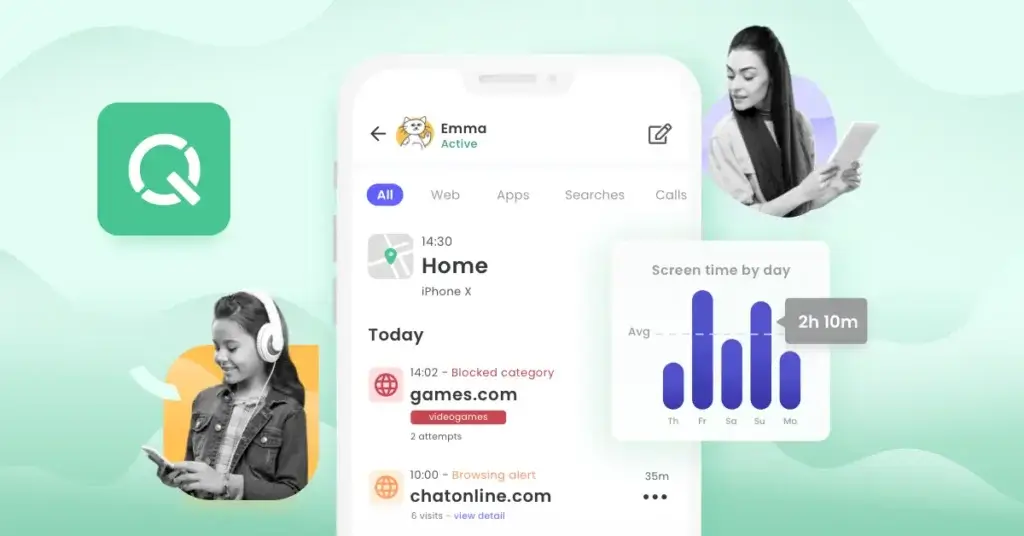
Qustodio has built its reputation around parental controls and digital wellbeing, not around general device security. Its main goal is to help you supervise how your child uses connected devices, with controls that cover screen time, web filtering, app usage, location, and activity reporting.
Over time, the product has expanded beyond simple website blocking. Today, Qustodio also includes advanced tools such as AI-powered alerts, social monitoring, app insights, location notifications, and calls and messages supervision on supported devices.
Qustodio for Everyday Family Use
If you are protecting devices at home, Qustodio focuses on the features most parents actually look for:
- Daily screen time limits and routines
- Website filtering and unsupported browser blocking
- Games and app blocking
- Location monitoring and place alerts
- Reports, alerts, and activity timelines
This makes Qustodio especially appealing if you want a tool that helps you set clear rules while still giving you visibility into how your child uses their devices.
Best for: families with school-age children, households with mixed devices, and parents who want both strong controls and practical reporting.
What Makes Qustodio Different
Qustodio’s biggest strength is that it combines core parental controls with broader device coverage. It works across Android, iPhone, iPad, Windows, Mac, Chromebook, and Amazon Fire, which is a major advantage if your family does not rely on only one operating system.
It is also stronger than many free built-in tools when you want one dashboard to manage several children and several device types at once.
Device Compatibility
Qustodio supports:
- Android phones and tablets
- iPhone and iPad
- Windows computers
- Mac computers
- Chromebook
- Amazon Fire tablets
That said, some of its best features are more flexible on Android than on iPhone, which is important to understand before buying.
Software Specification
Core Features and Parental Control Tools
Qustodio covers the features most families expect from a serious parental control app, but the value is not just in the number of tools. It is in how those tools work together inside one account.
Here is where Qustodio is strongest.
⏱️ Screen Time Limits and Routines
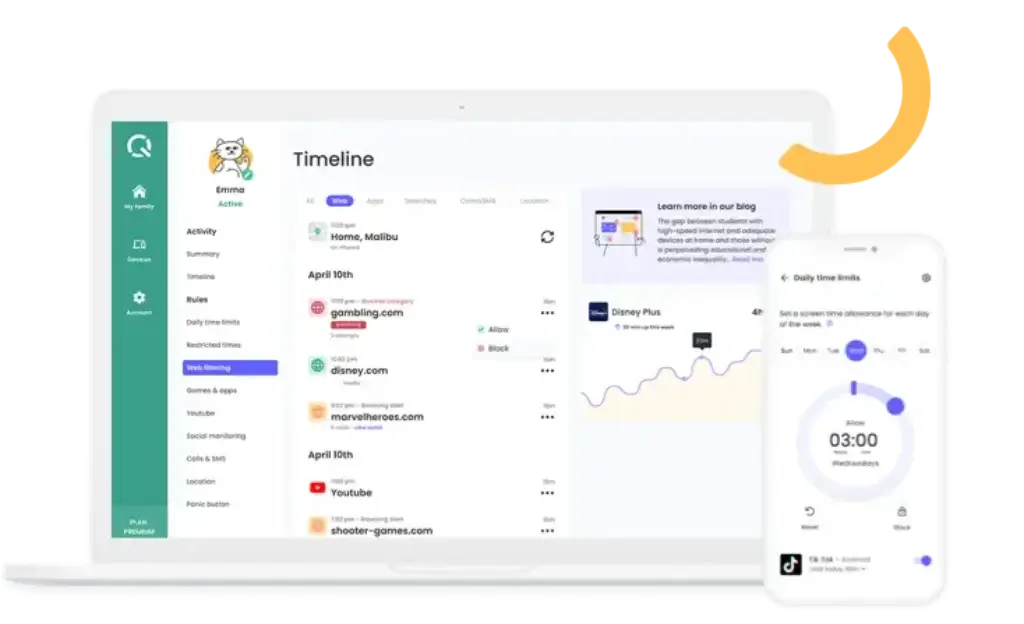
Screen time management is one of Qustodio’s core strengths. You can set daily time limits by day of the week and decide what happens when the limit is reached.
- Lock navigation to stop web access
- Lock device to restrict usage more broadly
- Receive an alert instead of fully blocking
- Create routines for bedtime, study hours, or school focus
This gives you more flexibility than basic built-in controls. You are not just setting one timer. You are shaping a routine that fits your family schedule.
🌐 Web Filtering and Safe Browsing
Qustodio lets you filter websites by category, block specific URLs, and receive alerts when your child tries to visit pages you consider risky or inappropriate.
This is a major feature because web access is still one of the biggest sources of online risk for children, especially through browsers, search, and shared links.
- Category-based web filtering
- Support for major browsers on supported platforms
- Option to block unsupported browsers
- Web activity reporting inside the parent dashboard
If you want a parental control tool that gives you stronger web visibility than a standard device setting, Qustodio performs well here.
📱 Games, Apps, and App Insights
App management is another important part of the platform. Qustodio lets you monitor app activity, block apps, and in many cases set time limits for app usage.
Its app insights feature also adds context by helping you understand what your child is using and whether there may be more age-appropriate alternatives.
- Block apps by category
- Set app usage rules
- See which apps are being used
- Discover app insights and usage patterns
This is particularly useful if you are trying to manage gaming, social apps, or time-heavy distraction apps without taking an all-or-nothing approach.
📍 Location Monitoring and Family Locator
Qustodio includes location monitoring for Android and iOS devices, which makes it more than just a screen time tool.
You can check your child’s location, manage notifications, and receive alerts when they arrive at or leave saved places. For many parents, this is one of the most practical reasons to choose a paid parental control app over a simpler free option.
💬 Calls, Messages, and Social Monitoring
This is one of Qustodio’s more advanced feature areas.
- Monitor calls and SMS activity
- Read message content on supported setups
- Receive alerts for concerning social conversations
- Track social message risks on selected platforms
Qustodio’s social monitoring is designed around alerts, not constant manual spying. It focuses on detecting potentially concerning topics and notifying you when something needs attention.
That makes it a better fit for parents who want visibility and warnings, while still keeping the product centered on safety rather than pure surveillance.
📊 Reports, Alerts, and Activity History
Qustodio’s dashboard gives you access to reports and timelines that help you understand your child’s device activity over time.
- Daily and weekly reports
- Web and app activity alerts
- Search alerts for concerning activity
- A clearer view of patterns, not just isolated events
This section matters because parental control software becomes much more useful when it helps you spot behavior patterns, not just block isolated actions.
Platform Support
Device Compatibility and Platform Differences
One of the biggest mistakes parents make when choosing a parental control app is assuming every feature works the same way on every device. That is not true for Qustodio, and it is not unique to Qustodio either. Platform rules from Apple and Google create real limitations.
This is where your buying decision becomes practical.
Qustodio on Android
Android is where Qustodio tends to feel most complete. App blocking is more direct, time rules are more flexible, and calls and SMS monitoring is more straightforward.
- Stronger app blocking behavior
- Calls and SMS setup is more direct
- Some apps can remain always allowed
- Browser support includes Chrome and Firefox
If your child uses Android, Qustodio is easier to recommend because more of its feature set works in a direct and traditional way.
Qustodio on iPhone and iPad
Qustodio still offers strong iOS coverage, but it works differently. On iPhone and iPad, it can manage Safari and Chrome filtering, monitor compatible apps, track location, and support calls and messages monitoring, but some advanced features rely on extra setup and platform-specific workarounds.
For example, calls and messages monitoring on iOS requires a separate Qustodio Calls & Messages app on a parent computer and ongoing syncing conditions. App control on iOS is also limited to compatible applications, rather than every app on the device.
That does not make Qustodio weak on iPhone. It simply means the iOS version is less frictionless than the Android version.
Qustodio on Windows and Mac
Qustodio also works well on desktop devices, which is important for families that want to supervise school laptops, shared home computers, or devices used for homework and streaming.
- Windows 10 or later supported
- macOS Catalina and later supported
- App blocking closes restricted apps
- Desktop time limits can log the child out of the session
This makes Qustodio a stronger fit than mobile-only parental control tools.
Qustodio on Chromebook and Fire Tablets
Qustodio also supports Chromebook and Amazon Fire, which helps families that rely on lower-cost devices or school-friendly hardware.
Chromebook protection requires both the Kids App and the Chrome extension for full coverage. That extra setup is worth knowing in advance, but it also means Qustodio can be more useful in school-device environments than many parents expect.
Pros and Cons
Advantages and Disadvantages
Positive
✅ Broad cross-platform support
✅ Strong core parental control features
✅ Useful alerts and monitoring depth
✅ Stronger value for mixed-device households
Negatives
❌ Android is stronger than iPhone overall
❌ Some iOS features need extra setup
❌ Premium can feel expensive for one child
❌ Not every app control works equally on all platforms
Before choosing a parental control platform, it is important to weigh both the practical strengths and the trade-offs. Here is where Qustodio performs well, and where it may not be the perfect fit.
✅ Pros
1. Broad cross-platform support
Qustodio works across Android, iPhone, Windows, Mac, Chromebook, and Amazon Fire. That makes it easier to manage families that do not all use the same ecosystem.
2. Strong core parental control features
The combination of web filtering, app blocking, screen time rules, location monitoring, and reporting covers what most families actually need.
3. Useful alerts and monitoring depth
The alert system is one of Qustodio’s strongest benefits. It helps you respond to activity that may actually need attention, instead of checking logs manually all the time.
4. Stronger value for mixed-device households
If your family uses Android, iPhone, laptops, and Chromebooks together, Qustodio is more practical than many tools that are stronger in only one ecosystem.
❌ Cons
1. Android is stronger than iPhone overall
Qustodio is usually easier to recommend for Android families. On iPhone, some features are more limited or require extra setup.
2. Some iOS features need extra setup
Calls and messages monitoring on iOS requires a separate computer-based setup, which is less convenient than the Android experience.
3. Premium can feel expensive for one child
If you only want simple app approval or a basic screen timer, Qustodio may offer more than you need, which can make the paid plan harder to justify.
4. Not every app control works equally on all platforms
App blocking on Android is more direct, while iOS app control is limited to compatible applications. That difference matters in real use.
Software Capabilities
Setup, Dashboard, and Family Management
Qustodio is designed for parents, not IT admins, and that is a big reason it appeals to mainstream families. The setup process is straightforward, but the exact experience depends on the device type you are protecting.
Installation Process
You install Qustodio on the device you want to monitor, then manage settings through the Parents App or the web dashboard.
- Android and iPhone setup starts with the child device and parent app pairing
- Desktop setup is done directly on the child computer
- Chromebook requires both the Kids App and Chrome extension
- Some advanced iOS tools need a parent computer during setup
For most families, the initial setup is manageable, but it is best to do it with the child device in hand rather than trying to guide it remotely.
Parent Dashboard Experience
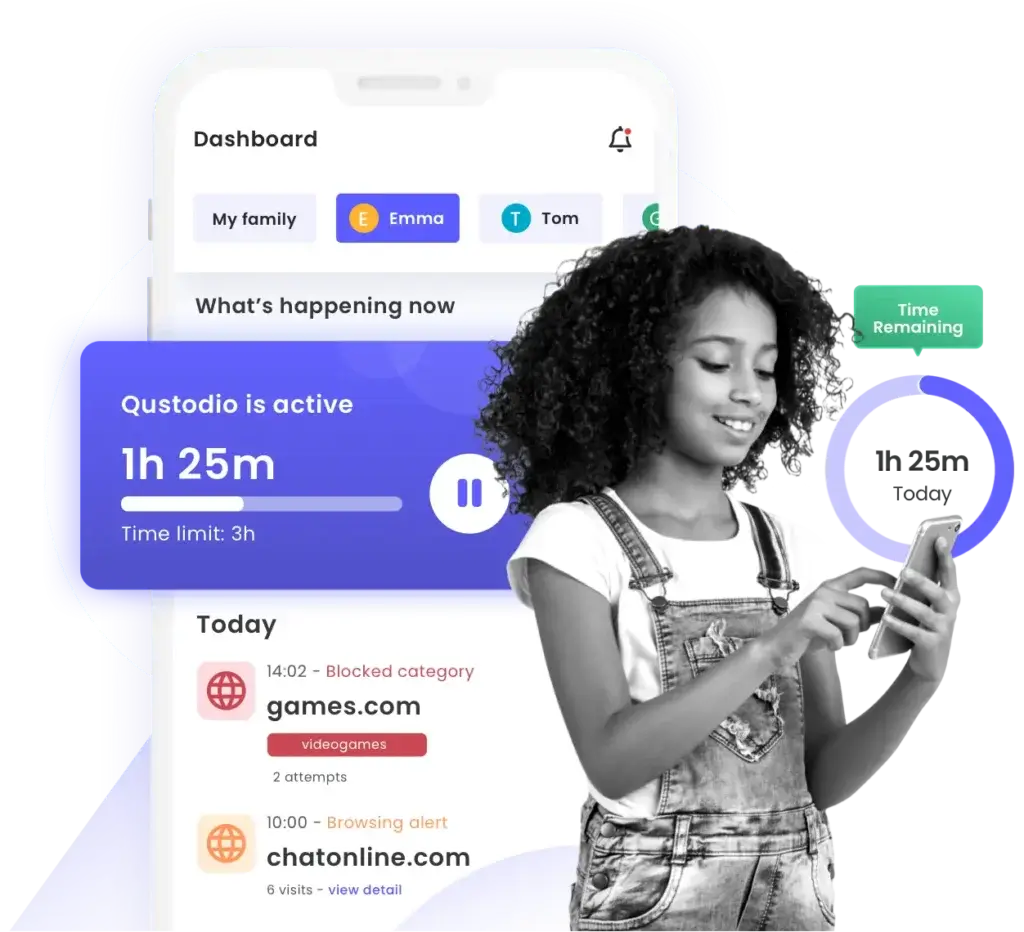
The parent dashboard is one of the strongest parts of Qustodio. It gives you a central place to review activity, adjust rules, check alerts, and switch between children without dealing with multiple accounts.
This matters because good parental control software is not just about blocking. It is about being easy to manage over time.
Managing Multiple Children
Qustodio works well when you need to manage more than one child, each with different rules.
- Separate child profiles
- Different screen time settings by child
- Rules that can reflect age and maturity level
- A clearer overview than piecing together native controls
If you have younger kids and teenagers in the same household, that flexibility is one of the product’s biggest strengths.
Pricing
Pricing and Plans
Qustodio currently separates its offering into a free version and paid Premium plans. The Premium range is centered around Basic and Complete, with Basic positioned as the core package and Complete adding the more advanced safety features.
The structure is simple enough to understand, but the real question is whether your family needs only the essentials or the full monitoring layer.
Qustodio Free
The free version is best seen as a limited trial of the platform rather than a full family solution.
- Protects one device
- Includes basic protection features
- Shows 7-day reports instead of 30-day history
It is useful if you want to test the dashboard and the overall experience, but most families will quickly run into the one-device limit.
Qustodio Basic
Qustodio Basic is the entry Premium tier and is aimed at families that want strong core controls without the most advanced monitoring tools.
| Plan | Key Features | Best For |
| Free | Basic protection for 1 device, limited report history | Testing the platform |
| Basic | Games and apps blocking, daily time limits, web filtering, location monitoring, pause internet access | Small families that want core controls |
| Complete | Everything in Basic plus AI-powered alerts, social monitoring, custom routines, app insights, app time limits, calls and messages monitoring, unlimited devices | Families that want the full safety and monitoring package |
💡 Basic Plan Overview
- Core parental control tools
- Good fit for younger children
- More affordable entry to Premium
- Enough for families focused on limits and filtering
If your main goal is to set screen time rules, filter content, and manage location, Basic is the most practical place to start.
Qustodio Complete
Complete is the plan that unlocks what most people think of as the full Qustodio experience.
- AI-powered alerts
- Social monitoring
- Custom routines
- App insights
- Games and apps time limits
- Calls and messages monitoring
- Unlimited devices
This plan makes the most sense if you have multiple children, multiple devices, or older kids whose digital activity requires more visibility than simple timers and filters.
Is Qustodio Worth the Price in 2026?
The answer depends on what kind of family you are protecting.
If you only need very basic controls on one Android phone, a free tool may be enough. But if your family uses several devices, mixes iPhone and Android, or needs location, reporting, app control, and alerts in one place, Qustodio becomes much easier to justify.
In my view, Qustodio delivers its best value when:
- You are protecting more than one child
- You need one dashboard for several device types
- You want more than simple screen timers
- You care about visibility, not just blocking
That is why it competes more with Bark, Net Nanny, and Norton Family than with basic built-in controls.
Feedbacks
User Feedback and Reviews
Qustodio generally has a strong reputation among parents who want a balance between control, visibility, and usability. It is often seen as one of the more complete parental control apps for families that use several device types.
What Users Usually Like
✅ Clear dashboard and easy rule management
Parents tend to value Qustodio because it makes ongoing supervision manageable. The dashboard is easier to work with than piecing together several native device tools.
✅ Good mix of control and monitoring
Users often like that Qustodio offers both hard controls, such as app blocking and time limits, and softer visibility tools, such as reports and alerts.
✅ Strong fit for mixed-device families
Households with Android phones, iPhones, laptops, and Chromebooks often see more value in Qustodio than they would from a single-platform solution.
✅ Better depth than free parental controls
Many parents move to Qustodio after finding that built-in controls are fine for basics but weak for reporting, multi-child management, or broader device coverage.
Common Complaints
❌ iPhone limitations compared with Android
This is the most common product-level frustration. Some features simply work better on Android, and that is noticeable in real use.
❌ Extra steps for certain advanced iOS features
Calls and messages monitoring on iOS is useful, but it is not as simple as installing one child app and forgetting about it.
❌ Pricing may feel high for basic needs
Families that only want a lightweight screen timer may decide Qustodio is more than they need. Its value improves when you actually use the wider feature set.
| Area | General Perception | Common Highlights |
| Family usability | Generally positive | Clear dashboard, easier multi-device management |
| Feature depth | Positive | Strong controls, reports, and alerts |
| Platform consistency | Mixed | Android stronger than iPhone overall |
Qustodio VS. Alternatives
Comparison with Other Parental Control Apps
Qustodio is a strong parental control app, but the best option still depends on what kind of family you are protecting and which devices your children use most.
Here is how Qustodio compares with some of the most relevant alternatives.
🟣 Bark – Best for Conversation-Based Alerts
Bark is often the better choice if your top priority is message monitoring and conversation alerts across social platforms, rather than deeper screen-time and app-management features.
Why Choose Bark Instead of Qustodio?
- Stronger focus on content and conversation monitoring
- Better fit for parents focused on social risk detection
- Good choice for older children and teens
Qustodio is the better choice if you want stronger structure around screen time, app blocking, web filtering, and multi-device rule management.
🟢 Google Family Link – Best Free Option for Android
Google Family Link is the most obvious alternative if your family is mostly on Android and you want a free tool.
Why Choose Google Family Link Instead of Qustodio?
- Completely free
- Good app management for Android
- Simple for Google-centric households
Qustodio is stronger when you need broader device support, better reporting, more advanced rules, and a more unified parent dashboard.
🟡 Norton Family – Best for Large Android and Windows Families
Norton Family is a strong alternative for households that use Android and Windows heavily and want a family-oriented product from a larger security brand.
Why Choose Norton Family Instead of Qustodio?
- Good value for larger families
- Strong web filtering on supported platforms
- Works well in Android and Windows households
Qustodio is usually the better choice if you want broader platform coverage, including Mac, Chromebook, and Amazon Fire, with a more focused parental control identity.
🔵 Net Nanny – Best for Strong Web Filtering
Net Nanny remains one of Qustodio’s most direct competitors, especially for parents who care most about content filtering and web supervision.
Why Choose Net Nanny Instead of Qustodio?
- Excellent reputation for web filtering
- Strong family-focused interface
- Good option if filtering is your main priority
Qustodio is the stronger choice if you want a broader mix of web filtering, app rules, location, reports, and advanced alerting in the same platform.
Which Alternative Should You Choose?
Choose Qustodio if you want:
- Cross-platform family coverage
- Strong screen time and web controls
- Location, alerts, and app management in one dashboard
- A more complete paid parental control platform
Choose Bark if you want:
- More conversation-based monitoring
- Stronger social alert emphasis
Choose Google Family Link if you want:
- A free Android-first tool
- Basic app and time controls
Choose Norton Family if you want:
- Good family value inside a bigger security ecosystem
- Strong Android and Windows coverage
Choose Net Nanny if you want:
- Top-tier web filtering
- A filtering-first parental control experience
Conclusion
Is Qustodio Worth It?
Qustodio remains one of the most complete parental control apps you can buy in 2026, especially if your family uses a mix of phones, tablets, laptops, and Chromebooks and you want all of those devices managed from one place.
For families, Qustodio offers:
- Strong screen time controls
- Reliable web filtering
- Useful app blocking and app insights
- Location monitoring and alerts
- Clear reports and activity history
Its biggest strength is not one single feature. It is the way the full platform works together, giving you both control and visibility in a way that most built-in device tools do not.
Its biggest limitation is also clear: Android gives you a stronger experience than iPhone. If your child uses Android, Qustodio is easier to recommend. If your child uses iPhone, it is still a strong option, but you need to go in with realistic expectations about platform differences.
🎯 Who Should Choose Qustodio?
You should choose Qustodio if:
- You want one parental control app for several device types
- You care about web filtering, app control, and screen time equally
- You want stronger reporting and alerts than free tools provide
- You are managing more than one child or more than one device
You may want to consider alternatives if:
- You only need a free Android tool
- You want the strongest possible conversation monitoring first
- You dislike extra setup steps for advanced iPhone monitoring
⭐ Overall Rating
Android Families: 4.6 / 5
Excellent mix of controls, monitoring, and day-to-day usability.
Mixed-Device Families: 4.4 / 5
Very strong overall, especially when several device types are involved.
iPhone-Heavy Families: 4.1 / 5
Still a strong parental control app, but some advanced tools are less seamless than on Android.
Bottom Line
Qustodio is one of the best options for parents who want a serious parental control platform, not just a screen timer. It combines strong core controls, broad device support, and a useful dashboard that helps you manage digital safety in a practical way.
If you want a parental control app that is structured, flexible, and genuinely useful across a real family’s device mix, Qustodio remains one of the strongest choices in 2026.
Have more questions?
Frequently Asked Questions
Is Qustodio worth paying for?
Yes, if you need more than a basic free screen timer. Qustodio becomes much more valuable when you want one dashboard for multiple devices, better reporting, location tracking, web filtering, and stronger app rules.
Does Qustodio work on iPhone?
Yes. Qustodio works on iPhone and iPad, including web filtering, compatible app monitoring, time limits, location tools, and some calls and messages features. However, the iPhone experience is not as flexible as Android.
Does Qustodio work better on Android or iPhone?
Android is generally the stronger platform for Qustodio. App blocking is more direct, calls and SMS handling is simpler, and more of the feature set works in the way most parents expect.
Can Qustodio block apps?
Yes. Qustodio can monitor and block apps, and it can also apply time limits to supported apps. On iPhone, app control is limited to compatible applications, while Android is more flexible.
Can Qustodio monitor text messages?
Yes, on supported Premium setups. Qustodio can supervise calls and messages, but the setup is easier on Android. On iPhone, this feature requires an additional computer-based setup.
Does Qustodio track location?
Yes. Qustodio includes location monitoring for Android and iOS devices, and it can notify you when your child arrives at or leaves saved places.
Is there a free version of Qustodio?
Yes. Qustodio Free protects one device and includes basic protection features. It is useful for testing the product, but most families will need Premium to unlock the full value.
Can kids bypass Qustodio?
Like all parental control tools, Qustodio is not impossible to challenge, especially with determined older children. But it includes anti-tampering tools, unsupported browser blocking, and setup options that make casual bypassing harder.
Is Qustodio better than Google Family Link?
Qustodio is usually better if you want broader platform support, deeper reporting, stronger web filtering, and more advanced controls. Google Family Link is better if you want a free Android-first solution.
Is Qustodio one of the best parental control apps in 2026?
Yes. Qustodio remains one of the strongest parental control apps for families that want a full feature set, especially if they are managing multiple children and several device types from one account.