
Introduction
Choosing a website platform is not just about design. It affects how much control you have over your content, how easily your site can grow, how well your pages can rank in search, how flexible your design and functionality can become, and how much technical work you need to handle over time. In this WordPress review, you will get a practical look at what the platform offers, where it stands out, where it still creates friction, and which type of user will get the most value from it.
WordPress remains one of the most important website platforms in the market. In 2026, it is better understood as an ecosystem rather than a single product. You can use the open-source self-hosted version through WordPress.org if you want the most control, or choose WordPress.com if you want a more managed experience with hosting, support, and bundled plans.
What Is WordPress?
WordPress is an open-source content management system and website publishing platform used to build blogs, business websites, portfolios, media sites, membership sites, and e-commerce stores. It started as a blogging platform, but it has evolved into a much broader website system that supports a wide range of use cases.
Its biggest appeal is flexibility. WordPress gives you more control over design, hosting, plugins, SEO setup, and site structure than most closed website builders. That is exactly why it remains such a relevant platform, especially for users who want long-term ownership and room to grow.
Background and Evolution
WordPress is still the most widely used CMS on the web, and it continues to evolve through the block editor, patterns, site editing, and ongoing platform updates. The current stable release line is WordPress 6.9.4, while WordPress 7.0 was still in the release candidate stage at the end of March 2026. That matters because a current WordPress review should reflect that the platform is still actively developing, not standing still.
It is also important to separate WordPress.org from WordPress.com. WordPress.org is the free open-source software you install on your own hosting, while WordPress.com is the hosted commercial platform that simplifies setup and maintenance. A lot of confusion around WordPress comes from mixing those two experiences.
Target Users and Use Cases
WordPress appeals to several different audiences:
- Content publishers – You get a strong foundation for blogs, guides, and resource-heavy sites.
- Small businesses – You can build service sites, lead generation pages, and branded business websites.
- Agencies and freelancers – WordPress is still one of the most flexible platforms for client work.
- Online sellers – WooCommerce turns WordPress into a capable e-commerce platform.
- Advanced site owners – You get more hosting, plugins, and technical control than with most builders.
That said, WordPress is not automatically the best choice for every project. It looks strongest when flexibility and ownership matter. It is less compelling if you want the simplest all-in-one experience with minimal maintenance.
Key Features of WordPress
How Does It Work?
WordPress stands out because it gives you far more flexibility than most website builders. The value is not just that it helps you create pages. It gives you control over the entire site stack, from hosting and themes to plugins, SEO settings, and ecommerce extensions.
Open-Source Website Building
WordPress.org is free open-source software that you can install on your own hosting. That means you are not locked into one hosted provider’s ecosystem. You choose the hosting, the domain setup, the theme, the plugin stack, and the overall architecture.
Theme and Design Flexibility
WordPress is still one of the most flexible design platforms in the market. The official theme directory alone includes thousands of free themes, and the commercial market expands that much further. This gives you a very broad range of starting points for blogs, business sites, magazines, landing pages, and stores.
Block Editor and Site Editing
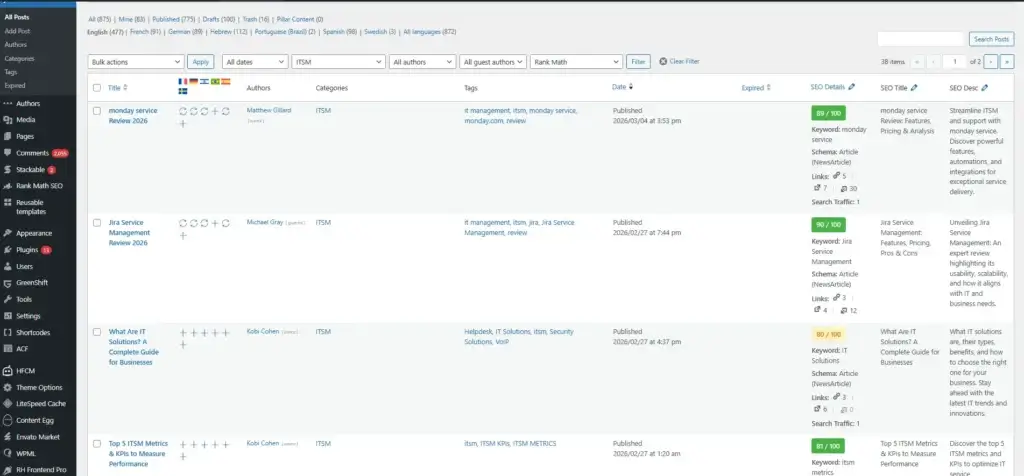
The modern WordPress experience is built increasingly around blocks, patterns, and site editing. This makes WordPress more visual than older versions, and it gives users more layout control without needing to code everything manually. It is not as instantly intuitive as Wix for beginners, but it is much more approachable than WordPress used to be.
Hosting Freedom
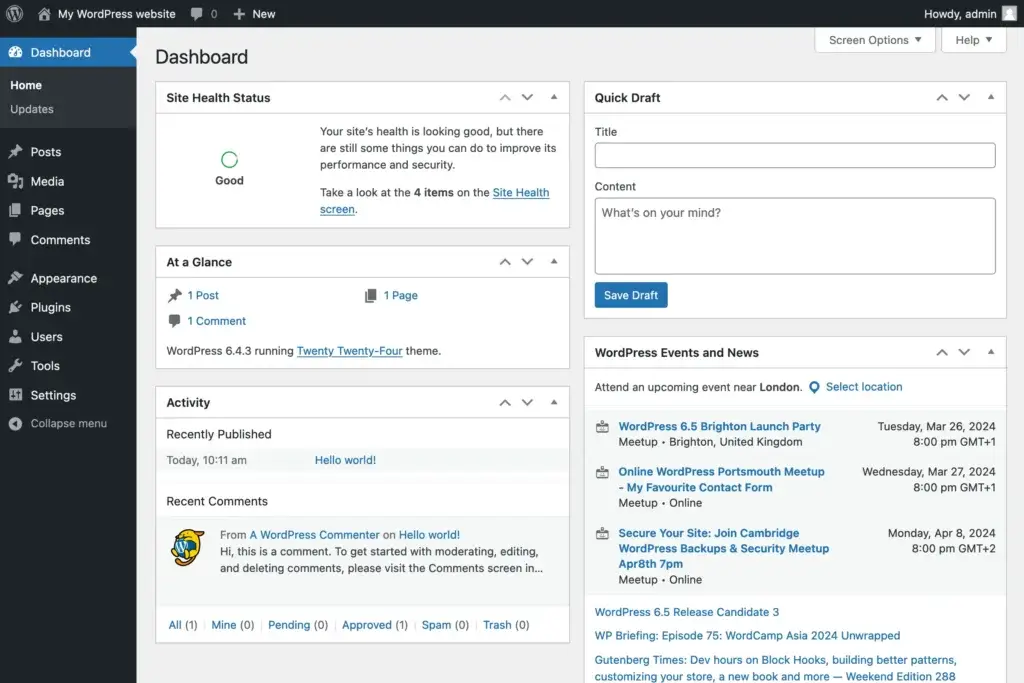
WordPress does not force you into one hosting environment if you choose the self-hosted route. You can use shared hosting, managed WordPress hosting, cloud servers, or more advanced setups depending on your needs. That freedom is valuable, but it also means more responsibility unless you choose a managed path.
Plugins and Extensibility
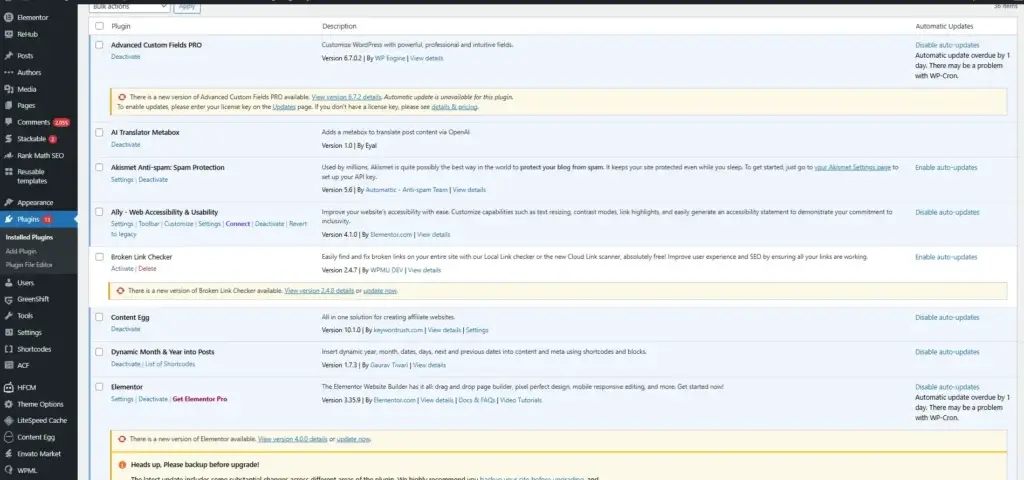
The plugin ecosystem is still one of WordPress’s biggest advantages. You can extend WordPress for SEO, forms, analytics, memberships, multilingual sites, bookings, ecommerce, automation, and much more. This is where WordPress clearly separates itself from closed website builders.
AI Features
WordPress AI Capabilities
AI is not the main reason people choose WordPress, but it is becoming more visible in the ecosystem. The most direct AI website creation experience today is on WordPress.com rather than in the self-hosted WordPress core.
WordPress.com AI Website Builder
WordPress.com offers an AI Website Builder that helps users generate a starter site based on prompts, business goals, and design preferences. This is useful for people who want a faster launch and less blank-page friction.
AI Is a Layer, Not the Whole Product
The best way to think about AI in WordPress is as a productivity layer, not as the entire platform. WordPress is still chosen mainly for flexibility, content control, plugin depth, and long-term ownership. AI can speed up setup, but it is not the core value proposition in the way it is for some newer website builders.
Modern Direction
WordPress is still evolving actively, and that matters. A current WordPress review should not describe it as an outdated CMS. The platform continues to improve through ongoing releases, site-editing capabilities, and hosted product enhancements.
Pros and Cons
Benefits and Limitations of Using WordPress
Positive
✅ Extremely flexible platform
✅ Excellent for content-driven sites
✅ Strong ecosystem depth
✅ High ownership and portability
Negatives
❌ More moving parts
❌ Maintenance is real
❌ Quality varies by provider
❌ Can become bloated
Strengths & Benefits
WordPress gets a lot right for users who care about flexibility and long-term site control.
- Extremely flexible platform – You can build far more than a simple brochure website.
- Excellent for content-driven sites – Blogs, guides, and resource hubs are still a natural fit for WordPress.
- Strong ecosystem depth – Themes, plugins, hosts, and developers give WordPress unusual range.
- High ownership and portability – Self-hosted WordPress gives you more independence than closed builders.
Limitations & Drawbacks
WordPress is strong, but it still comes with tradeoffs that you should understand before committing.
- More moving parts – Hosting, themes, plugins, and updates create complexity.
- Maintenance is real – WordPress is not a fully hands-off platform unless you pay for managed service.
- Quality varies by provider – Your experience depends heavily on hosting and theme quality.
- Can become bloated – Too many plugins or weak stack choices can hurt performance.
Growth Features
WordPress SEO, Marketing, and Business Tools
WordPress remains one of the best platforms for SEO-focused websites. Older assumptions that website builders are easier for growth are not always true, especially when your strategy depends on content, internal linking, and long-term search visibility.
Built-In and Plugin-Based SEO Strength
WordPress gives you strong control over site structure, URLs, metadata, categories, tags, internal linking, and content hierarchy. When you add a quality SEO plugin, the platform becomes even more capable for technical optimization and on-page management.
Practical SEO Strengths
From a practical perspective, WordPress is still one of the strongest platforms for blogs, resource centers, comparison sites, and content-heavy business websites. That is one reason it remains such a common choice for publishers and SEO-driven brands.
Marketing and Integrations
WordPress does not package as many built-in marketing tools as Wix, but it makes up for that with flexibility. You can connect forms, email marketing platforms, CRMs, analytics tools, automation tools, and ecommerce systems in many different ways.
Better for Operators, Not Just Designers
This is one of the main reasons WordPress stays relevant. It is not only a website editor. It is a platform for businesses that need content, lead generation, SEO control, and operational flexibility all under one system.
Online Selling
WordPress E-commerce Capabilities
WordPress becomes a serious e-commerce platform when paired with WooCommerce. The core question is not whether WordPress can sell online. It absolutely can. The better question is how much selling complexity you need and whether content and commerce need to live together in one platform.
What WordPress Does Well for E-commerce
WooCommerce gives WordPress support for product pages, payments, checkout, shipping, taxes, digital products, subscriptions, and extension-based customization. For many businesses, that is more than enough to run a capable online store.
Where It Makes Sense
WordPress e-commerce is strongest for businesses that want content, SEO, and selling in the same environment. If your website needs blog content, landing pages, resource pages, and an online store together, WordPress can be a very practical fit.
Where Shopify Still Wins
Shopify is still the better platform when your store is the business, not just part of the business. It usually handles pure retail operations more smoothly, while WordPress is the more balanced option when content and flexibility matter just as much as commerce.
The Real Takeaway
If your site needs to combine publishing, SEO, brand-building, and moderate to advanced selling, WordPress is often a stronger long-term choice than a closed commerce platform. If you only care about streamlined retail operations, Shopify will usually be easier.
Pricing
WordPress Pricing & Plans
WordPress pricing is less straightforward than most website builders because the answer depends on which WordPress path you choose. The WordPress.org software is free, while WordPress.com uses paid subscription plans for its hosted experience.
WordPress.org
WordPress.org itself is free to download and use. Your real costs come from hosting, a domain, premium themes, premium plugins, developer support, and maintenance tools if you need them. This route gives you the most control, but pricing can vary widely depending on your stack.
WordPress.com Free
The free WordPress.com plan is fine for very basic use, but it is limited. It works more as an entry point than a serious business option.
WordPress.com Business
Business is where WordPress.com becomes much more interesting for serious website owners. This is the plan tier where you get plugin support, more advanced customization, and a more practical environment for business use.
WordPress.com Commerce
Commerce is the more store-focused managed tier. It is the right direction if you want hosted WordPress with stronger e-commerce support and less technical work than a self-hosted WooCommerce setup.
Pricing Table
The table below gives a practical view of the main WordPress paths.
| Option | WordPress.org | WordPress.com Free | WordPress.com Business | WordPress.com Commerce |
| Starting price | Free software | $0 | About $40/mo | About $70/mo |
| Best for | Maximum flexibility | Very basic sites | Serious business websites | Managed ecommerce sites |
| Hosting included | No | Yes | Yes | Yes |
| Plugins | Yes | Limited | Yes | Yes |
| Custom code | Yes | No | Yes | Yes |
| Recommended for | Users who want control | Simple experiments | Businesses that want managed WordPress | Brands that want managed selling |
For most readers, the real decision is not just price. It is whether you want the flexibility of self-hosted WordPress.org or the convenience of managed WordPress.com.
Use Cases
Who Should Use WordPress?
WordPress is not the right platform for everyone, but it fits several important buyer profiles very well.
Content-Heavy Websites
If your growth depends on publishing, blogging, guides, category pages, and organic traffic, WordPress is still one of the strongest options available.
Businesses That Want Long-Term Control
WordPress is particularly strong for businesses that do not want to be boxed into one closed builder ecosystem. You get more ownership over hosting, plugins, and site evolution.
Agencies and Freelancers
WordPress remains highly relevant for agencies and developers because it can support many different client site types, workflows, and budgets.
Stores That Need Content and Commerce Together
If your store is part of a bigger content and brand strategy, WordPress can be a better fit than a pure commerce-first platform.
When WordPress Might Not Be Right
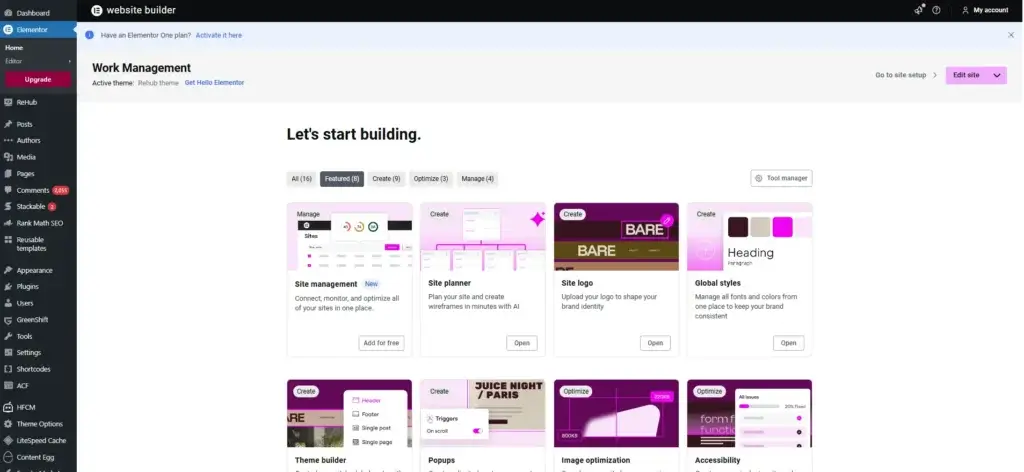
WordPress may not be the best choice if you want the easiest beginner experience, the fastest all-in-one setup, or a platform that minimizes technical decisions. In those cases, Wix or Squarespace may be more comfortable from day one.
Competitors
Competitor Alternatives to WordPress
WordPress competes in a broad market, but the main alternatives are usually Wix, Shopify, Squarespace, and Webflow. The right alternative depends on whether your priority is convenience, ecommerce, design polish, or front-end control.
| Feature Type | WordPress | Wix | Shopify | Squarespace |
| Core focus | Flexible open CMS | All-in-one website platform | Commerce-first platform | Design-led site builder |
| Best for | Content, flexibility, ownership | SMBs and fast launches | Serious online stores | Elegant simple websites |
| Ease of use | Moderate | High | Moderate | High |
| Design flexibility | Excellent with the right stack | Strong | Good for stores | Good but more constrained |
| SEO and business tools | Very strong | Built in | Strong commerce SEO | Solid basics |
| eCommerce depth | Strong with WooCommerce | Good | Excellent | Moderate |
| Overall angle | Best for long-term flexibility | Best for convenience | Best for scaling retail | Best for polished simplicity |
Compared with Wix, WordPress usually gives you more control and long-term flexibility. Compared with Shopify, WordPress is a more balanced platform for content and commerce together, while Shopify is still stronger for store-first businesses. Compared with Squarespace, WordPress is more extensible, but Squarespace is often simpler and more curated.
If I had to summarize it simply, WordPress is still the best choice for users who care more about ownership, extensibility, and scalable content operations than pure convenience.
Best Practices
Getting Started with WordPress
To get the most out of WordPress, you should make a few smart decisions early.
Choose the Right WordPress Path
If you want maximum flexibility and ownership, start with WordPress.org and good hosting. If you want a more guided experience with less maintenance, WordPress.com is the better path.
Choose Hosting Carefully
Your WordPress experience depends heavily on hosting quality. Faster and more reliable hosting improves performance, stability, backups, and maintenance from the beginning.
Pick a Lean Theme and Plugin Stack
Many WordPress problems come from bloated themes and too many plugins. It is usually better to start with a clean setup and add tools only when they solve a real need.
Do the SEO Basics Early
WordPress gives you strong SEO potential, but you still need to use it well. Set up clean URLs, metadata, internal links, image optimization, and a logical content hierarchy from the start.
Match the Platform to the Business Model
WordPress is strongest when your website needs flexibility, long-term control, and content depth. If your main goal is pure simplicity, you may be better off choosing a more managed builder.
Conclusion
Final Thoughts
WordPress remains one of the strongest website platforms because it solves a different problem than most hosted builders. It gives you ownership, flexibility, deep extensibility, and room to grow without locking your site into one provider’s limits. That combination still makes it one of the best options for publishers, small businesses, agencies, and many growing brands.
Its biggest strengths are flexibility, ecosystem depth, SEO potential, and long-term control. Its biggest limitations are higher maintenance, more moving parts, and a steeper learning curve for beginners than more guided platforms.
Overall, WordPress is a strong recommendation for users who want a serious website platform with meaningful room to grow. If you value convenience above all else, a simpler builder may feel easier. If you value control, extensibility, and long-term scalability, WordPress is still one of the best options available.
Have more questions?
Frequently Asked Questions
Is WordPress good for beginners?
Yes, but with context. WordPress.com is more beginner-friendly, while self-hosted WordPress.org is more flexible and requires more setup.
Is WordPress free?
The WordPress.org software is free. However, you still need to pay for hosting, a domain, and possibly premium themes or plugins.
What is the difference between WordPress.org and WordPress.com?
WordPress.org is the open-source self-hosted version, while WordPress.com is the hosted commercial platform with managed plans.
Is WordPress good for SEO?
Yes. WordPress is one of the strongest platforms for SEO-focused websites because it gives you strong content structure and flexible optimization options.
Can WordPress handle ecommerce?
Yes. With WooCommerce, WordPress becomes a capable ecommerce platform for many businesses.
Is WordPress better than Wix?
WordPress is better for flexibility and long-term control. Wix is better for simplicity and a more bundled all-in-one experience.
Is WordPress better than Shopify?
That depends on your goal. WordPress is better for content-heavy and flexible sites, while Shopify is usually better for store-first businesses.
Do you need coding skills for WordPress?
No, not necessarily. You can build a lot without coding, but technical knowledge becomes more useful as your site becomes more advanced.
Is WordPress still relevant in 2026?
Yes. WordPress remains the leading CMS and continues to evolve through ongoing releases and ecosystem improvements.
Is WordPress worth it overall?
Yes. If you want ownership, extensibility, and room to scale, WordPress is still one of the best website platforms you can choose.